I’ve specifically avoided that for the moment, because the debugger color implementation is (intentionally) very simple. The current version taps into the Z-machine color implementation, which only supports ten basic colors (those eight, “default”, and “current”), so those ten are the only values of color and background-color that the frontend recognizes. Handling any more would mean building a separate implementation for the debugger, and at that point we might as well just handle full 24-bit #ff0088 color instead of faffing around with names.
That said, the Z-machine does recognize a few grays in its “named color” system, so those could be added. But the spec tags them as “Z6 only” so I’m not sure whether interpreters handle them in Z5 and Z8.
My goal, implementation-wise, has been to keep the debugger style system as simple as possible; terminals will never be able to do especially nice typography, so the main purpose is to make sure your Z-machine implementation works properly. If someone else wants to extend it to do 24-bit color, though, by all means feel free; you’d just want to increase the 8-bit divfg and divbg variables in eval.h to be 32-bit, and rewrite eval_color.
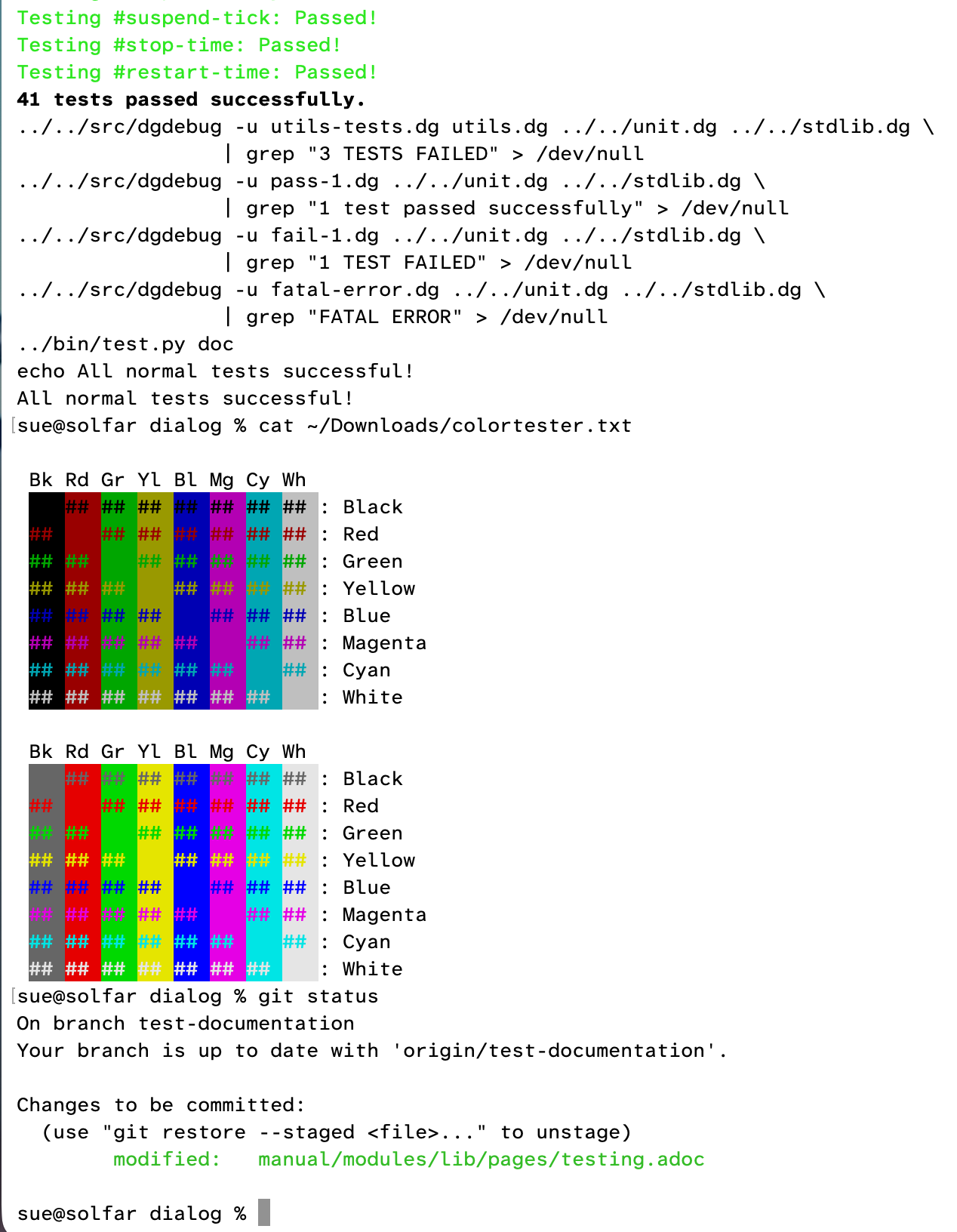
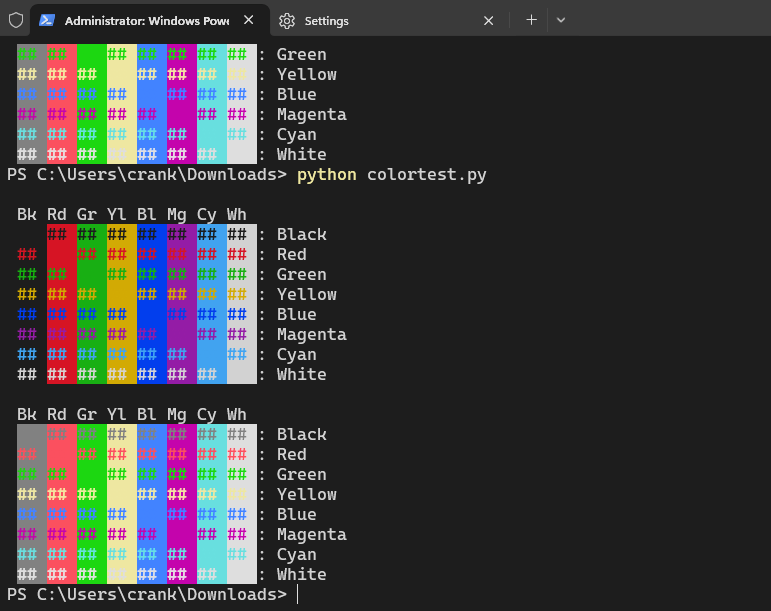
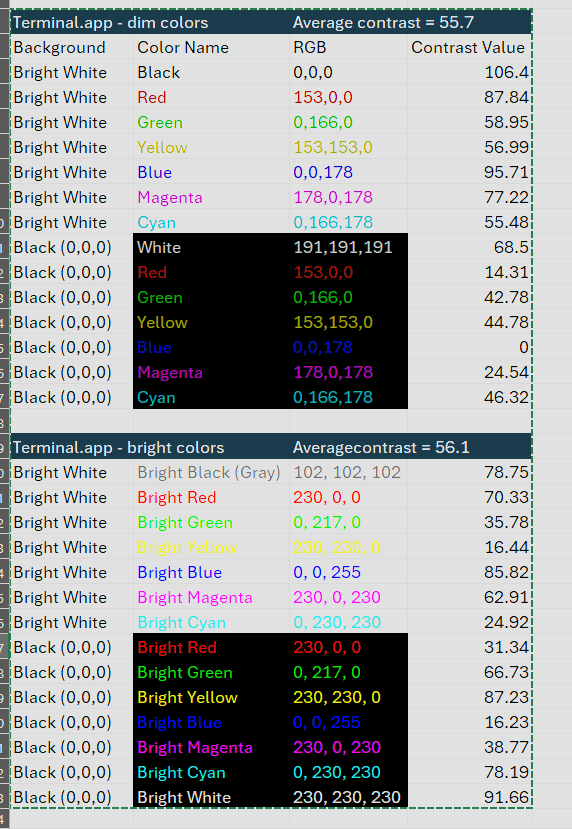
Sadly no standard ones. Each terminal does whatever it wants. Wikipedia lists a bunch of examples; of those, “Terminal.app”, “xterm”, and “Ubuntu” are the most relevant ones. (On Windows, the debugger uses Windows Glk instead of the terminal, so it uses an entirely separate set of colors. Because this wasn’t complicated enough already!)
If we can come up with a set of RGB codes that work for everyone, I can just make the debugger specify exactly which colors it wants instead of leaving it up to the terminal; I might default to these ones Dannii posted above, since I don’t trust my own judgements on individual colors.
Otherwise, we’ll have to deal with the vagaries of the terminal. But I would like the simple names “red” and “green” to pick sensible defaults of some sort, that will work for as many people as possible.
This is one decision that I really shouldn’t be making, because with my bad color vision, I tend to crank the contrast up to maximum and use combinations that are garish to anyone else. I personally would default to colors that are all 0’s and 255’s, and I imagine people with good color vision would not enjoy that.
So—if this thread can come to a consensus on a good set of eight RGB codes, just tell me, and I’ll implement those. Otherwise, I’ll switch to the dim colors (like Git uses). As a starting point, I believe the ones Dannii posted should be:
#000000 // black
#ef0000 // red
#00d000 // green
#efef00 // yellow
#006fb0 // blue
#ff00ff // magenta
#00efef // cyan
#ffffff // white
These are the ones the debugger currently uses in Windows Glk; they’re taken from the Z-machine spec (except with the low three bits set equal to the fourth, because the spec only covers the top five bits). If this thread comes up with a better color scheme, I’ll update the Windows version to match.
(By a “good” set of eight RGB codes I mean that all eight are clearly distinct and not hard to read against both a dark and light background, except black doesn’t have to be readable on a dark background and white doesn’t have to be readable on a light background.)
@RobertSzacki
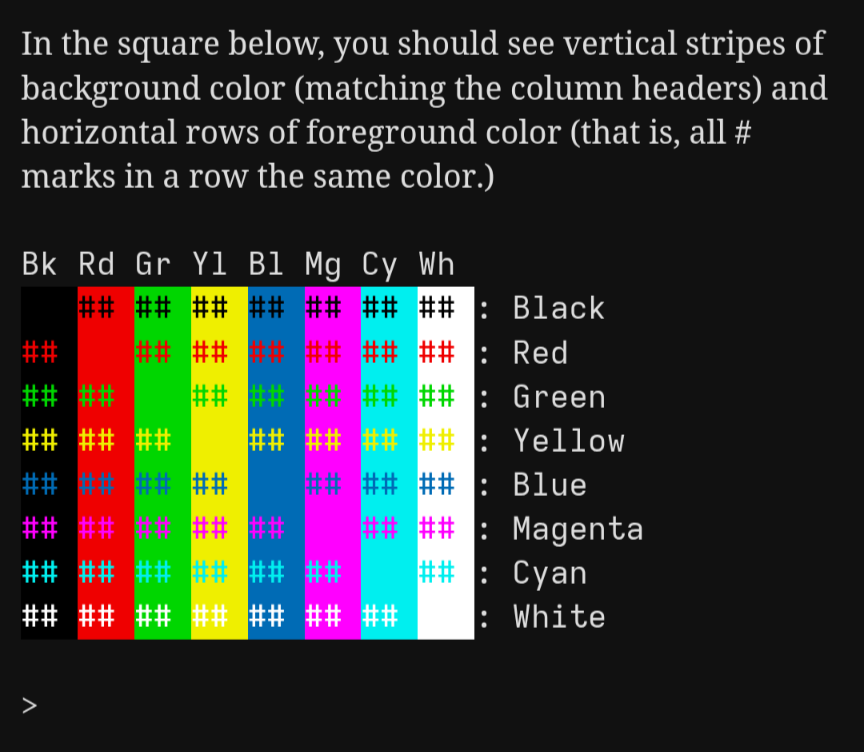
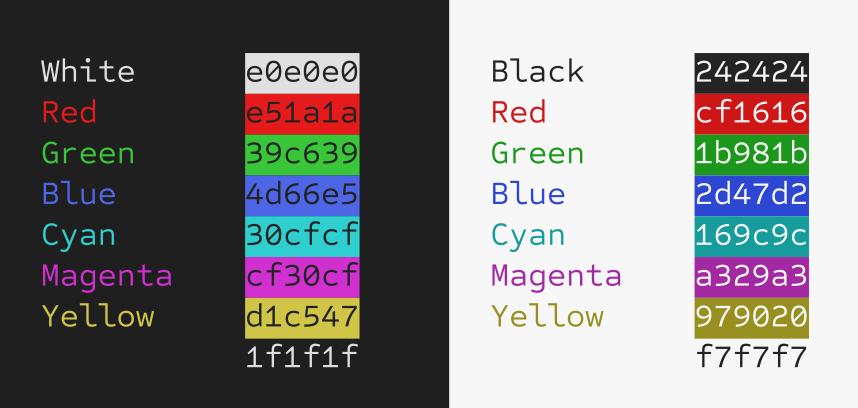
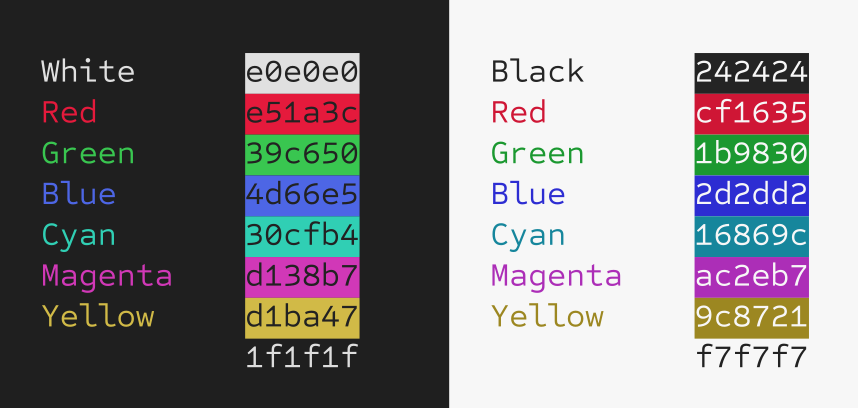
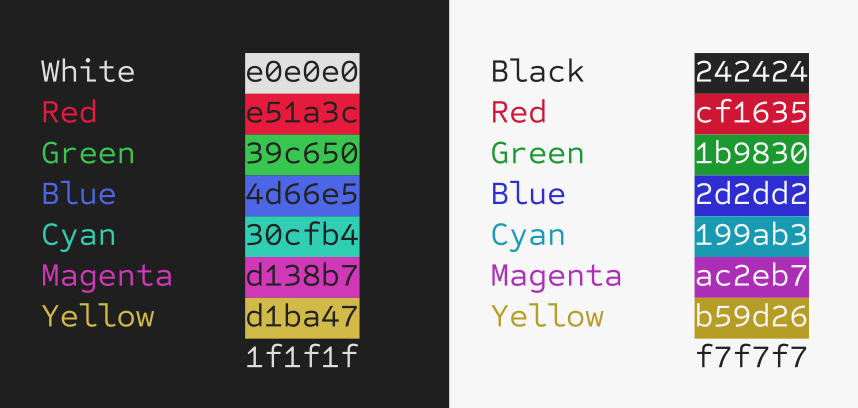
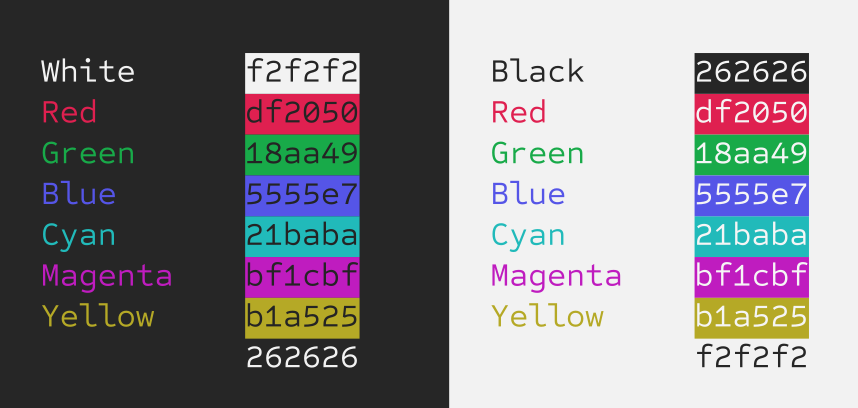
I took your advice and came up with this scheme that tries to honour the colour labels. I’m a big fan of hue shifting so my red preference has a bit of magenta in it, etc… but that would be insanity to command line purists so I held back.
Edit: This is about as yellow as I feel comfortable with on white. But I used to be a jewellery designer and goldsmith, so maybe I just lean towards gold. It looks more 10K than 18K now.
Second Edit: Just tweaked the cyan a bit to feel lighter on the white. Mike’s got me all self conscious now.
Lots of people tell me my color sense is weird. I call things green that other people say are yellow and vice versa. Pure colors are fine, but anything in between…not so much.
These look great! But unfortunately, the debugger has no way to know whether the user has a light or dark background color. It’s okay if a few combinations (like white on light background) are illegible, but as many as possible should be legible against whichever background the user has.
(On Linux and Mac, the debugger basically only has access to ioctl and ANSI escape codes. Its ability to figure out anything beyond ioctl is almost nonexistent. On Windows, I believe Windows Glk always defaults to a white background.)
Yes, some colors may look almost invisible on white background, like Yellow, light Orange or Pink, Light Green. But well - we can change the Saturation and Brightness (Value) as well.
The same goes for Black, but now they are Brown, Deep Blue or Violet.
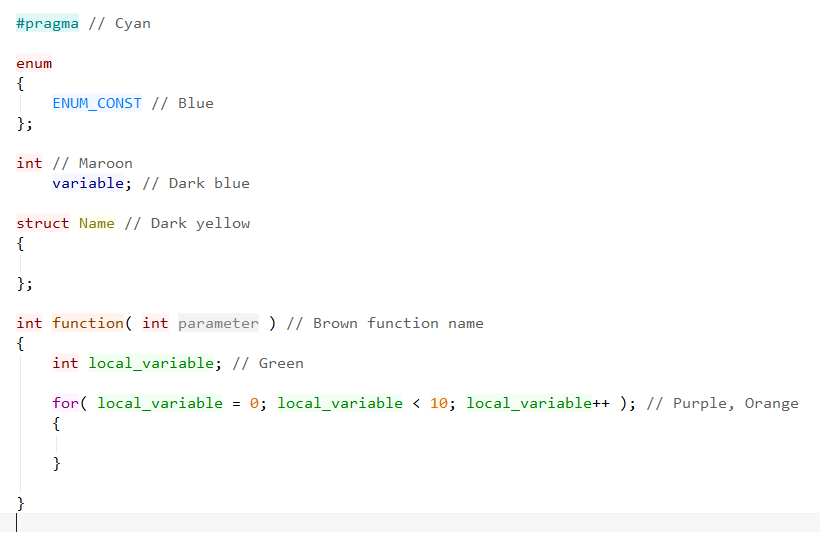
I just like less saturation. Like I showed on my C syntax colors, it’s possible to achieve good, pleasant color-set. Yellow in 100% saturation can be difficult to use in text-editor, for obvious reason.
Your red, green, magenta, and yellow all look great. The blue and cyan don’t look quite blue and cyan enough to me, especially on black. (Though I am slightly colourblind myself…)
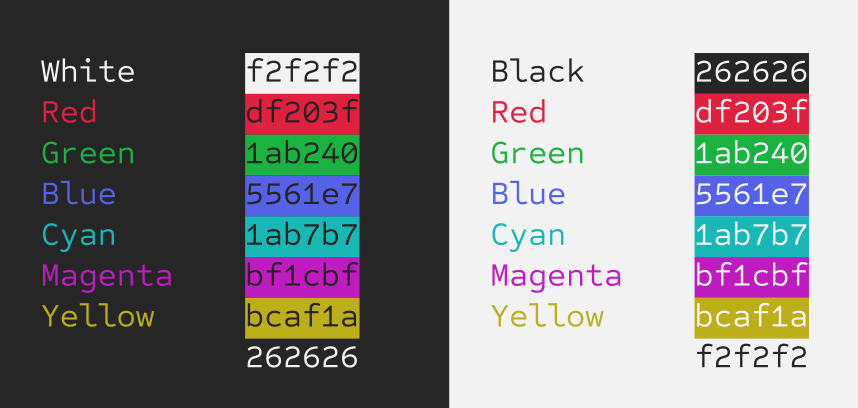
Black and white should use the basic ANSI colours so they use whatever the theme has. That would work wouldn’t it?
This is pretty much where my brain stops with tweaking colours based on my laptop display and my photoreceptors. Slight tweaks all around. To give both sides a fair shake, you have to focus on one side for several seconds. Then you’ll notice your brain takes over and the colours become more distinct. Going back and forth between the two makes both feel muddy and washed out.