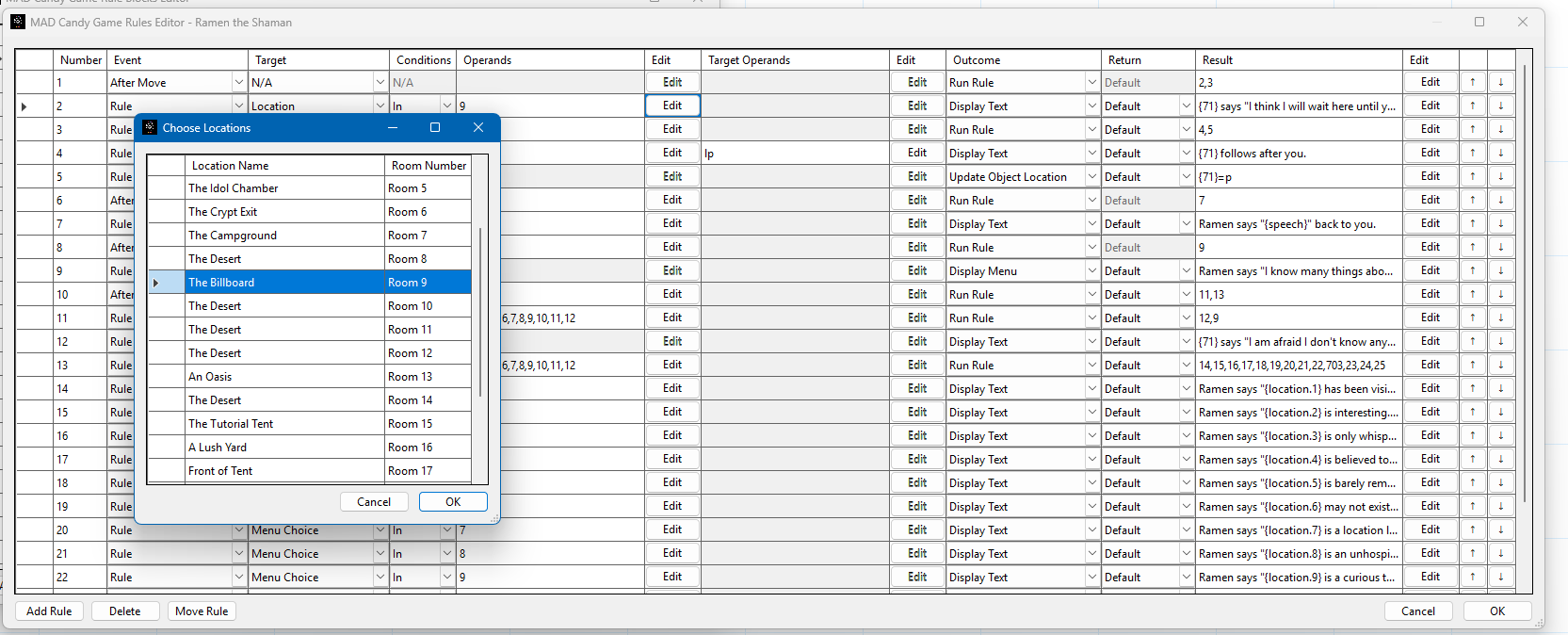
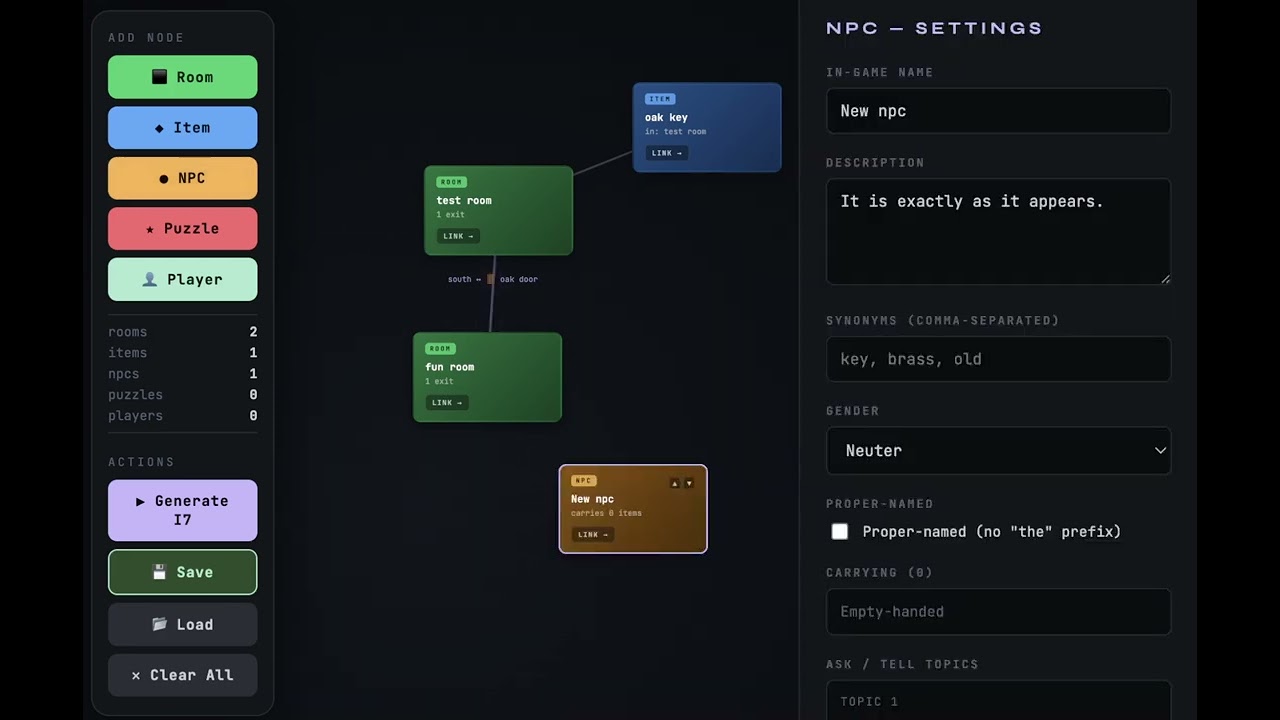
Without going into too much, I want to show a screen of my “no-code” implementation of Cloak of Darkness. As far as I can tell, it is implemented and aligned 100% with the specification. The hardest one being, “do anything but go north in the bar disturbs the message on the floor”. That is a surprisingly challenging specification. If you had the power of inform without having to write “script” would that be a draw?
The image is a small and limited example of how interactive content is made. It is by no means a stress test and demonstrates but a very small fraction of what is possible. World governance is based on rules. Rules respond to actions. Rules have results. Simple ones like: win, lose, write some text. The screen looks complex but the concept is simple in nature. Something happens, it can be handled, and it does something. That something can be to run other rules. Rules can chain together, branch, and collapse back. Knowing that things happen in visual order and that rules are numbered, can you follow the train of the logic which makes a playable Cloak of Darkness? If you had this offline, visual designer, would you try it out?
Personally, I wouldn’t, but I’m also not really the target audience: I’ve been coding for ages and prefer tools like LaTeX and OpenSCAD that let me do everything via code.
I’m not sure, though, that a “no-code” tool can ever really be as powerful as Inform. As an example, one of my Inform games has the mechanic “every action taken by the player or an NPC can potentially be heard up to three rooms away; this distance is calculated by the normal route-finder but ignores all doors and obstacles to find the most direct path; movement counts as being in both the starting and ending room for the purpose of being in range”. I’m not sure I can imagine how a no-code tool would let me design something like this without just becoming…code.
Also, once piece of feedback: back in the 70s, this sort of “database-driven” IF system required authors to keep track of the numbers for rooms, objects, messages, and so on. It looks like this system does the same?
One of the big advances since then has been assigning symbolic names to these things, so you just have to remember “cage” instead of “object #17”. Modern computers are strong enough to deal with this at basically no cost, and it’s a huge help for authors.
Unfortunately, I’m not sure what the benefits of this tool are.
My general personal experience with visual tools is that they make things much easier at first, but once you reach a certain level of complexity, all you really want is to be able to write regular code. To be honest, I have no idea if that’s the case here.
I used it to make my entry to the TALP/TALJ 2026 Jam that is currently ongoing. The game I made features 3 main areas, 24 rooms in total, with 93 objects. It is currently playable and in the judgement stage. As far as organization goes, it is segmented into 48 blocks of rules, with 704 rules split up between the blocks. I don’t know how that rates in complexity. My experience with it is that it is organized and easily edited. I completely understand the “want to code” as I am a computer programmer since the late 80’s. Not everyone is though.
edit - The original cloak of darkness is around 122 lines of inform 6 source, 3 locations, and possibly 3 objects.
Off the top of my head, I’m pretty sure Construct 2 (graphical game engine) used a spreadsheet-like interface for events and conditions. Not sure if the current version (Construct 3) still does that. Stencyl and GDevelop might also? And they’re certainly popular in certain circles. Dunno how much those circles overlap with IF authors, though… I have a theory that writers (who already play with punctuation and spelling and word choice, etc.) are more likely than visual artists to get impatient with the writing experience in visual tools being pretty bad, and eventually move on to a text-based coding tool. But I could be imagining things.
I’m really just trying to gauge interest. First and foremost I made the tool, the player, and the system for myself and own use first. I do enjoy being able to make a cartridge file, upload it to my google drive, and the use the “send to” action/intent to send the file to the android player app. It then is automatically added to the main menu. Whole groups of different games, with the game size less than 100 KB each, at least the ones I made, can be on the phone or computer for offline play.
I thought it had merit and basically worked with rooms and objects. The actions were tied directly to the rooms and objects and if conditions were required, it was basically flag check boxes (if I remember correctly). I like the concept of “evolutions” for the rooms and objects so that their states could change. Overall, it was very accessible for non-programmers, but I think it could have been streamlined a bit more for usability.
Anyway, just thought I’d toss that your way. I’ll give what you’re proposing some more thought and provide some feedback later.
It’s a low-key multi-decade running joke around here how often an IF system comes in promising to be “no-code” or “doesn’t require programming.”
The joke is that if you work on it long enough, you eventually realize you’ve either imported a coding system into it or accidentally created one on the fly.
(A system designed with forethought is rather more likely to come out well than one designed accidentally on the fly.)
The real joke is when you realize your system was always a code-based tool; you just didn’t realize it because your idea of “code” was stuck on “looks like C++/Python/Algol/whatever”.
The system was designed with much forethought. I designed it to be an object-oriented engine. The POC came first and was in CBM BASIC V2. I posted it on Lemon 64. The CBM prg Studio basic code is here. It used the delegate/dispatch pattern which is an object oriented methodology. Then the idea was curated more and I ported it to C#. I’m a C++ programmer by profession but C# made much more sense. The first games used the delegate/event pattern and that has been the pattern that I have been curating since. My itch game Nightmare Planet 2025 is 100% C# code sans the tool. I made the tool last and started it in January this year. It continues the design but now handled by an abstract class that processes the rules and produces the results. The rules are described in the screen shot. It has been in design and development since Nov 2024 and I am very proud of the design and forethought that has gone into it. I’ve got one end user right now who is giving an internal build a trial. The studio itself allows exporting files that can be directly uploaded to Itch as playable content, like from the link, as gamefiles for the Android mobile or Windows terminal. Much care and thought went into it and there is nothing haphazard or accidental about it.
What, in broad terms, would that look like? I’m not asking you to actually implement the whole thing; I’m just struggling to imagine how you could encode “calculate the distance from both the source and destination of the action to the player, ignoring doors, take the smaller of the two, measure the direction of that movement, and report a sound from that distance and direction” into a no-code system. What kind of table rows would you use?
Since I don’t have all the specification about the NPC and what was trying to be accomplished it is hard to say. Generically the system makes heavy use of set theory and not just in simple sets. Since the system knows at any given time the players location and the NPC’s location, then location intersection rules would be set up to detect areas deemed to be in the realm of “triggering”.
How’s the accessibility for screen reader users? If you’re not sure, which is understandable, the package you’re using for the GUI usually dictates quite a bit about accessibility. WinForms and WPF (out of date, as far as I know) are accessible as they were created by Microsoft during a period where they emphasized accessibility, though the accessibility is partially the UI library and partially the programmer who uses it. Avalonia is also accessible, but again, part of making a GUI application accessible with screen readers depends on the programmer remembering to give their controls proper labels, to use controls that map to native UI elements and API calls, Etc. (WXWidgets is the best at this IIRC.)
QT and GTK on Windows are hit or miss in the accessibility department, largely because it doesn’t seem to be a priority for the project, unlike it is on Linux. WX, as I said before, is solid for accessibility, but there hasn’t been a supported and up-to-date binding for it in ages.
The Studio proper is WinForms. I’ve worked with a couple of sightless computer users and it is frankly amazing to watch them navigate a computer with a braille keyboard and screen reading. The WinForms application uses all the out of the box simple controls. I wanted to make it work first before making it look impressive.
One of the design goals is to minimize this. While the studio will never be Word Perfect, I do leverage the Rich Text Format with the editor. The system supports 3 basic markup items. Text color, background color, and monospace/proportional fonts. Text can be told that it is colorized and it will faithfully display that way. I’m currently building a better editor that supports the clipboard format of RTF. Any word processor, like Word, can paste into the text box and have basic stuff preserved and get an idea of how it will look on output. The original design was to look and feel like the commodore 64.
I think this is the inescapable truth of interactive fiction. Unless the story you want to tell can be written in pure branching hypertext; there’s going to be some code. There are a variety of languages and GUIs that can make your code more (or less) comprehensible, but it’s still code.