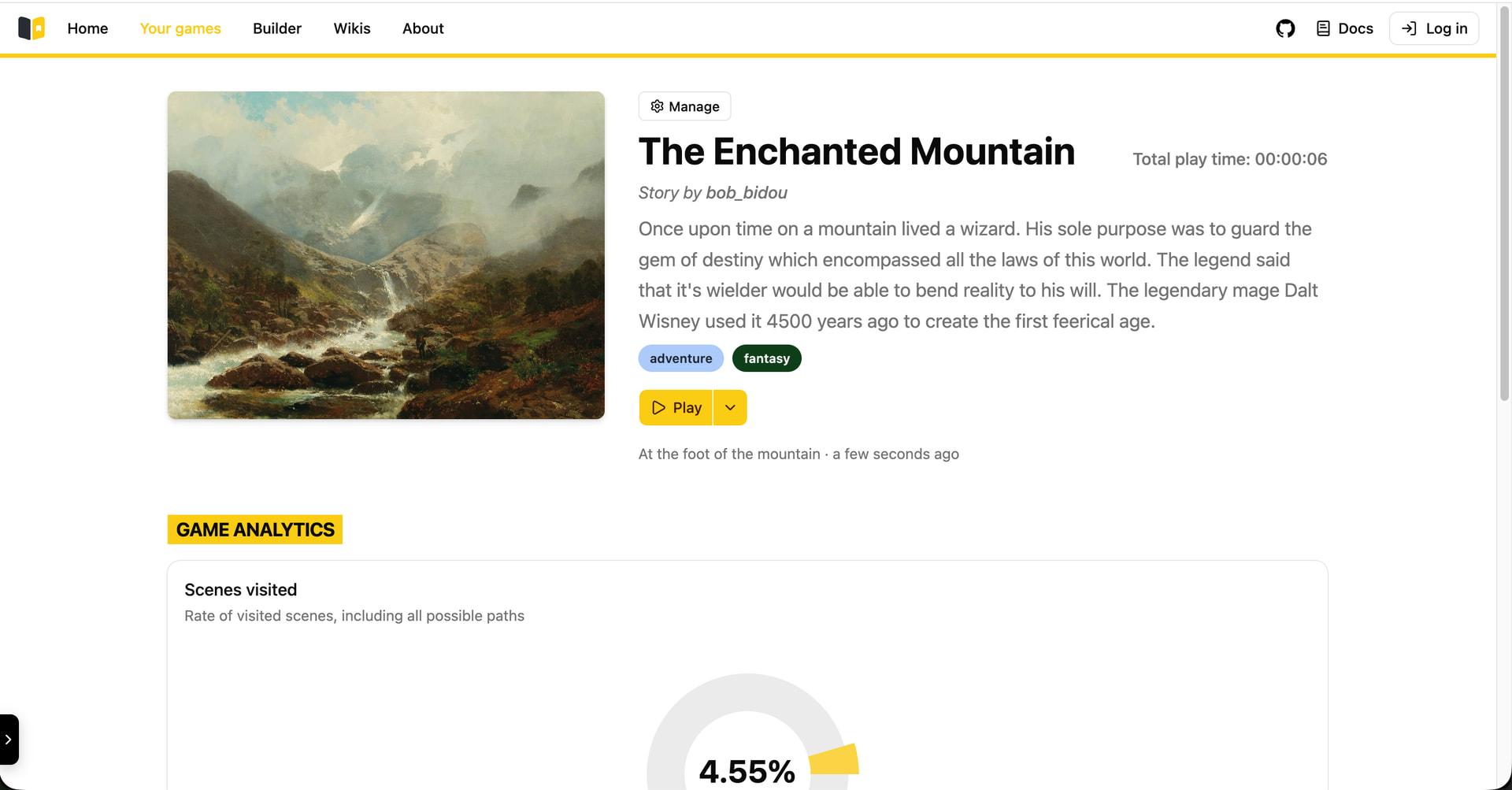
I’m building a new open-source platform for creating and playing choose-your-own-adventure games. It’s entirely free forever, and doesn’t include ads. It started as a group school project, but this is something I’d like to keep working on!
The project is local-first, which means that everything is stored locally by default, rather than on a remote server. This means your data always stays with you (in your browser) if you want to.
It doesn’t and will not include any AI features, and I don’t use AI in the development process.
Story Builder allows you to create interactive stories via a visual node editor (no coding required!). It is currently in bêta, but the platform is stable and already offers all the basic features you’d expect from a choice-based game editor, and some additional features I hope you’ll find interesting! To list a few:
Conditional actions - Enable/Disable paths of the story based on previous choices
Wiki - Write articles about the lore of your stories and link them directly in your story
Character Attributes - Implement level-up mechanisms and condition choices based on attributes value
Random events - Improve replayibility by adding randomness to the story
One of the main things is that I moved the repository from Github to Codeberg, which I’m really happy about. You can find the new repo here: bob_bidou/story-builder - Codeberg.org
The release includes some improvements for the Wiki feature : a new home page design, little bug fixes and easier wiki creation.
When playtesting your story in Test Mode, actions that aren’t linked to any scenesare now shown, with a warning.
There also are lot of little UX improvements in the app and the docs. App version is diplayed in the menu. I also took the time to make some technical improvements, notably a new migration system for the local database.
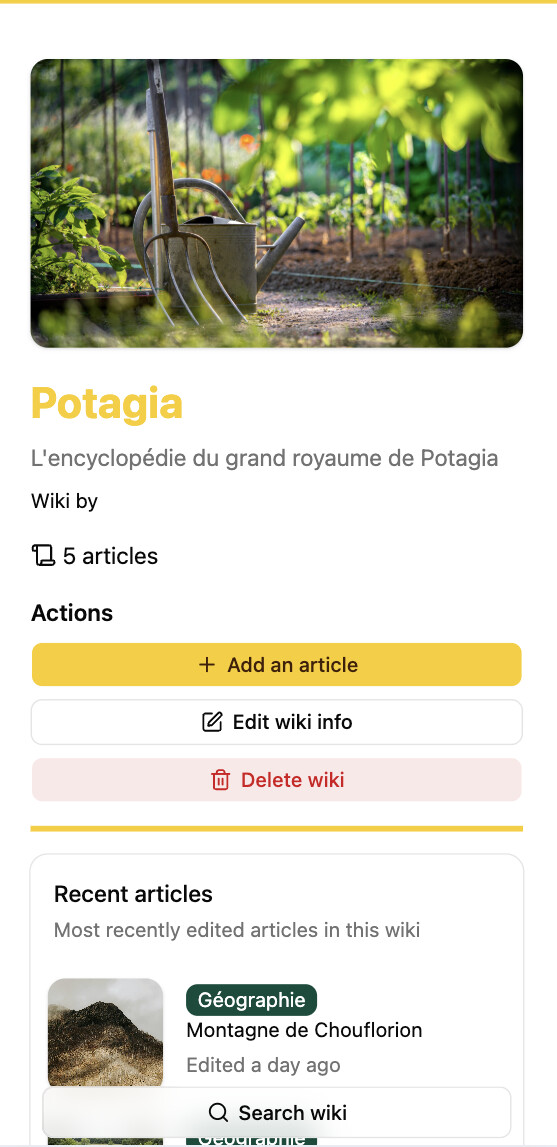
The Wiki now includes important features that were missing, like editing wiki info or deleting a wiki completely. The interface has also been redesigned specifically for mobile use, including the search bar, article edition, etc. Also, you can now use images from your device for wikis and articles instead of having to rely solely on URLs.
It’s now possible to export a story directly from the Library. You can choose to also export (and import) your saves, which makes it easy to keep your progress between devices (since everything is stored locally).
The release also includes some other UI improvements, bug fixes and technical developments, of which you can find the full description in the release notes over on Codeberg.
A couple of screenshots of the Wiki on mobile (sorry, they are in french):
 I’m building a new open-source platform for creating and playing choose-your-own-adventure games. It’s entirely free forever, and doesn’t include ads. It started as a group school project, but this is something I’d like to keep working on!
 The project is local-first, which means that everything is stored locally by default, rather than on a remote server. This means your data always stays with you (in your browser) if you want to.
 Story Builder allows you to create interactive stories via a visual node editor (no coding required!). It is currently in bêta, but the platform is stable and already offers all the basic features you’d expect from a choice-based game editor, and some additional features I hope you’ll find interesting! To list a few: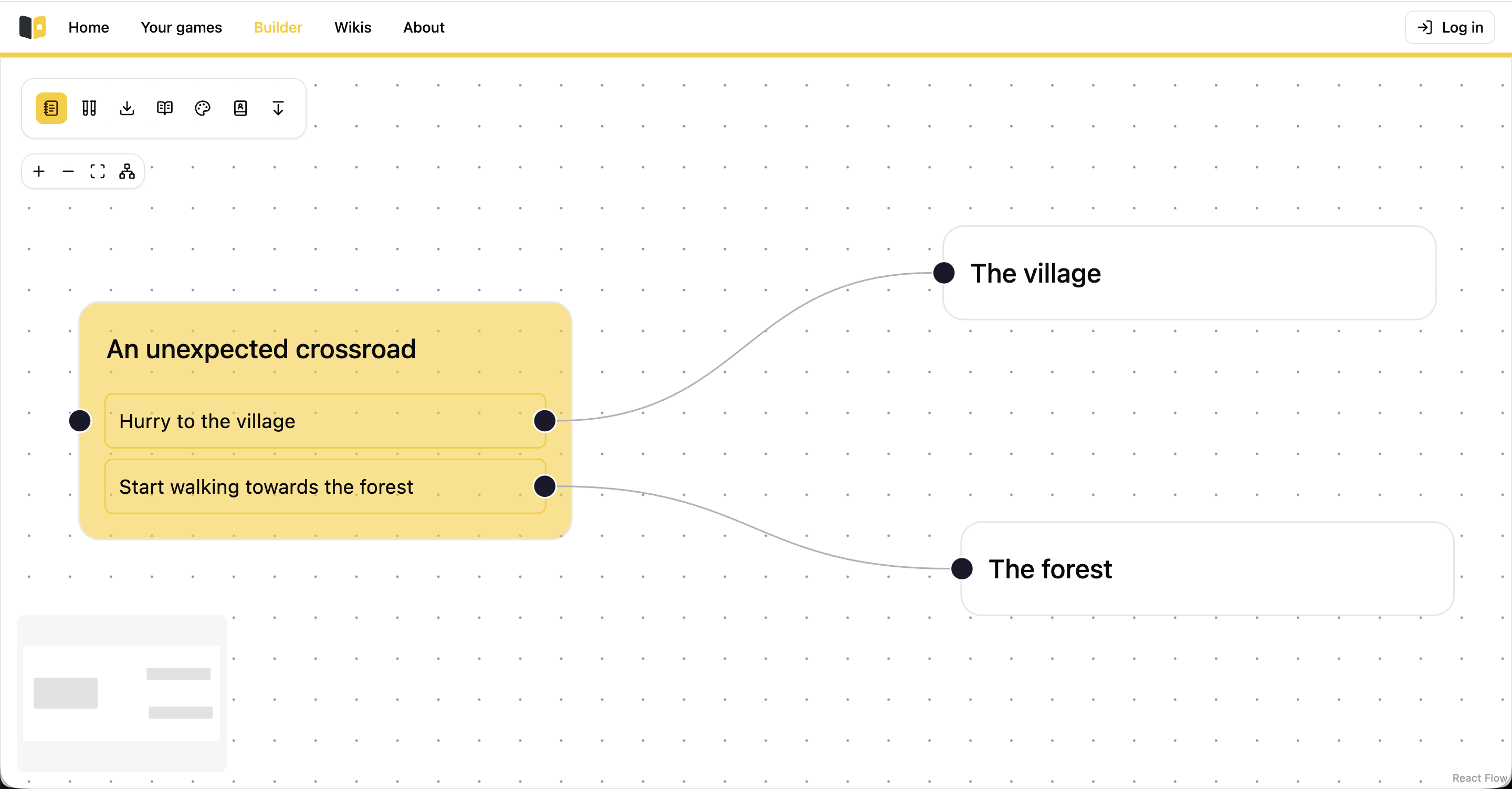

 I’ve just released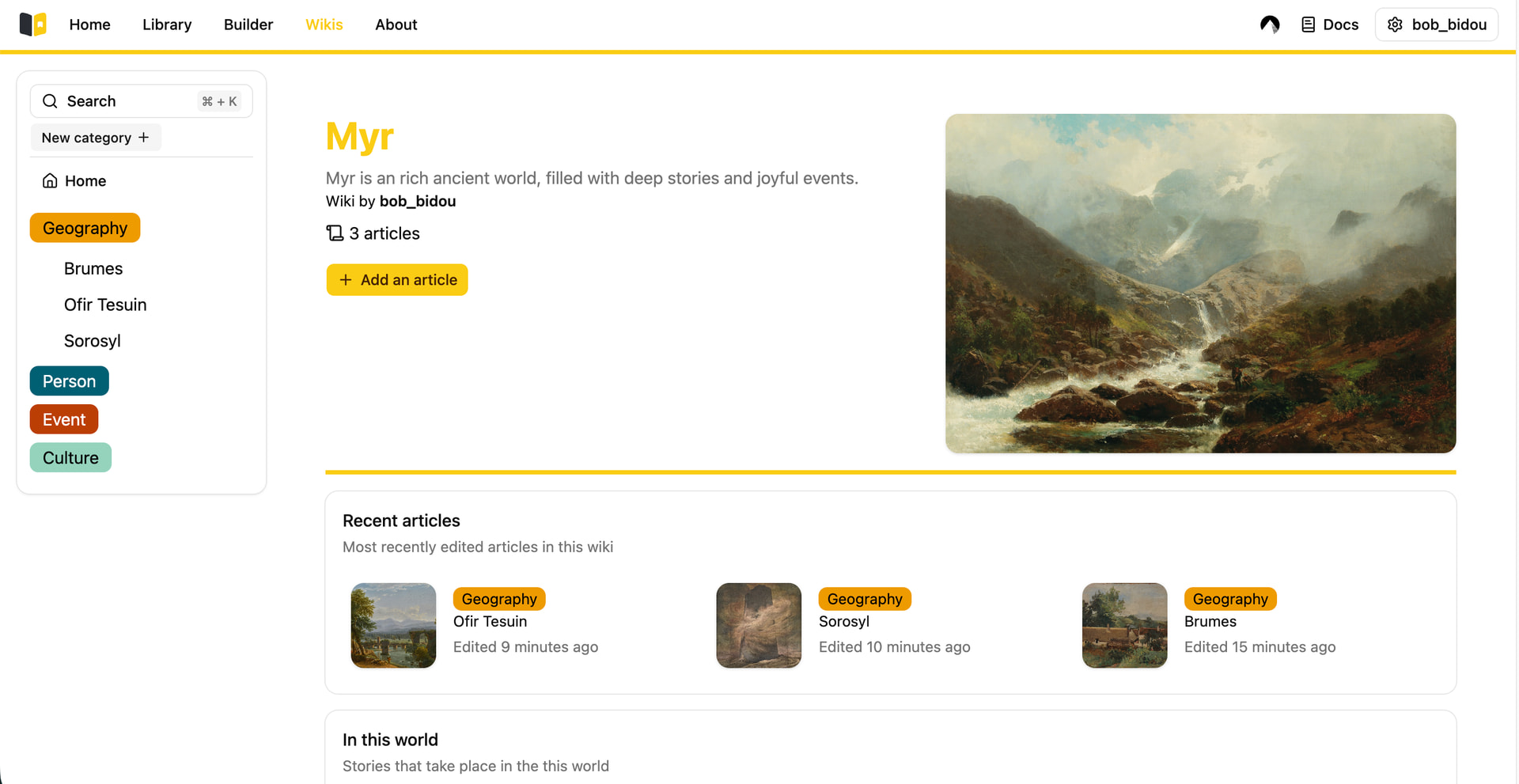
 The Wiki now includes important features that were missing, like editing wiki info or deleting a wiki completely. The interface has also been redesigned specifically for mobile use, including the search bar, article edition, etc. Also, you can now use images from your device for wikis and articles instead of having to rely solely on URLs.
 It’s now possible to export a story directly from the Library. You can choose to also export (and import) your saves, which makes it easy to keep your progress between devices (since everything is stored locally).
 The release also includes some other UI improvements, bug fixes and technical developments, of which you can find the full description in the