I made a huge update and rename my tool from “Twine Constructor” to “Purl”. So… I’ve created a new topic.
What have been changed:
AI features
- ComfyUI integration for AI image generation — avatars, scenes, items and paperdolls parts
- KoboldCPP and Gemini API integration for text generation (enhance and generate from hint) and image prompt generation
New features
- Paperdoll system with dynamic body part images
- Items with dynamic images
- Shops and other containers
- Export and import of all scene texts to a separate file — for translating the story and exporting to HTML in multiple languages
- Date and Time system — display and manipulate
- Watchers — check variables on every step and do actions is checks is true
- New Plugin block which can be exported to a separate file and imported into another project; supports a parameter system for scenes and variables
UI/UX
- Single window for all layouts: blocks, code preview, graph
- New modal windows
- Replaced emoji with SVG icons
- Updated header
- Adding blocks via modal window
- Added the ability to add multiple blocks to a scene at once from the modal
The website has also been updated.
I'd be very grateful for your feedback and comments. You can help make Purl better.
2 Likes
You lost me with the AI. Deal breaker.
2 Likes
You don’t have to use it. This feature is off by default. The first thing why I added it - is for generating prompts for generating images in ComfyUI. Other is… some kind of bonus feature for lazy people
1 Like
I’m not a Twine user, but looked at it out of curiosity. It looks very nice!
Just wondering: what’s the meaning of “paperdolls” here? Is this a Twine-ism or just some game-design terminology I don’t know?
1 Like
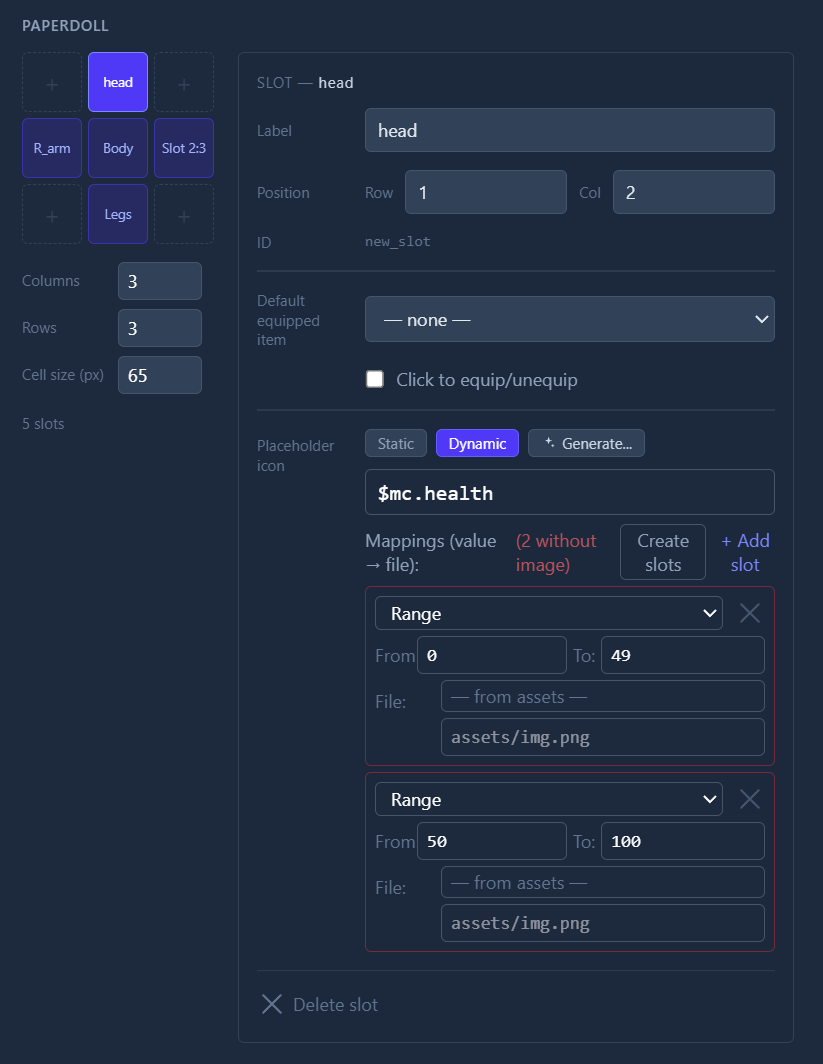
Thank you. “Paperdoll” here is a custom-built table with rows and columns. You set their quantity and cells for body parts: head, body, legs, and so on. In the cell setup, you can set a default image for this body part. The image could be static or dynamic (change its image based on a variable value). For a dynamic system, you have to create and choose variables, set the diapasons of values for some images (or generate them via AI). A dynamic system is also made for avatars, items, and any image in a scene (passage).
In this image, you can see a table of paperdoll and cell setup.
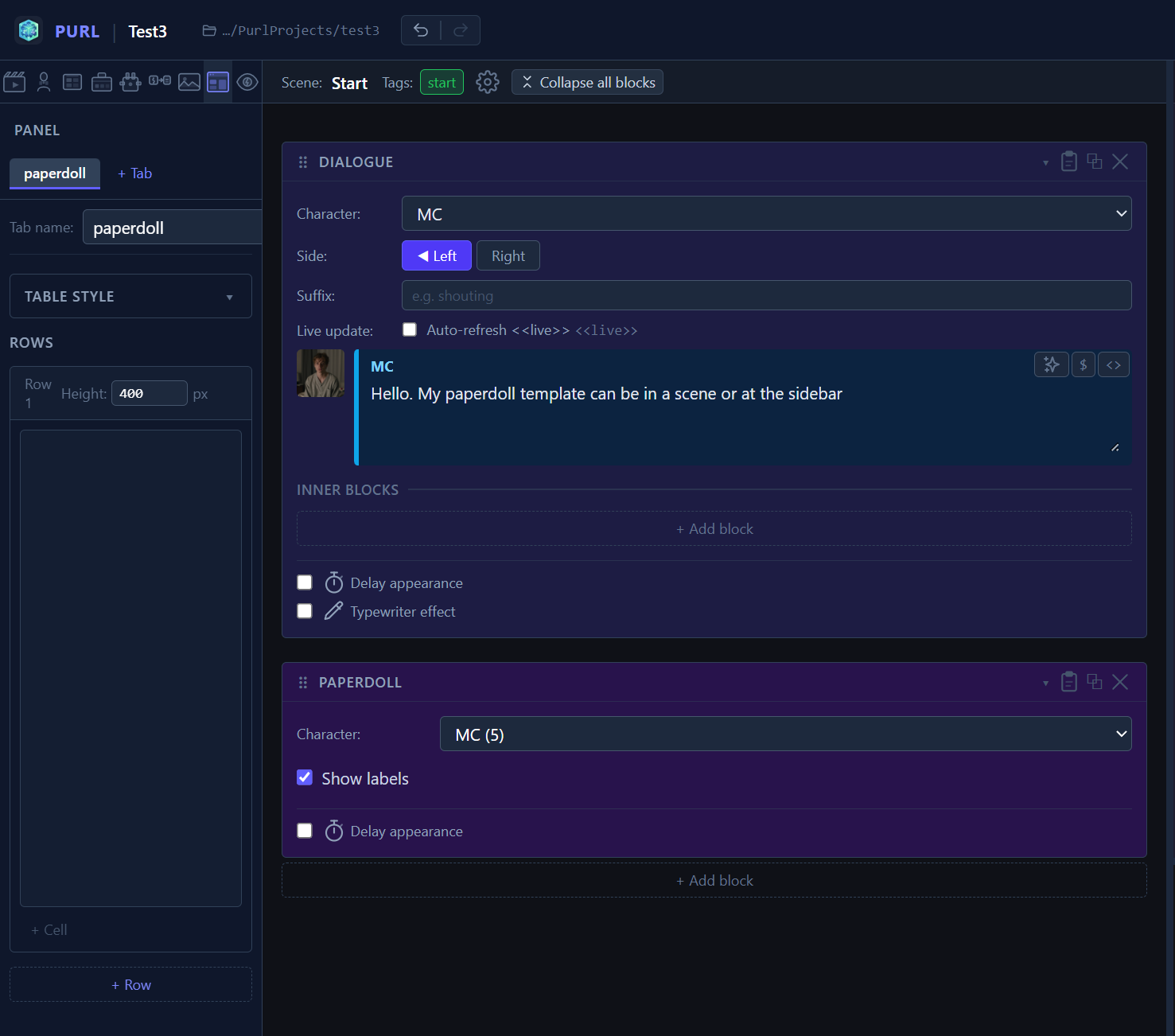
Here you can see the Dialogue block and the Paperdoll block in the editor window
This is in the story. (with random images xD)
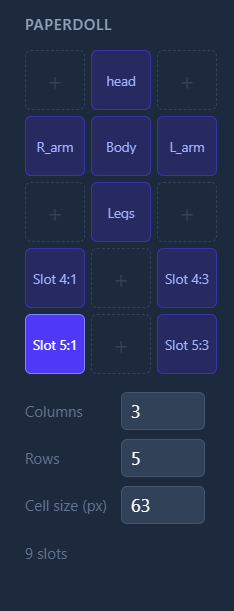
Also, you can do any form and body parts here
1 Like