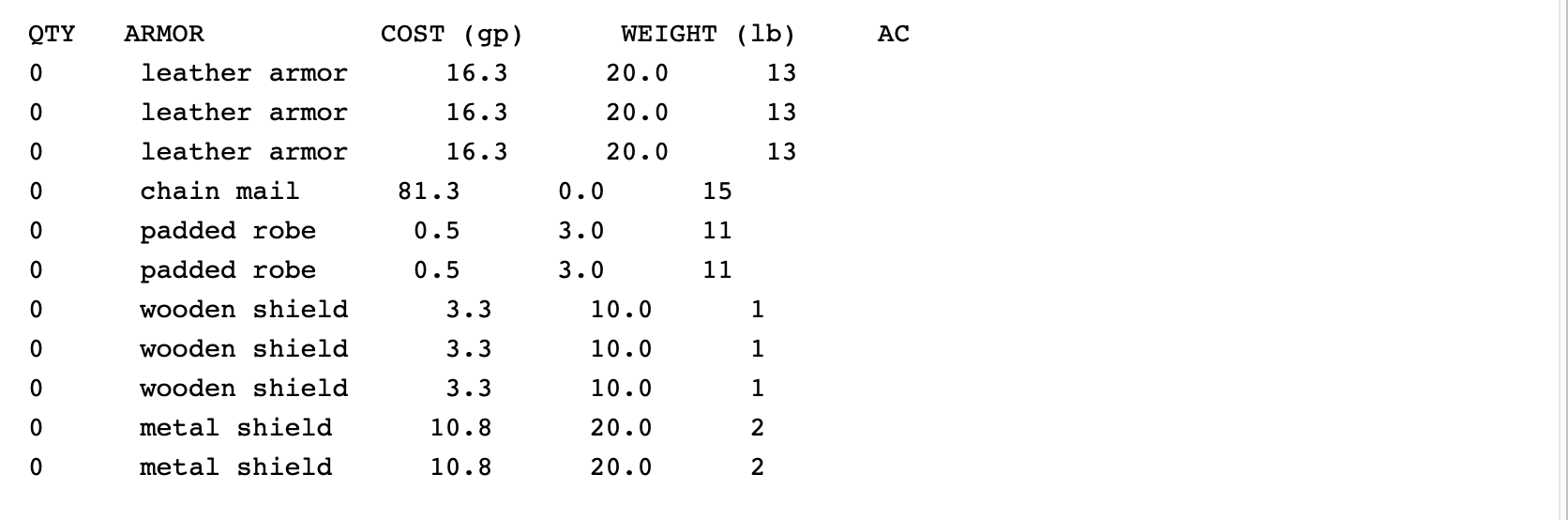
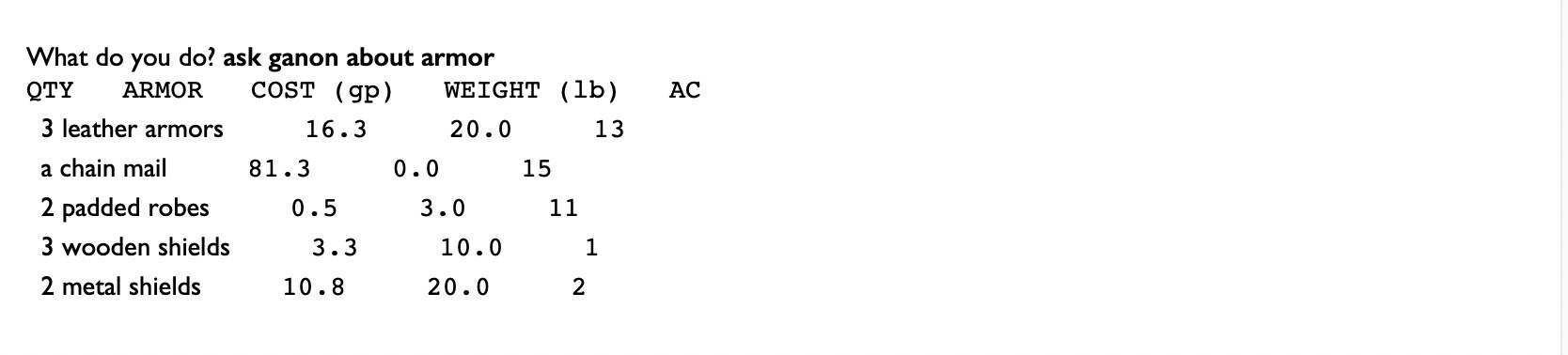
printing plural items within a container

I would think that a common need is to group items together, such as 12 arrows should say 12 arrows, and not
arrow
arrow
arrow

I see that taking inventory already does this but the powers that be have kept how that is done secret. Can someone tell me how I can group like items together when listing things in a container?

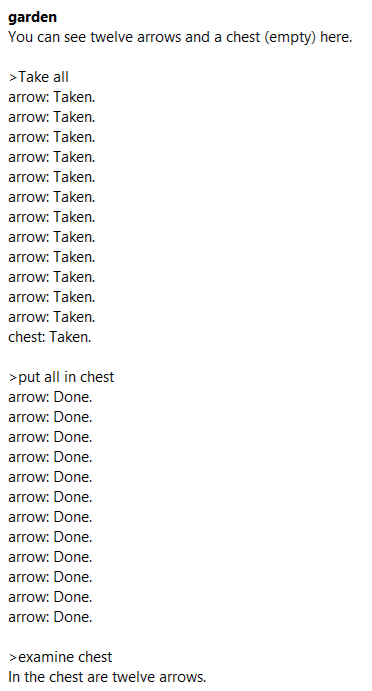
How are you listing things in a container? By default, I will say that Inform can group things while examining containers.

The garden is a room.
An arrow is a kind of thing. There are 12 arrows in the garden.
The chest is a container in the garden.

Are you just saying a list, or are you “listing the contents of”? Both seem to have decent luck grouping things, though the latter option might help you in other respects.

You can see this in the code of the Print Standard Inventory rule, for instance:

Carry out taking inventory (this is the print standard inventory rule):
	say "[We] [are] carrying:[line break]" (A);
	list the contents of the player, with newlines, indented, including contents,
		giving inventory information, with extra indentation.

I recommend reading through the Standard Rules extension, which all Inform 7 games include by default. It helps to pinpoint the source of a desired (or undesired) behaviour so that you can bend it towards your own ends!

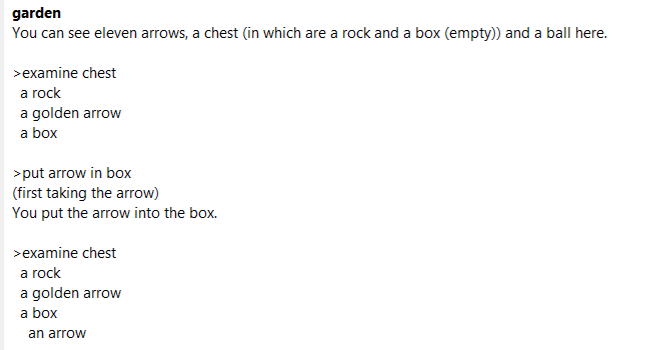
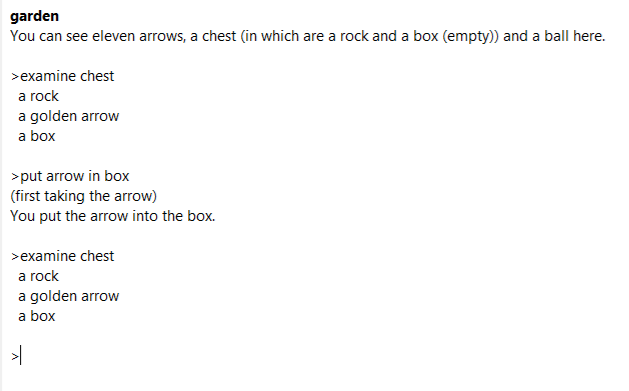
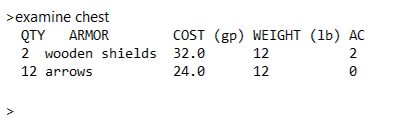
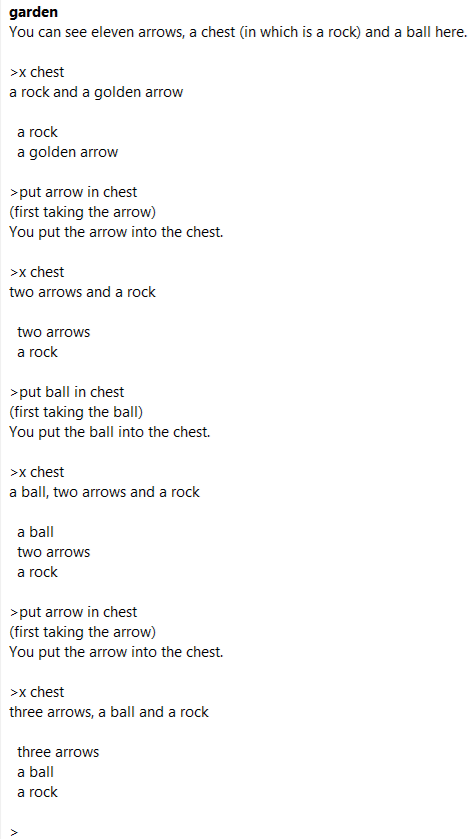
Edit: As you can see here, the listing behaviour is actually robust in this respect. Even if I change the traits of the arrow, change its printed name, put new arrows in, put non-arrow things in and then new arrows, it adapts just fine. I’m curious what kinds of arrows you are using, in addition to how you are listing contents.

The garden is a room.
An arrow is a kind of thing. There are 12 arrows in the garden.
The chest is a container in the garden. A rock is a thing in the garden. The ball is a thing in the garden.

When play begins:
	let L be a random arrow;
	now the L is scenery;
	now the printed name of the L is "golden arrow";
	move L to the chest;
	move the rock to the chest;

Carry out examining the chest:
	say "[a list of things in the chest][paragraph break]";
	list the contents of the chest, with newlines, indented, including contents,
		giving inventory information, with extra indentation;
	rule succeeds;
1 Like

Thank you. I will give this a try.
btw, I notice that inventory of the player comes out differently than listing contents of a container.

Yes. That’s because of the phrase options chosen while telling Inform to “list the contents of [something or other]”.

list the contents of the chest, with newlines, indented, including contents,
		giving inventory information, with extra indentation;

See all of this stuff like “with newlines, indented, including contents […]”? Each of those changes how the listing will take place.

To quote §11.14. Phrase options’s Equipment List example:

“With newlines” tells Inform to put a new line before each listed object. Indented tells it to indent contents of objects, when listing these.

“Giving inventory information” means to append information such as (closed) or (being worn) to objects.

“As a sentence” means to put “and” before the last object and commas between them; this is usually not used in conjunction with newline listing. “As a sentence” obeys whatever conventions about the use of the serial comma we may have established with the “Use serial comma” option.

“Including contents” means to list the contents of open or transparent containers and all supporters, whereas including all contents means to list the contents of all containers, even opaque closed ones.

“Tersely”, perhaps unexpectedly, puts parentheses around objects listed as the contents of other objects.

“Giving brief inventory information” omits most of the inventory tags, such as “(open)” and “(worn)”, but does list “(closed)” for closed containers which might not otherwise be obviously openable.

“Using the definite article” means prefixing objects with “the”, if applicable, rather than “a”.

“Listing marked items only” means including only objects that have already been declared “marked for listing”.

“Prefacing with is-are” means that Inform will write “is” before the list if it contains only one item, and “are” if the list contains more than one.

“Not listing concealed items” means to omit from the list anything which is scenery.

Finally, “with extra indentation” means that the whole list should be indented slightly, in emulation of the default inventory listing.

2 Likes

If you do need to customized exactly how items are grouped, there’s a way to do so in the listing contents activity. See §18.13 of the manual. The only downside is that it allows for grouping things that normally wouldn’t be, but not for not grouping things that normally would be.

1 Like