I’m happy to release to the public version 1.0 of a project that has been in the works since November of 2024. It started out as a humble C64 BASIC program.
The software is for Windows 10/11 and Linux using wine. For Windows 10, the minimum version is 1809. While the studio and all the features work through wine on Linux, the experience is best on the Windows platform.
This is my labor of love and is not abandonware. I plan on supporting this software for years to come. I will even consider granting access to the private git repositories to other software developers. The software is written in the C# programming language and the engine deploys to Android Mobile, Linux, the Web, and Windows.
I uploaded my TALP 2026 game submission as a project file for use as a reference. Full documentation (137 pages) cab be accessed in the software from the Help→Documentation. I want to thank @Ordon for all the past and present help in actively helping. He is currently editing the in game documentation. The current documentation is my first pass / rough draft. I’m sure he will make it much more user friendly.
I’ve added the “Cloak of Darkness” project file to the Itch page of the Studio. I’m starting a series on how to use the studio functions to compile projects into game files and how to deploy game files to all supported platforms. I’m going to put special emphasis on the native mobile Android application. This is really going to serve as a how to really get started with the concept of a text engine / game engine data driven rules processing system.
I’m using Cloak of Darkness because everyone knows how it is supposed to work and it serves as a baseline to understanding. It reduces the variables in the equation. If you know how it is supposed to work it makes it easier to understand the backing rules and “game logic”.
It is a different kind of system and departs quite a bit from the tendency of interactive fiction systems to appear as narrative programming languages using computer programming metaphors. As much as I love that stuff, I just wanted to make something different.
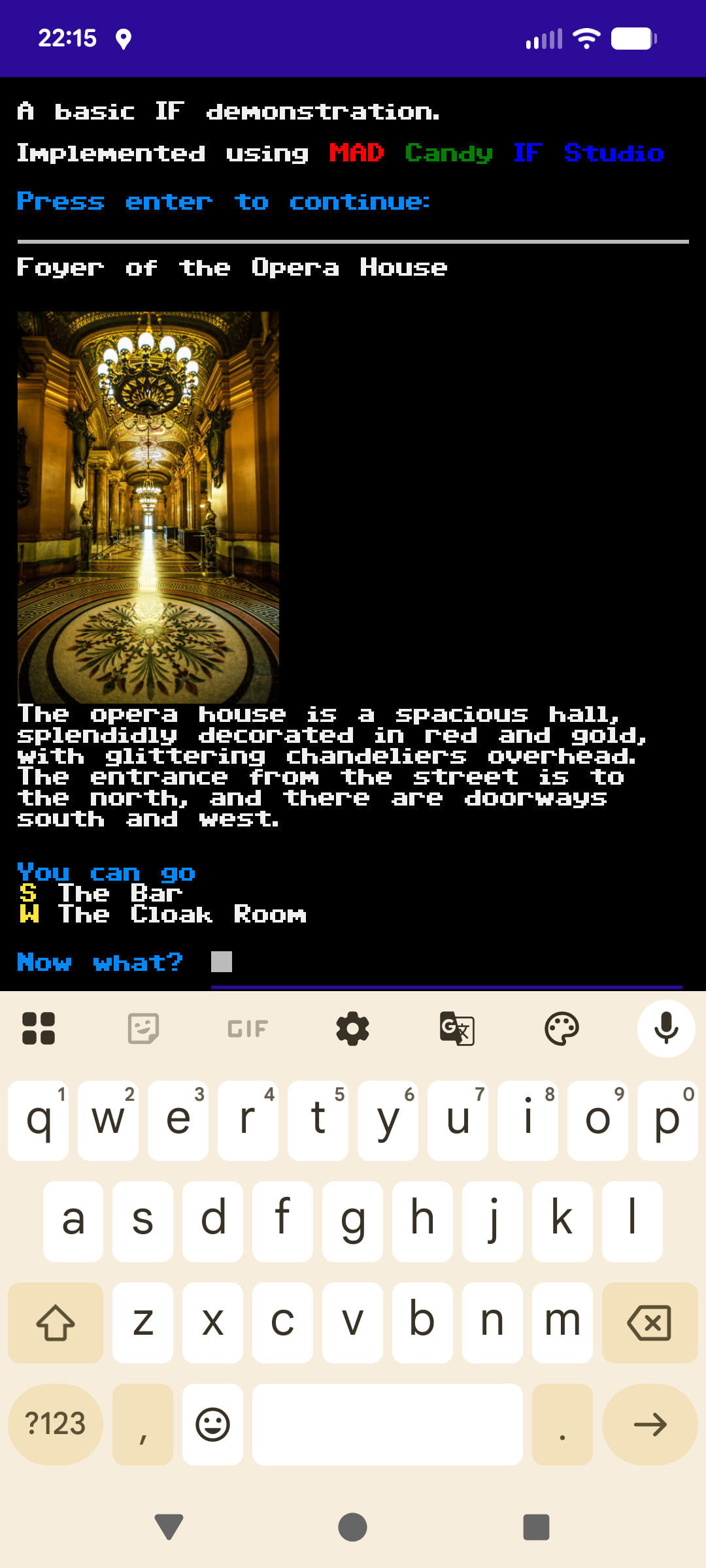
I’m working on v1.1 of MAD Candy IF Studio. It will support images and sound effects. Here is a beta sample of using images and sounds. There are images for the rooms. The bar only shows when the lights are on. There are two sound effects. One for winning, one losing. I just picked stock images from the web and used windows media sounds.
edit - I’d like to take a poll about how people think images should be sized. I’m resizing them to 25% of the height which seems like a good happy number. The width stays proportional to the height. Images are really new to me and I don’t have any kind of baseline on best practices. I plunked 25% out of the hat because it looks good on my phone. Have to start somewhere.
With the upcoming release of version 1.1, I applied its enhancements to Cloak of Darkness. Here is the web version implementation of the IF “Hello World” but now with images and audio effects. There is an audio effect for winning and one for losing. I used stock images from the public domain and windows sound effects.
Please have a look and see. With images, straight up CYOA branching adventures that are driven by text menus are possible. I have to say that the sound effects are what I like the most.
All of the MCIF game files, a singular file with a .mad extension, are universally played in the browser, the Android and Windows native applications, and the windows and Linux “console” applications. In “console” applications the system font is used and alternate text is substituted for the image and audio.
Game files can use compression to reduce their overall size and that is a facet of the studio and creation step.
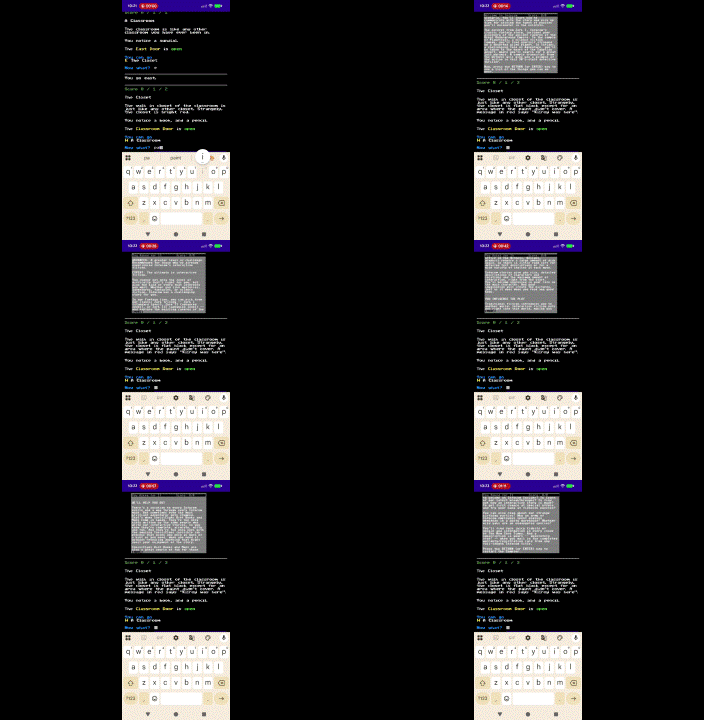
Images and audio have been added. The in game help has a full table of contents. For offline help, download the archive and extract it. Expand MCIF\Help\MCIF.htm
edit - v1.2 will be a smaller improvement. From reading peoples thoughts here, there will be 3 versions of the exit directions that are generated. Currently it is a generated text list where the location is always shown.
E - The Barn
W - The House
There will be 3 modes. Exit directions as a List or Exit direction as generated text. There is a setting for displaying unknown locations. The current setting would be on. Even if you haven’t been to the barn it shows as an exit direction. The setting controls showing this before and after discovery.
As a List with the new setting
E - East
W - The House
After going East and discovering ‘The Barn’ the previous list displays as
E - The Barn
W - The House
Alternately, exit directions can be generated text appended to the location.
Ex: The backyard is full of lush grass that is clipped short and is reminiscent of a pitch for playing soccer.
You can go east, or west to the house.
After discovery:
The backyard is full of lush grass that is clipped short and is reminiscent of a pitch for playing soccer.
You can go east to the barn, or west to the house.
Here is a rule whose outcome is to show an animated gif. It is one of my test projects. It is running v1.2 on my phone. The gif is one I made from the Infocom 4-1 sampler. I screen grabbed each screen, put them in my video editor tool, gave each frame a display for time, and made the animated gif.
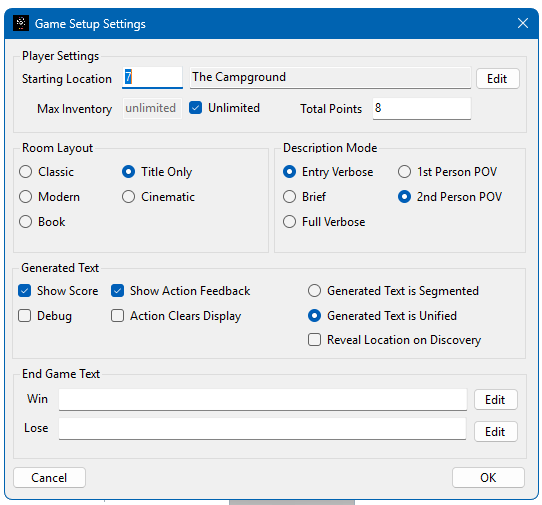
One of the things an author has control of in any game they make with the studio is the ability to change the game layout, room description mode, game point of view, and actions on generated text. These aren’t lines of code in a file and it becomes easy and effortless to experiment with game modes. Flip switches, press test, try it out.
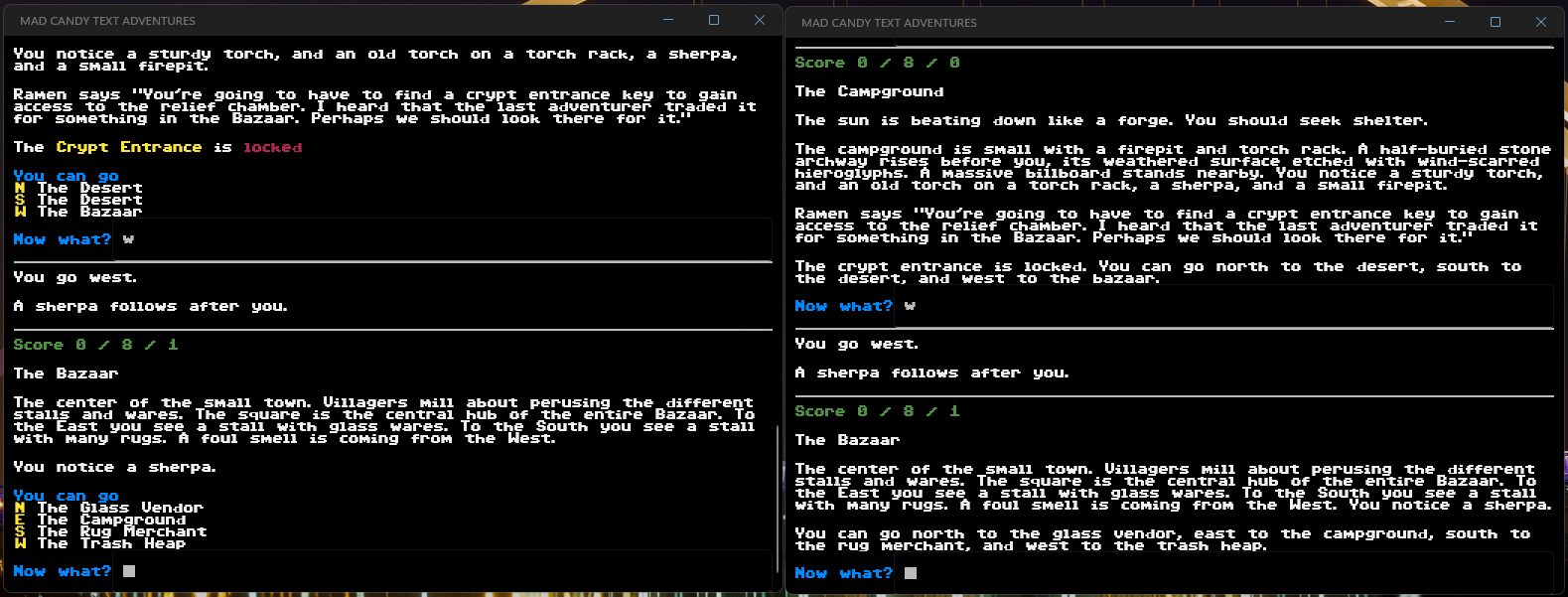
The last thing to make it to the release is the idea of generated text layout in the room. Generated text that is segmented or unified together. Here is a sample of my TALP 2026 game. Submitted form (segmented) on the left, new form (unified) on the right. I really like the unified text setting but the past me still likes segmented text because it has more of a video game feel. Now it is just a settings choice in the studio for the project.
Version 1.2 is live. The documentation has been further enhanced to reflect the new generated text properties and reveal exit locations. It has also been updated to show how generating web playable packages can equally be served on a local end users webserver. These are fairly common on all systems.
Built in version control makes sure that any previous version can only play and load up to its current version. New versions, like this one can play all versions that came before. Version control and the file format have been well thought out to serve the singular extension of .mad well into the future.
There is some discussion about how user defined text and movement handling in Arcturus work in the Arcturus thread. I wanted to discuss those points in MCIF. In MCIF rules around movement can be created. When you change locations, there are a sequence of events that can be handled for the different stages of movement. There is a “before” you move event and an “after” you move event. The “before” movement can prevent movement from happening. The “after” movement means the location has changed and you can script logic to play out. Between “before” and “after” there is a “message handler”. Handling this “action” feedback allows an author to display their own custom text, which sounds like Arcturus’s “alter” handler. If you do not choose to handle it then the engine will either generate default generated text or none at all if the global setting for action feedback is disabled. In movement, as well as all other rules, there are location values that can be used. A rule can build on the last location, the current location, the new location (prior to movement occurring), and the target location which is the location when you throw something to or look into an adjacent location. With movement there are also constants for the direction being traveled and the type of passage being traveled through. For throwing these are relative to the type of passage and direction the object is passing through. Because rules can be composited together with chaining, a rule can be very simple and global or very specific. It just depends on what is trying to be achieved. If I wanted to make a rule that prevented me from walking through an open passageway, it would be a simple matter. If I wanted to make a rule where a dog NPC followed me around or played fetch by throwing things, it would be easy to express. With the way MCIF is designed gameplay is emergent which takes away the need for writing 100% scene based logic. In other IF systems, the form of the grammar can feel confining. The parser and the logic are more coupled. In MCIF this is not the case, it is based on semantic slots. It means that a player can enter “from the safe take the diamond” or “take the diamond from the safe” or even “from the safe the diamond take” all do the same thing. I wanted to make the system more forgiving.