The major highlight is support (more or less) for Infocom’s graphical version 6 games. Adrift 4 games now also support graphics. The linked release page contains a more comprehensive changelog.
For those who have been following along with Gargoyle, there are a couple items of note:
There is support for Adrift 5 in the Gargoyle source release, with the FrankenDrift interpreter. However, this is unfortunately not included in any binary releases due to build issues on both Mac and Windows which I am not qualified to fix. Hopefully these can be resolved and FrankenDrift can be included in the future, but for now, no dice.
Also, historically Gargoyle has provided a build for older Mac systems, at least as far back as High Sierra. The code should still build on such systems, but all of my older VMs fail to boot up right now. As a result, the Mac build was done on Sequoia only. It won’t run on High Sierra, but maybe will run on somewhat older systems, at least. It’s just not easy to maintain older Macs for building, unfortunately. In any case, this was going to be the last Gargoyle version that supported such ancient systems anyway: in future releases I’m going to require C++17, which was first supported in, I believe, Catalina.
In the quickest release update in Gargoyle history, I’ve just made 2026.1.1 available. This fixes a bug that most people probably won’t run into, where per-game config options aren’t loaded. That is, if you have something like this in your config:
[gamefile.z5]
stylehint 0
it won’t work in 2026.1. Here’s to hoping that 2026.1.2 is much farther away!
Glad to do it! When I moved to C++ I knew I was giving up any hope of 16-bit DOS support (which would be a novelty more than anything else). But little did I realize how important small binaries would become again!
As a side note, for anyone seeking older versions of Gargoyle for older Mac OSes and architectures, I still have a lot of links and descriptions of what works on what as part of my Six homepage,
Thanks for this! I love what you’ve done with Gargoyle.
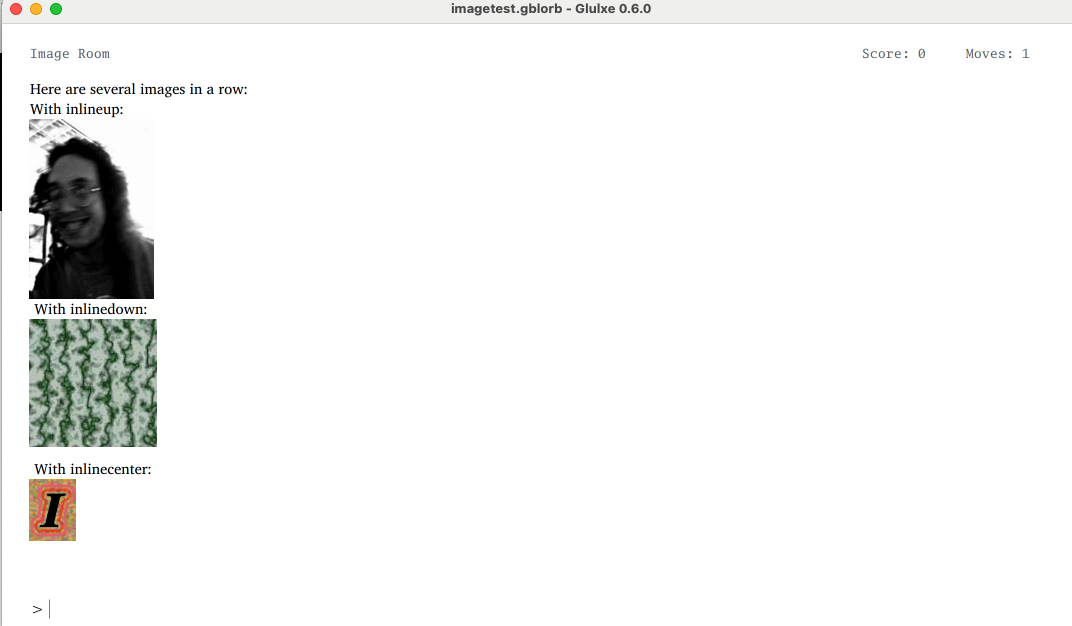
Right now, I’m deep diving into Glulx’s support for graphics, and I noticed some rendering in Gargoyle which doesn’t look quite right. I think the inline image options aren’t working for me. Here’s the how the imagetest.gblorb test app from @zarf’s site renders on my Mac using Gargoyle:
This is an issue / feature request I reported over eight years ago. How time flies! And yes, it would be nice to have it fixed, but it would require some serious overhaul of the Gargoyle text rendering.
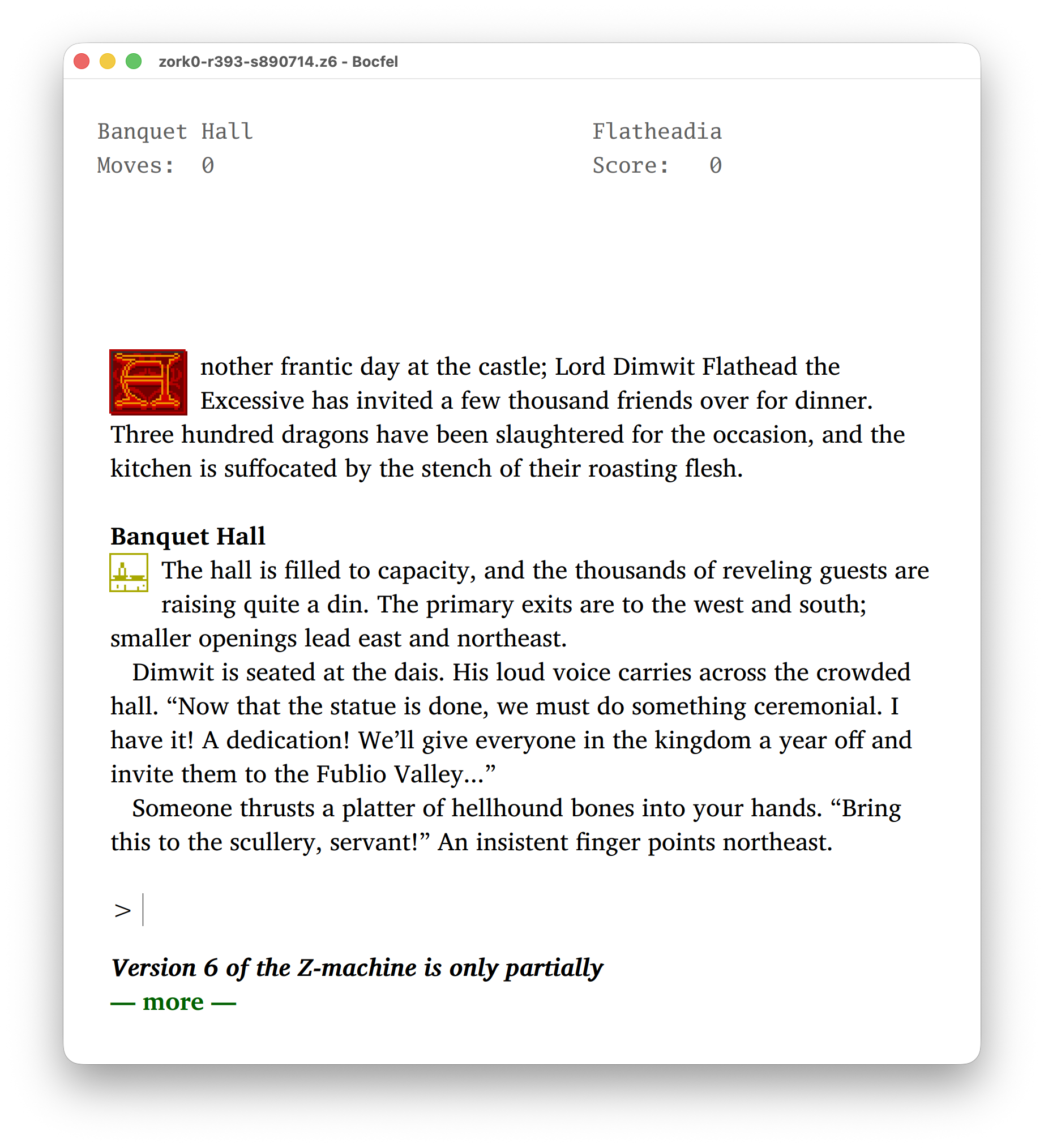
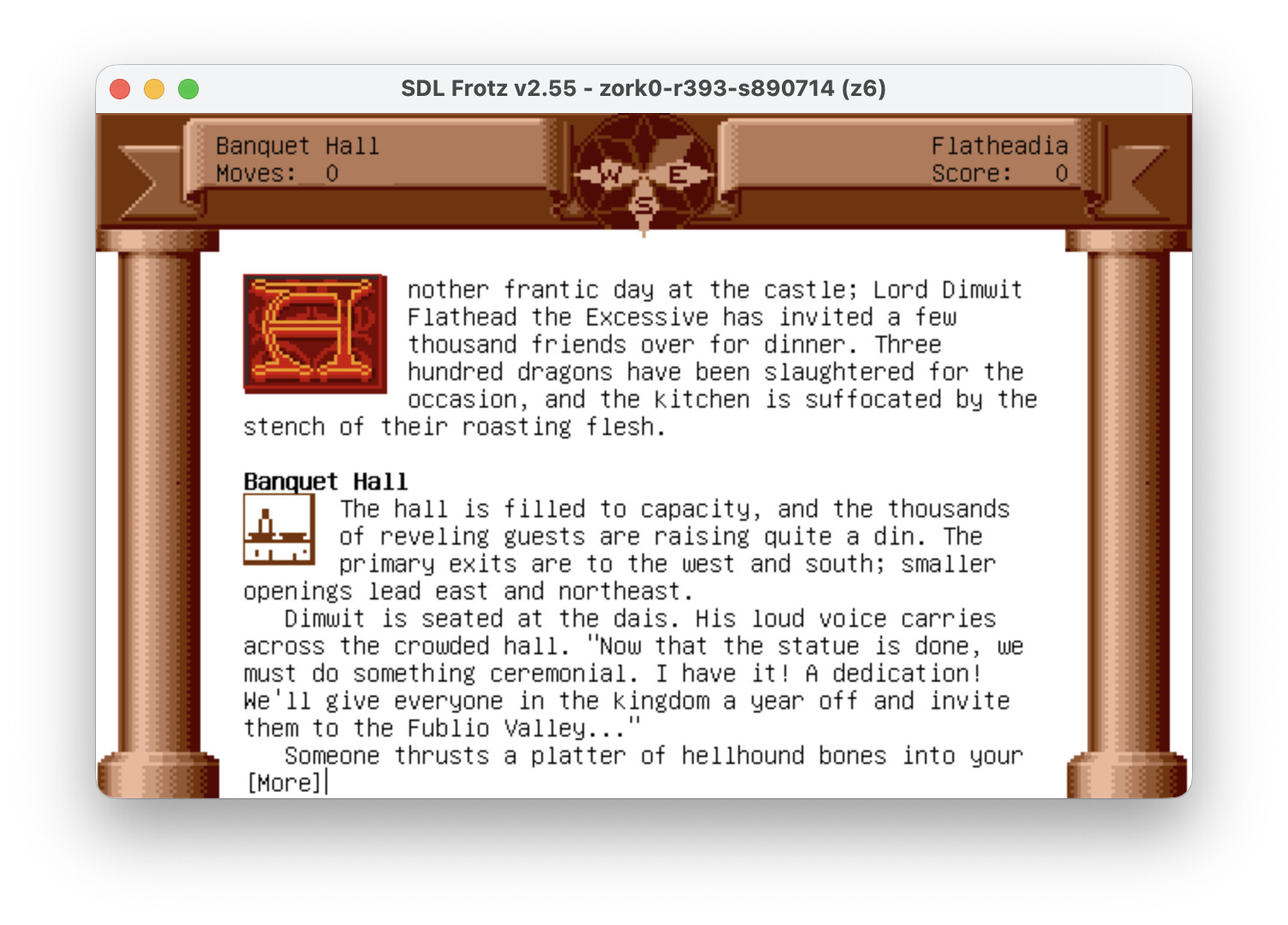
I missed this post from last week. As always when it comes to Infocom V6 games, there’s a lot that needs to be clarified when we talk about “supporting” those games, but, as far as I can tell, graphics don’t work at all on my machine; it’s a significant regression from the previous version.
I can reproduce this on Mac; and as long as you’re seeing the same issue I am, it’s an “easy” fix. Just type refresh.
The issue is that, on resize, the graphics windows that handle the pillars and banner are cleared, and it looks like there’s an immediate resize event occurring on startup. Zork Zero knows which pillars to draw at any point in time, but Bocfel doesn’t.
The windows don’t have to be cleared on resize, but if they’re not, things look bad if you shrink and grow a window (images get cut off).
This affects other games in some ways. In Arthur, the title image is cleared so you can’t see it. And when you’re playing, if you resize, the banner/staffs disappear. But in Arthur, changing rooms will cause a redraw since the room picture changes. Zork Zero doesn’t have that: pillars are redrawn only when they actually change (e.g. going onto the roof). In Shogun, I actually manually redraw the borders because it’s “known” that they’re there, and how they look. This is, as should be evident, all extraordinarily hacky.
There are a couple things I can do:
Try to determine why MacOS is resizing on startup, and prevent that and/or ignore resizes to the same size (if, indeed, that’s occurring). I have a vague recollection of doing something related to this on the Qt side, where there was an initial “resize” event coming in when the window was created which was entirely unnecessary to propagate. Mac may have the same.
Potentially track which borders Zork Zero is using, and redraw them manually on resize. This is probably feasible.
I think these should be fixable relatively easily.
This is an inherent limitation that can’t be worked around without changes to Glk. In short, version 6 games are able to draw text and graphics at arbitrary positions, including on top of each other. Glk, which is what Gargoyle implements, doesn’t support this. The kind of “floating” status there is a best effort inside of these limitations.
The whole version 6 thing in Gargoyle is just a pile of hacks. But please keep reporting any issues. Some might not be fixable, but some might. And there might be better partial solutions than I’ve implemented, so any improvement, however imperfect, is good.
You probably already know this, but Zork Zero uses a global variable to track the current border image, CURRENT-BORDER, G14 in a TXD dump of release 393. There is also a routine, SET-BORDER, at offset 0x1bb8c in r393, which returns the border image that should currently be used, depending on the location and so on.
I’ve probably seen those in the past but even if so, I completely forgot about them! However, unfortunately, it’s still more complex since you have to draw the compass, and then there’s the games…
But! I’ve been experimenting with calling V-$REFRESH which does most of the needed dirty work. It doesn’t redraw the cards in Fanucci, but does redraw the border there, and seems to redraw the other games just fine. It’s not perfect but seems to be a 90% solution that can be augmented with REFRESH from the user as necessary.
In the abstract adding a new TTS library should be really simple.
Looking at these libraries, tolk is a non-starter since it’s not under development. SRAL and SpeechCore are nominally possible, though there’s a huge bug (as far as I see it) in SRAL whereby it uses XGrabKeyboard on X11 which means keyboard input is impossible while it’s running, if you want keyboard controls (stop/pause/resume). There are much less sledge-hammery ways to do this and it makes me concerned for the code as a whole.
SpeechCore may be feasible though the docs leave a bit to be desired, from what I’ve seen.
Is there something these provide that Gargoyle’s existing TTS doesn’t? If there are bugs with the TTS itself they can (hopefully) be fixed.
Last time I checked, the TTS wasn’t included on any of the binaries, or if it was, it didn’t work. Tolk may not be receiving active developments, but it’s actively used in various game projects. It may be a Windows exclusive library, but it works with 90% of windows screen readers, and it offers braille output as well.
Here are two more speech libraries: Universal Speech and Prism. You may want to have a look at these as well.