Oh! Now I’m wondering about using Hybrid Choices for this in I7. Hmmmm…
I believe that one’s the inspiration for Dialog’s choice mode! It’s primarily meant for short choice segments in a parser game (like dialogue trees), since Dialog’s syntax is kind of cumbersome for making lots of choices.
I’d like to put this somewhere that’s not the forums, should I try IFWiki? Are people happy enough with it for me to do that?
I’ve changed the title of this topic so hopefully people will stop asking parser Cloak of Darkness questions.
Please consider posting about the original Cloak of Darkness here:
3 Likes
I think so!
Here it is on IFWiki! Also added it to IFDB and the IFArchive.
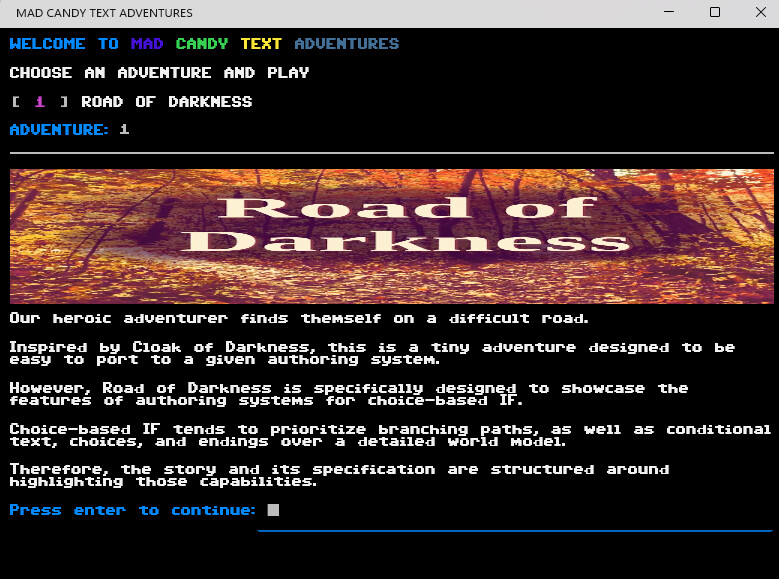
I wanted to try and make this myself. I don’t think it is completely accurate yet but wanted to get some feedback. I downloaded the twee source code and did my best at reading it. I didn’t add any ability to look at the items. They could be added but only as menu’ing choices. Hopefully you can tell me what you think and how to correct the rough edges. Clicking links is not something the engine I used allows but it does allow building dynamic menus and handling the choices.
Here is my take on Road of Darkness (the page is restricted. Password is ‘road’)
Updated to show how I built it with my custom DIY tool that I have been developing for 1 1/2 years.
It says I don’t have access!
The password is ‘road’
I checked out your implementation using the “road” password. It looks pretty cool, and I like the oldschool pixel aesthetic. Reminds me of Adventuron, a little. The color words actually having their color is a neat addition, too.
I’ve also finished my Snowman implementation. It took me a few hours. I can’t upload HTML files to the forum, so just take Road of Darkness Snowman Version.txt, change the file extension to .html, and open it in your browser.
Road of Darkness Snowman Version.twee (12.1 KB)
Road of Darkness Snowman Version.txt (317.6 KB)
The text is entirely unchanged from the original, except that I made the thief comment on the beautiful {scarf color} color of your scarf, instead of just saying what a beautiful color your scarf has.
The hardest part was implementing a custom cycling link, because Snowman doesn’t have default support for that, so I just rolled my own. Snowman also doesn’t support if/else conditional display of elements, so the workaround I used was to group all the conditional text within a div or span that had a custom CSS class, and then in the Javascript for the passage, use document.querySelector to get those div or span elements and show or hide them based on the story variables.
The most annoying thing is that you can’t just use divs for this, because they interact oddly with the built-in margins for <p> elements, but you can’t just use spans, because a span covers only one line and that means you’d have to individually mark up each paragraph of conditional text with a span. The easy solution here would be to use a custom HTML element like custom-el for grouping and give the custom-el the CSS class instead of using div or span, but Snowman happens to have a feature where if you put a hyphen in the name of an element, it hides the element completely. This prevents anyone from using custom HTML elements, since the rule is that custom HTML elements need to have a hyphen in their names to prevent them from conflicting with any other HTML elements that might get added to the HTML spec in the future. I might post about this on Github since it really annoyed me.
Snowman doesn’t natively support setting a variable when you click a link, either, so you need to once again give the link a custom CSS class or id, and then use Javascript to get the element using the custom CSS and give it an event listener that sets the appropriate variable when you click the link. But that’s pretty standard for JS.
Other changes I had to make from the Sugarcube Twee code include removing the spaces around the pipe | used in links, because Snowman is sensitive to surrounding spaces in passage names and distinguishes between " Cloak" and “Cloak”. They appear to have the same title on the zoomed-out Twine passage viewer (although the space shows up if you’re looking at the individual passage). Not sure if other Twine formats are like this, but to remove confusion, I just got rid of the surrounding spaces in links altogether.
And finally, since Snowman uses some weird Markdown conversion to turn the plaintext into HTML iirc, I had to add <br/> in places where there were two lines next to each other. Sugarcube’s default way of handling newlines is to render every single newline exactly as it is in the plaintext, which is very irritating if you have a line of pure code because then you have to remember to add a slash to get rid of the extra newline that will show up otherwise. Snowman, on the other hand, will automatically split your text into paragraphs but only if there are two or more newlines between the paragraphs. Spacing is hard to handle no matter what format you’re in. I often write my stories in Markdown and then export them to HTML so I can copy the HTML directly into whatever format I’m using, just to avoid spacing issues.
I might upload the HTML officially at some point and create an IFDB entry and IFWiki entry for it, but I can’t be bothered at the moment.
Funnily enough, I originally had it this way, but I thought it’d be a little odd for him to comment on the scarf color when you can change it back at the crossroads lol. But Coat of Darkness is more bizarre than that so I probably could’a gotten away with it ^^’
Yeah, guess the scarf is just a magic color-changing scarf now. But there are weirder things in this universe for sure.
I have implemented the Road of Darkness spec in Ink, using my own words (though a few bits from the specification did creep in).
Source code on GitLab: Andrew Apted / ink_road · GitLab
Playable version on Itch: Road of Darkness (Ink Demo) by andrewj
Yesterday I was hunting through my papers and found my notes from back in May, and I still thought they seemed silly and fun. I think Aster’s Road of Darkness fills the original purpose perfectly well (and personally I’m not convinced that the world needed even the original Cloak of Darkness) but I made this anyway, so here it is. This one is playing more with stretchtext and conditional links, and in one case, having text change in two places on the page. The latter two are things I wish Twine did better. There is a fair bit of commentary in the source if you pull it into Twine…