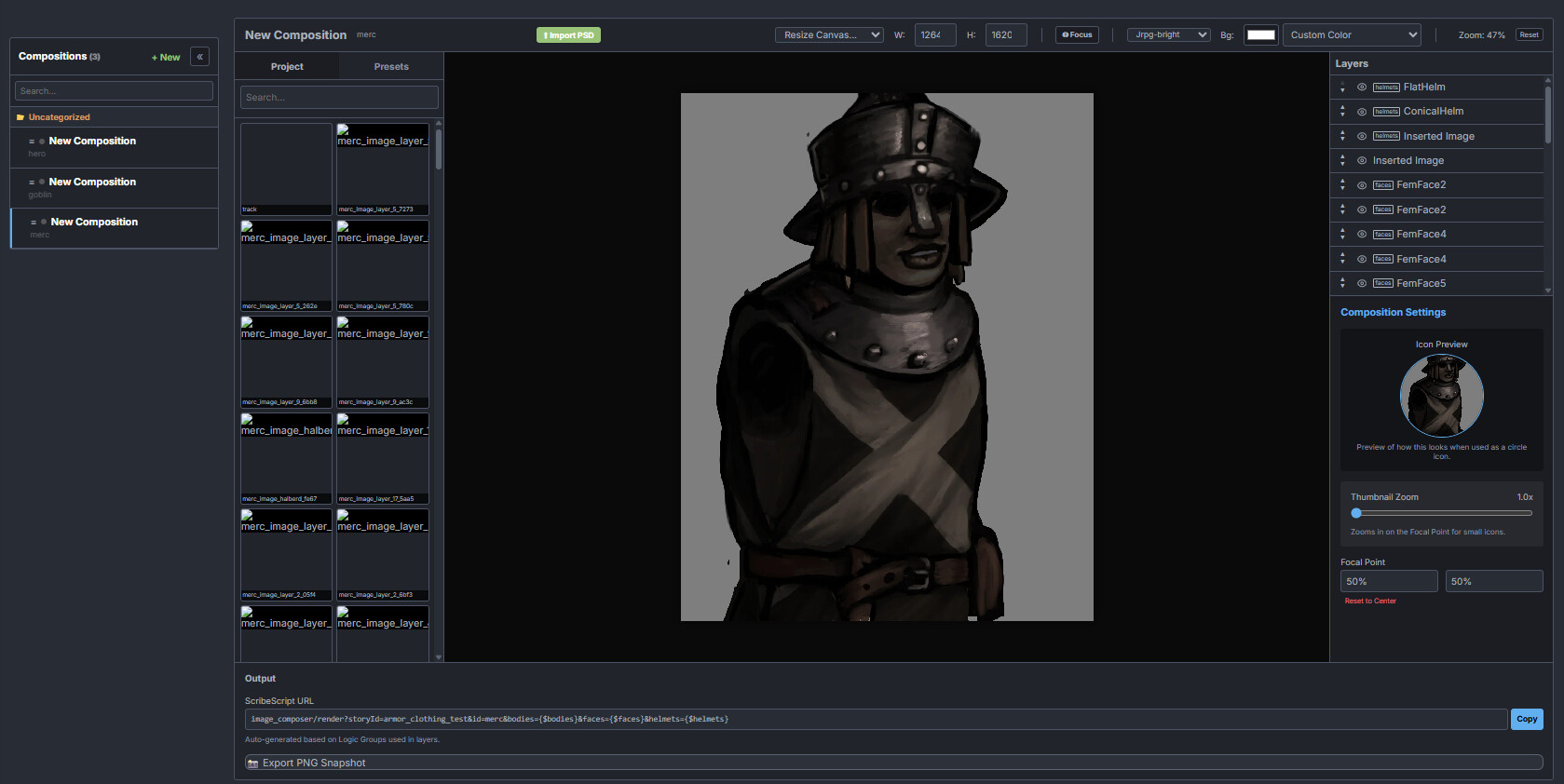
Hey, another quick update. I am currently hard at work building the “Image Composer”, which is a feature that allows you to define a composite image, either with SVG files or raster based files you uploaded to the image library, and place them on a canvas. So far so good, that’s basic image editing functionality.
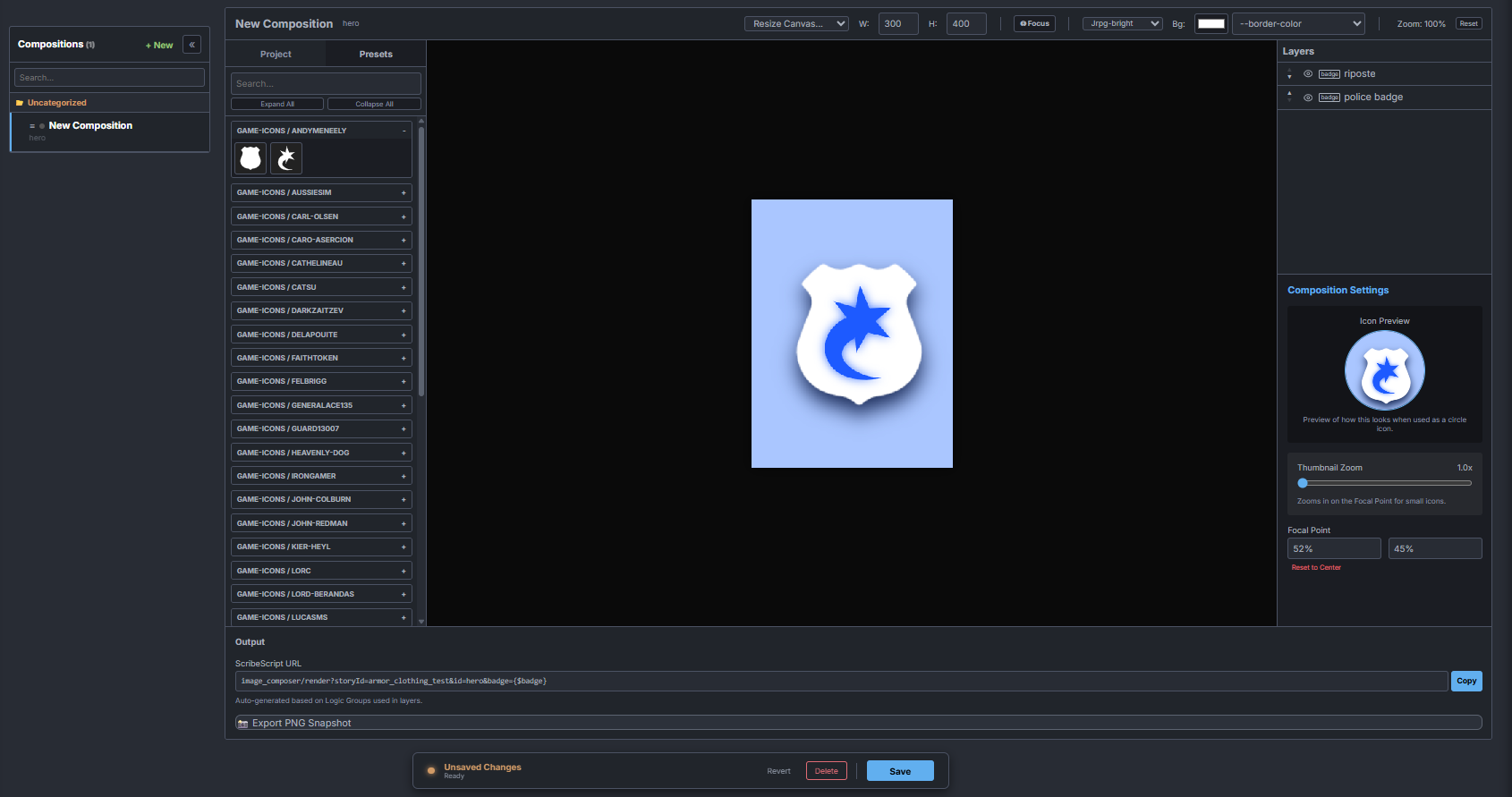
What is special is that you can make these images reactive to your theme! Here is the same image, but with the Synthwave (neo-tokyo) theme applied instead of JRPG-bright.
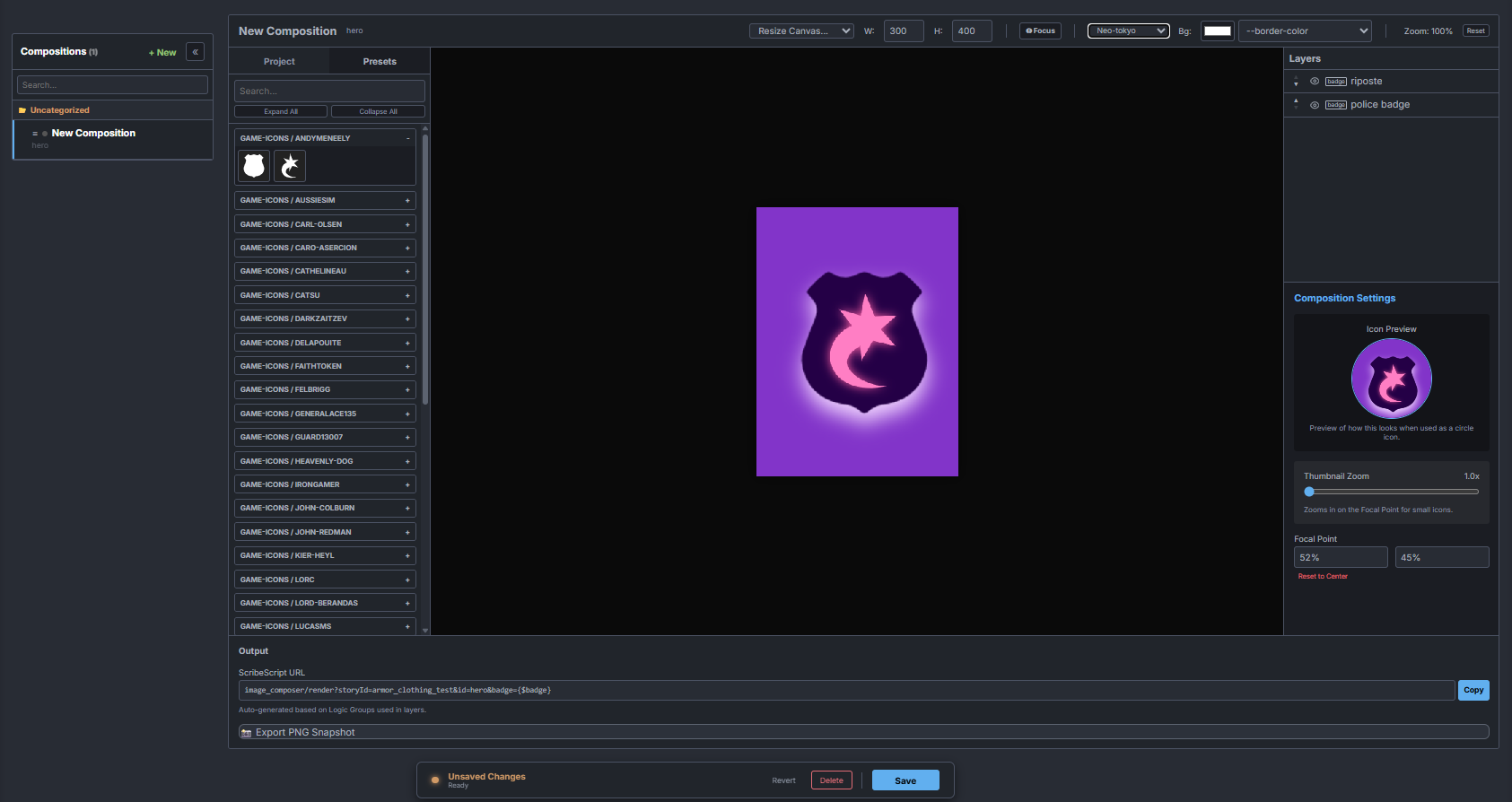
Furthermore, you may have spotted the URL at the bottom:
image_composer/render?storyId=armor_clothing_test&id=hero&badge={$badge}
This is essentially an API address which you can integrate into image fields which is, like just about anything in ChronicleHub, ScribeScript evaluated. The id=hero&badge={$badge} section basically tells the parser to first resolve the $badge quality into a value. In this case, let’s say it’s ‘yes’ or ‘no’. Then, when the API is called to fetch the image, it will look for any layers which have the logic group ID “badge”, and see if their value matches “yes”. If it matches, the layer is included in the render, if not, the layer is omitted.
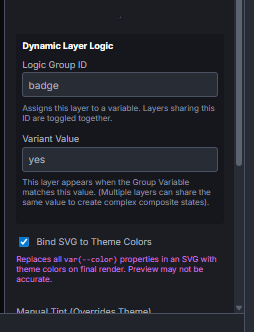
This allows you to do things like define character portraits, with values like armor_type set to either light, medium or heavy, or even just numeric values, and resolve the character portrait to show the right type of armor being worn.
It could also be something like a generic background image of a city or even a world map, and if you are able to have buildings built in the city, you could use the image composer to conditionally render these in the image or on the map. Cool stuff, I think.
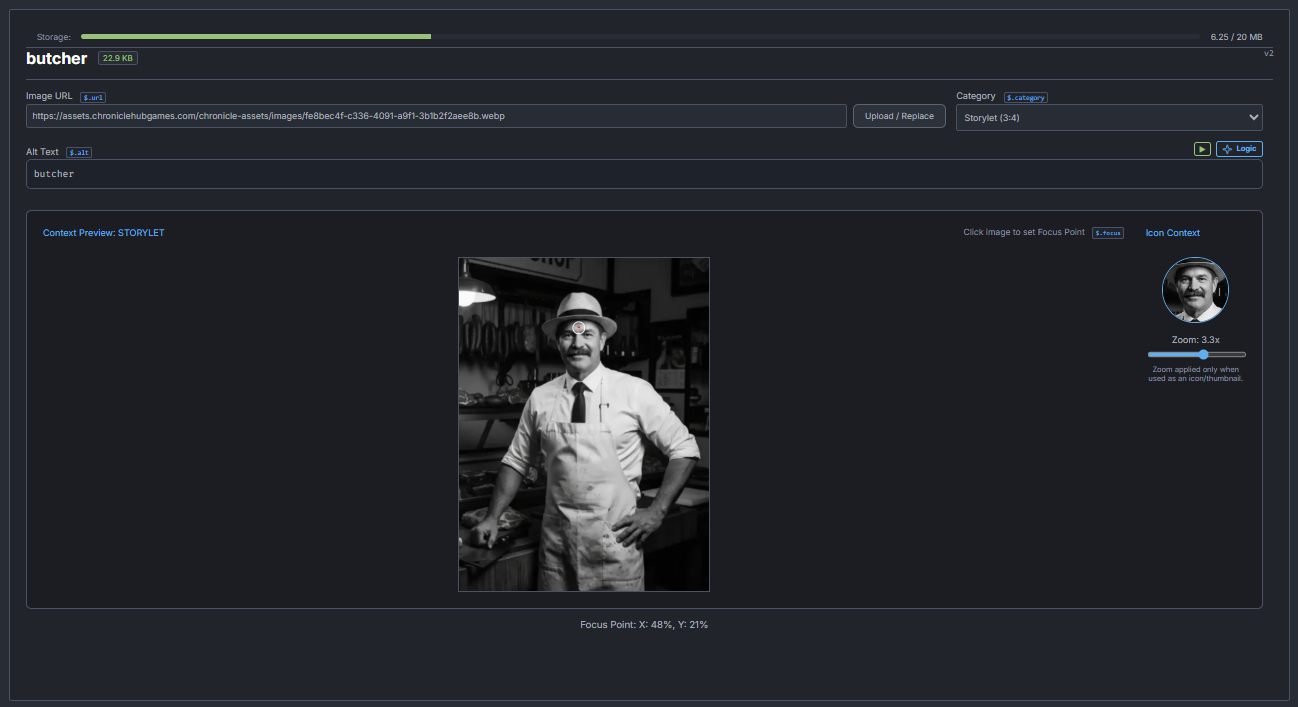
While I was doing images anyway, I figured I’d also finally build in a feature I’d wanted for a long time. Aside from just the focal point, you can now also set a ‘zoom’ value on an image. What this does is, if you are using a Storylet image for an icon, instead of rendering the full image, it will instead look at the focal point and zoom value, and render a thumbnail based on that. So for the butcher, the storylet image will feature the butcher in his shop, but if the same image is used for a quality, you instead get to see just the face, at zoom 3.3x.
I’m still tinkering, but hoping to push out some additional features today. Some of these are already in the production build.
In addition, here’s some experimental PSD uploading logic I am integrating. Fully experimental, so it’s only available to admins (so, just me at the moment). Once I have all the problems sorted out, I hope to publish it for general use. I just wanted access to it to help port my mobile game.