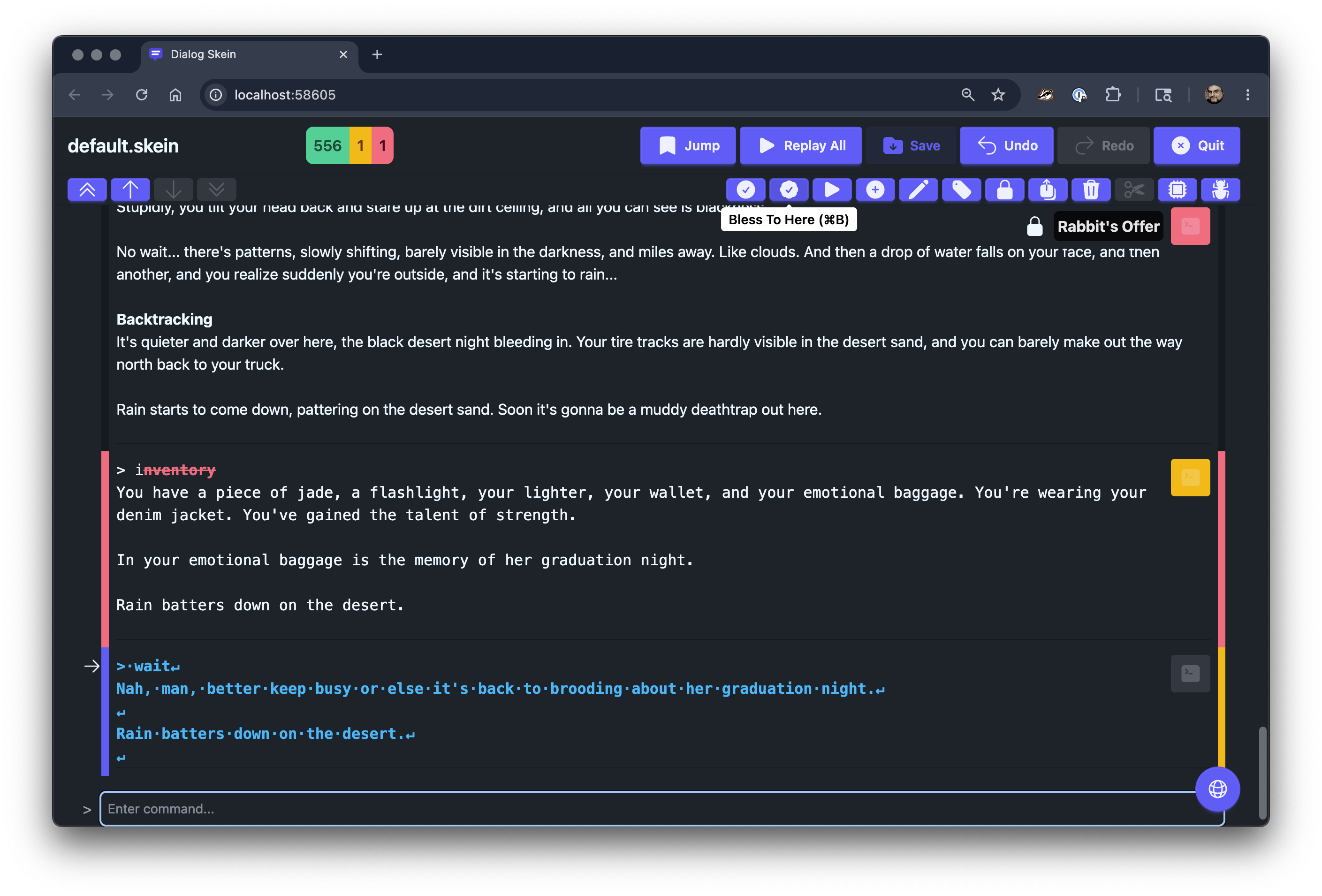
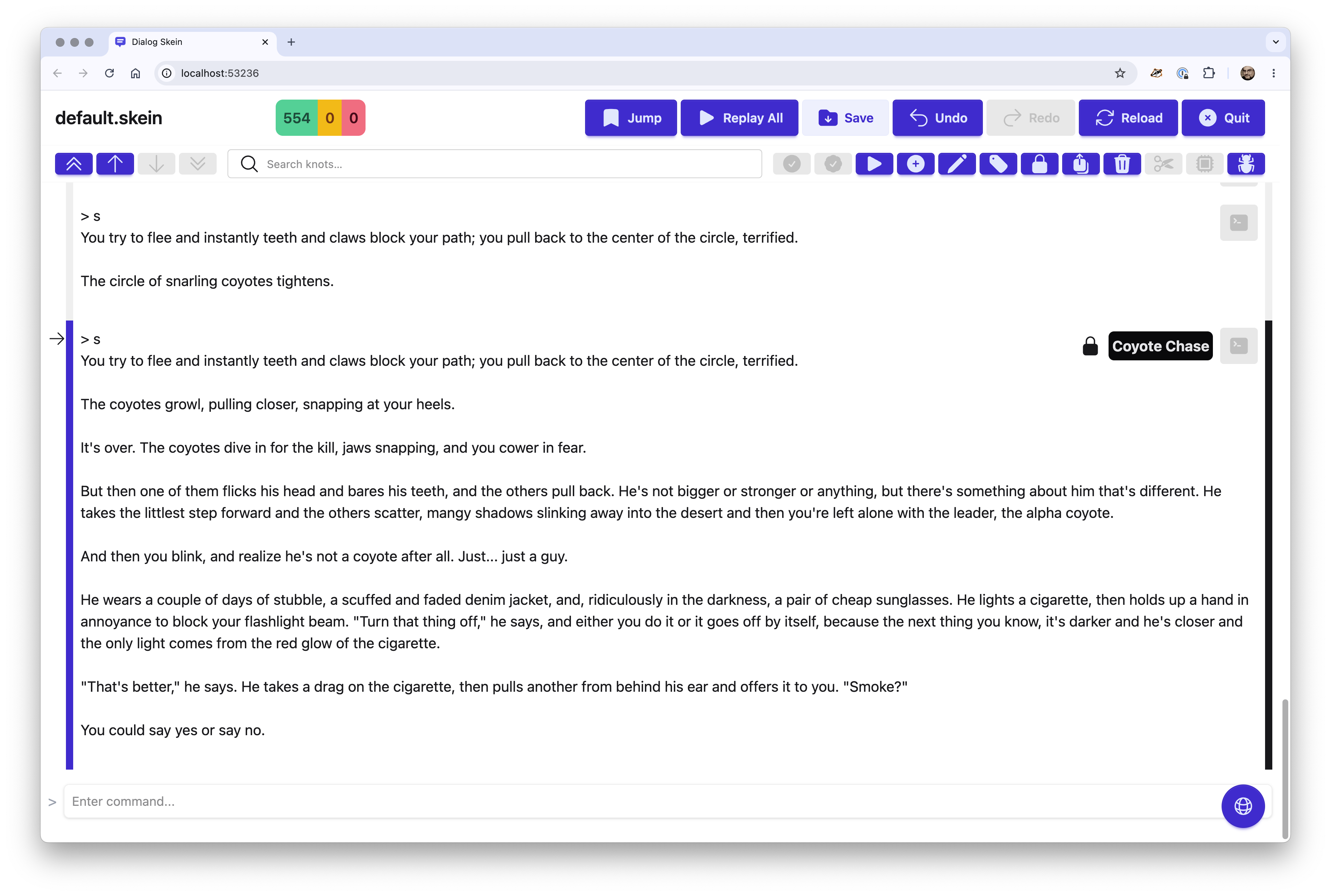
I’ll start keeping track of these UI nitpicks. I keep forgetting to test w/ dark mode.
I’m working right now on revamping the UI for per-knot operations. There will be an “Active node” and a toolbar (with command accels) for acting on the active node (delete, bless, replay, etc.).
I’m also thinking about better ways to implement navigation, and some kind of search.
You must have a recent version of Java installed. You must have the Dialog commands installed (see the full instructions for details).
Unpack the archive, and copy the dgt and dialog-tool-<version>.jar file onto your executable search path. You can also symlink dgt into a directory already on the search path.
I’ve been adding some great new stuff, including a fast text search of the entire skein, and better handling of ANSI escape codes in the dgdebug output.
Search - you can now search (with Cmd-F) and find knots containing text
Reload - you can reload your skein file; useful if you revert some Git commits, for example
Fixed issues with tooltips not displaying, or not displaying properly
Better handling of ANSI output from dgdebug
Fixed some internal issues with pseudo-terminal support
Up next
Sort out some quibbles with text field focus when navigating knots
A few more internal cleanups
Get rid of psuedo-tty code with next release of Dialog
Maybe combine bless and bless-to-here
Other little UI improvements
If you run dgt with the --debug option, it will provide a lot of information about how it runs dgdebug in the background. This might give me some insight into how (or if!) it runs on Windows!
I’m also researching some otherway to distribute the app to make it easier to install outside of OS X and Homebrew.
I’ve been finding that some operations seem to silently fail when done toward the top of a long Skein, with nothing printed in the console. (Specifically, “insert parent” and “jump to first red knot”.) If I use --debug, will it print more information on those when it happens?
Some of the navigation stuff is a little wonky, as the Skein will often scroll to a knot, but also set focus on the command input field, so the browser chooses one or the other.
I haven’t seen any problems with insert parent however, but I’ll check later.
beta-15 prints out each operation as it receives it from the client, so the first question is if the insert parent makes it from the browser to the server, then we can see why it may have failed.
Just got DGT to install via scoop. Also, after installing, it recommends installing dialog-if and aamachine (which is a good way to remind people to download said programs), but has anyone considered actually adding either Dialog or the Aa-machine to Scoop? I can understand not installing Dialog this way, it has a tendency to flub up your development environment, which is why I only install general-purpose programming languages from package managers, if even then. For example, when attempting to build DOSBox-X with cmake and clang, I had forgotten that I had two different versions of LLVM and Clang on my drive, one of which was LLVM-Mingw which I installed two years ago with Winget.
But, I digress. I’ll give DGT the accessibility test from hell and return when I have an idea as to how well it works. One thing I can say is that the Ansi escape codes, unlike in Linux, are being printed directly to the screen. E.G. This is what I get after running DGT without a command:
←[0;32;1mdgt←[m: no command provided, use ←[0;32;1mdgt←[m ←[0;32;1m–help←[m (or ←[0;32;1m-h←[m) to list commands.
As you can probably tell, this makes actually using it a pain with a screen reader, because I have to sift out the important information from hearing “left arrow left bracket 0 semi 32 semi 1m” Etc. (Yes, this is what I hear. I use NVDA, by the way, which is free, and as a programmer, I always keep my punctuation setting to “most”.)
You need to be using something which processes the escape codes. The default terminal on Windows 11 is “Windows Terminal” which should work. If you are using Windows 10 it should be possible to install “Windows Terminal” and use it.
Note: The Dialog Tool Skein does not currently work on Windows.
In the short term, you can use dgt -N or dgt --no-color, or set the environment variable NO_COLOR to a non-blank string. That turns off all the ANSI escape codes.
I’m not sure if I’ve fixed this, but I think I have. Sometimes certain operations would succeed, but the skein transcript (the knots from top to bottom) would not be updated.
I’ve made some consistent code to ensure that the correct knots are selected, the right knot is made active, and the correct knot (or the command input field) is focused. Should be right in beta-16.
Basically, I’m at the polishing level for a lot of this, while I wait to figure out how to know if it works on Linux and, especially, Windows.
Does this mean that if you have an unimplemented section early in the game (i.e. where the commands are correct but the text is all placeholder), you can’t leave it unblessed while you work on a chronologically later section?
Yes, but I think this is a better workflow. While you’re working on the new sections, the earlier placeholders will not be generating false failures. Later, you’ll fill in those early details and bless those later changes.
You’re suggesting that the skein should only be used for regression testing, not tracking progress towards a “finished” transcript?
I had a project which seemed to suit the latter workflow perfectly which I’d backburnered partly in the hope of getting dialog-tool working on Windows eventually… but it sounds now like it no longer supports (or maybe never did) what I want to do anyway.
It seems like there is demand for the “bless” functionality, even if it’s under a menu instead of in the main bar. I’ve also been using dgt that way (to build up a transcript as I go along).
I’m fully in favor of people finding the right way to use the Skein. I can certainly bring back a “Bless To Here” functionality to supplement “Bless Changes”.
What else could the Skein do to assist? For example, we have labels on knots (used as bookmarks, essentially), but what if we had additional flags or values, so you could (for example) mark a knot as Work-In-Progress?
Oh, beta-17 is going to have much, much, much faster “replay-all”. It was a snap to make it run in parallel, launching multiple sub-processes to execute the replays. On my Mac, it’s gone from several seconds down to under a second (for Sand-dancer’s 50 replays).