For me, the button I use most is “bless (this one knot in particular)”, so that I can have unblessed changes up higher in the Skein.
1 Like
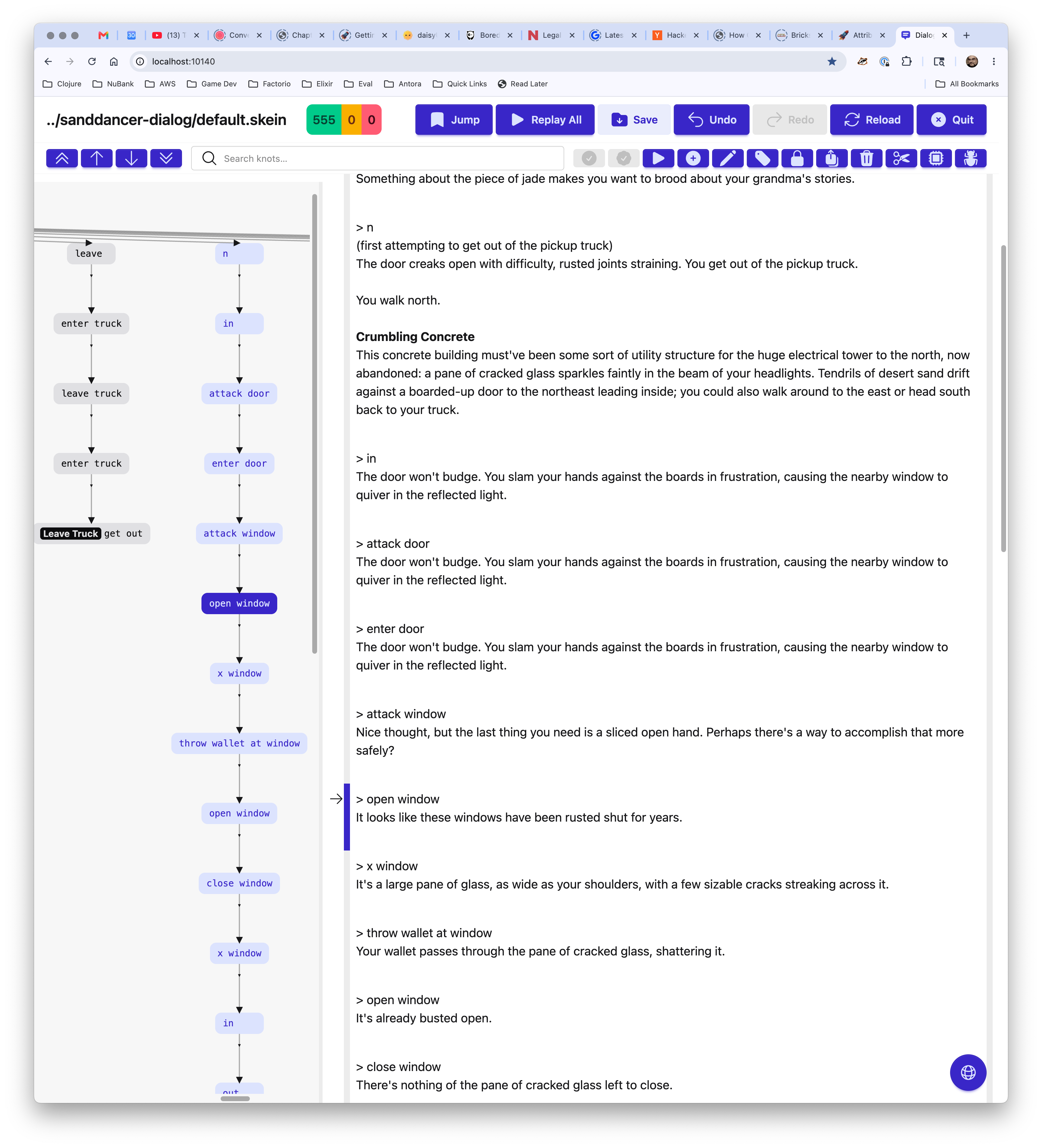
This came out so good, but it depends on the Dialog 1c/01, so I’ll release as soon as that hits (and I update the homebrew formula).
2.0-beta-17a
What’s New?
- New navigation graph for exploring all knots
- Several new keyboard accelerators
- Jump drop-down menu is now fully keyboard navigable
- The return of “Bless This Knot” (vs. “Bless All Changes”)
- Replay All is now significantly faster
- Jump menu is now fully keyboard navigable
- Show network error modal immediately on server disconnect
- Capture and report
dgdebugstartup errors - Remove use of pseudo-tty, make use of
dgdebug --format ansi, for improved stability
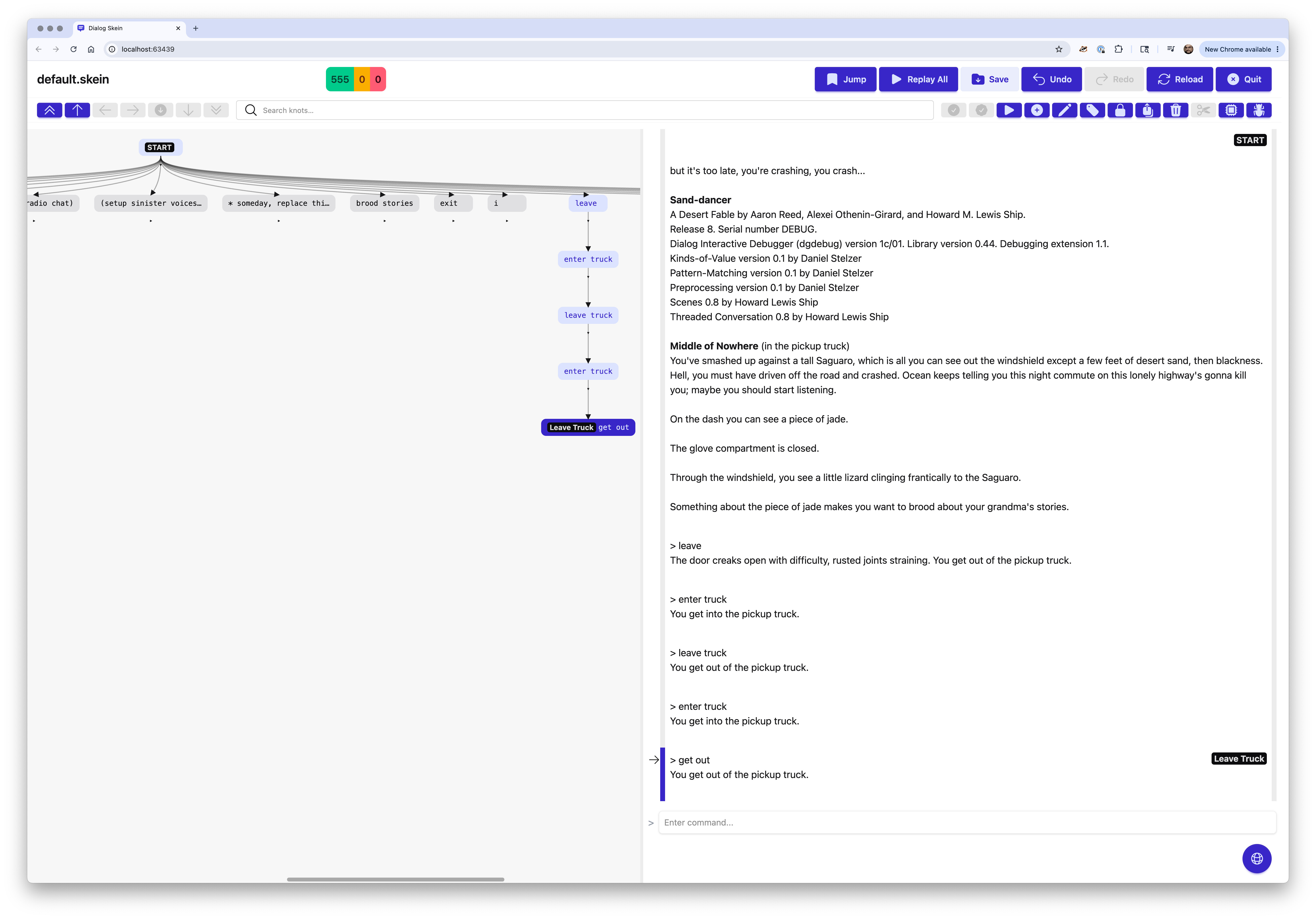
3 Likes
Who has tried this on Windows? It’s sounding like it will run on Windows now!
New in Dialog Tool 2.0-beta-18
Now generates installers for Windows and Linux.
Accessibility improvements - icons to supplement colors, better ARIA control descriptions.
Network error modal no longer is displayed when the Skein is shutdown properly (via the Quit command).
Navigation graph and transcript both scroll to active knot when a count (new or error) is clicked in the status counts.
Installers?
Yes, you should be able to install on Windows by downloading the new .msi installer:
https://github.com/hlship/dialog-tool/releases/download/2.0-beta-18/dgt-2.0-beta-18-windows.msi
There’s also an installer file for Linux:
https://github.com/hlship/dialog-tool/releases/download/2.0-beta-18/dgt-2.0-beta-18-linux.deb
Full instructions are on the Dialog Tool home page:
https://github.com/hlship/dialog-tool#installing
Please if you can, try these out and report back!
What’s Next? What’s Left?
The Skein is looking very solid at this point. The only major feature left is handling single character input. There may also be some road bumps due to expected changes in how dgdebug outputs ANSI sequences for colors and fonts.
But I’m not the only user; please check it out and give feedback here or by adding issues on the GitHub home page.
There are a few issues for dgt in general, the most prominent of which is supporting varied sources by target.
I’m really happy with what I’ve created here, especially with the late addition of the navigation graph.
1 Like
Are you currently using --tag-lines to detect line versus character input?
I hadn’t noticed your mentioning of screen readers until just now; beta-18 should be more accessible than prior releases, but I’m far from expert on these issues. I’ll be looking forward to your feedback!
No, that’s the next thing to implement.
I could use a small sample that uses single character input, to test against.
Oh, sure thing.
(program entry point)
	First I'm going to print some text, then ask for line input.
	(get input $Words)
	You said "(no space)
	(exhaust) { *($Word is one of $Words) $Word }
	(no space)"! (par)
	Now I'm going to print some more text, then ask for single key input.
	(get key $Key)
	You pressed the "(no space) (print key $Key) (no space)" key! (par)
	Now I'm going to ask for line input again.
	(get input $)
	Goodbye!

(print key @\s) SPACE
(print key @\n) ENTER
(print key @\b) BACKSPACE
(print key @\u/@\d/@\l/@\r) arrow
(print key $Key) (uppercase) $Key
New in Dialog Tool 2.0-rc-2
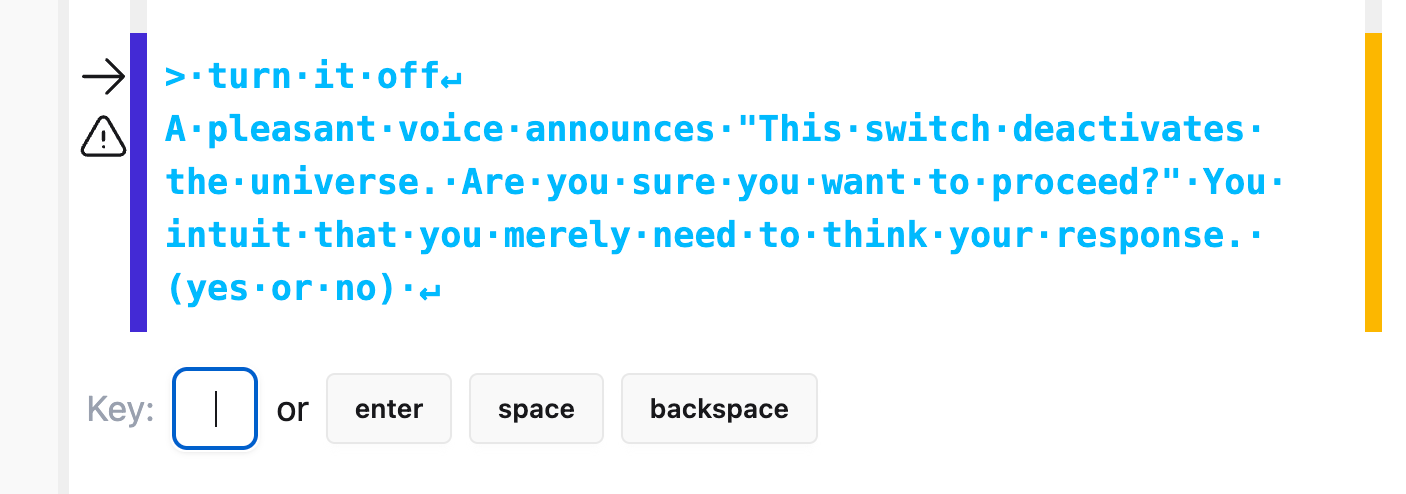
The main change is support for single key input. The skein now recognizes
when the user is prompted for a single key of input, rather than a line, and has a special dialog to handle a prompt for a single key of input:
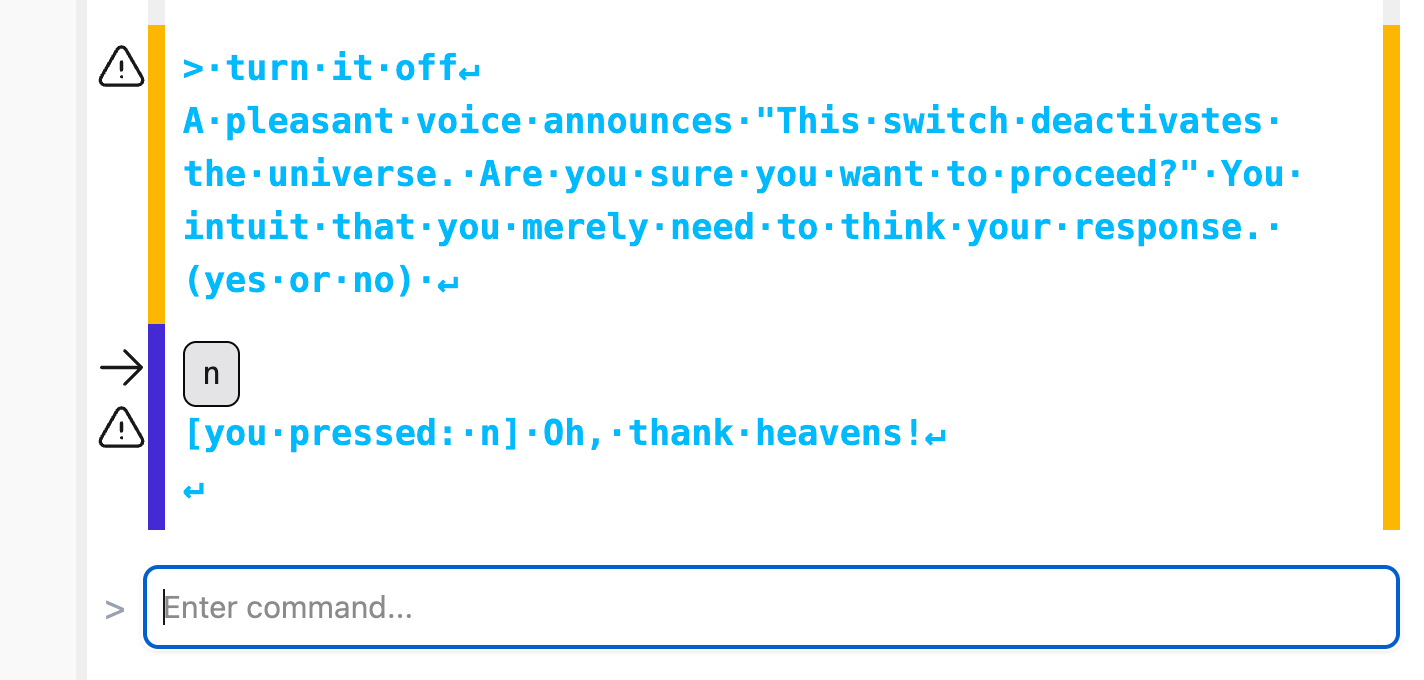
Once you enter the single key there’s special formatting:
Other improvements:
- Conditional inclusion of sources by target (i.e., “just for zblorb” or “just for aa”)
- Accessibility improvements
- Click-to-drag the navigation graph
Installers
Full instructions are on the Dialog Tool home page:
Please if you can, try these out and report back!
OS X
brew install hlship/brew/dialog-tool (or brew upgrade if you’ve previously installed).
Windows
https://github.com/hlship/dialog-tool/releases/download/2.0-rc-2/dgt-2.0-rc-2-windows.msi
Linux
https://github.com/hlship/dialog-tool/releases/download/2.0-rc-2/dgt-2.0-rc-2-linux.deb
What’s Next? What’s Left?
I don’t think much at this point; I just remembered one bug in the bundle command (a CSS problem) and that’s it that I know of.
The documentation of the Skein is lagging … it’s a lot of work to update the screenshots and I want to wait until the code and appearance is absolutely solid.
There may be new features in a 2.1 version, and perhaps further changes to keep things working well as Dialog rolls out new versions.
But I’m sure folks using this in anger will find things I missed! Please be in touch!
1 Like
The README still says that there’s no mechanism for specifying inclusion order. Is that still true? And how do you specify inclusion order for unit tests? Does it read the header comment? Is there some other mechanism?
The order of the entries in the each source category is the load order.
When an entry is a directory, all files in that directory are added, in an unspecified order.
When an entry is a file, that file is added.
The categories are ordered as so:
- :main
- :test
- :debug
- :library
That is… a very serious limitation. Are there any plans to address it in a future release?
Is it possible to use the Skein without having dgt manage the build process? Can I just feed in .zblorbs and .aastorys that I built with make?
I just list all my source files explicitly:
	:sources
		{
		:main
			["src/meta.dg" "src/world.dg" "src/systems.dg" "src/liquids_and_fire.dg" "src/interface.dg"]
		:debug
			["lib/dialog/debug"]
		:library
			["lib", "lib/dialog"]
		}
1 Like
Okay, if you can do that, then you’re not stuck with “the file order is undefined,” and dgt actually is usable for non-trivial projects after all. Whew.
But how does it know which source files go with which test files? Or does every unit test file get the whole list of all of the main source files included after the test file but before the libraries? That would pull in more stuff than the tests for my “bottom” files need, but that’s not an insurmountable problem; it’ll just ignore anything that it isn’t making use of.
As far as I can tell, it doesn’t currently have support for different unit tests. The only build targets it supports are different platforms and the debugger.
At this time, it just puts everything into the source path (main, debug, tests, and libraries) and runs the (program entry point) supplied by unit.dg, which finds all the tests and runs them all.
If you want some finer granularity, which would require multiple executions of dgdebug, that requires a different approach.
That’s not “finer granularity” – each *-tests.dg file is a separate suite of tests, with different (set up $) and (clean up $) predicates; just mashing everything together isn’t going to work, as the first -tests.dg file’s predicates are going to overwrite the others’.