I’m looking at this not as a programmer but as an author of interactive fiction. I haven’t done a survey, but I suspect that the typical author of IF is not a real programmer, and has very little experience with these things. My hope is to convince a few Inform authors to try TADS, and for that reason I think installing the authoring environment ought to be as simple as it is with Inform 7. Asking novices to jump through hoops is going to discourage them. Frankly, it would discourage me too!
With Inform 7 or TADS 3 in Windows, the process is: (1) download the authoring system; (2) run the installer; (3) start writing. (Or at least, start reading the manual and work through the tutorial.) If more than that is required, the intermediate steps should be very clearly and completely described in an easy-to-find readme document.
Oh, absolutely. I didn’t mean to imply that I write for an hour and then compile! I probably average less than 5 minutes between compilations. But when testing something I’ve written I may quite likely find three things that I want to fix, and they may be in three different source code files. It would make no sense for the system to compile after I make the first of those three changes, and again after I make the second one. I’ve spotted three problems, so now I need to fix all three problems and then recompile. That’s all I meant.
I understand your viewpoint but it’s an unfair comparison since this is a plugin for a code editor. It’s not bundling the authoring system itself and it is beyond the plug-in’s responsibility to install the authoring system. It works the same way if you install a vscode plugin for java, javascript, c, c++, rust etc.
I now understand your agenda about getting beginners to use tads3 but I never said I targeted novices myself. As a matter of fact I believe an inexperienced programmer coming from inform7 will have a really hard time learning tads3. There’s so much to read before understanding the system, the library and how to even setup a makefile. Especially if running on linux where you don’t have the workbench do the configuration automatically. In this case maybe it’s even better if they initially stay with the workbench since it hides some of the complexities of the language.
My main target audience is linux/mac users where I believe this specific aspect works better at the moment. But as I said before, I will look into making an automatic scan for the compiler if it’s not found. That at least will help windows users getting started easier.
There’s a new release of the vscode-tads3tools! It should automatically update within vscode if you have installed it using the extension tab.
There’s not an emphasis on new features this time. This is more of a bugfix version and upgrading a lot of dependencies to keep the project more on track.
Among the highlights is an improvement when control clicking to find definitions of properties and methods that now respect the object hierarchy and local definitions. It’s not perfect but will do the job most the time.
There’s also an improvement regarding autocompletions. You’ll have more suggestions than before including macro definitions (and yes, macro definitions goes to the right row this time).
Let me know if there’s any trouble with the new version. Know that you can always go back to an earlier version in the vscode extension tab in case anything breaks for you.
Version 0.6.4 Released!
Mostly bug fixes this time, especially the signature helper provider.
A notably new feature is the code action to autocomplete a local assignment statement, e.g: if typing “new Thing” the code action will help produce the replacement snippet “local thing = new Thing();”,
“1+2” will produce “local sum = 1+2;”.
Well, nuts! I can’t run the new version on my current MacOS. I don’t even have room on my laptop to upgrade to the latest MacOS. Guess it’s about time to save up for a new computer…
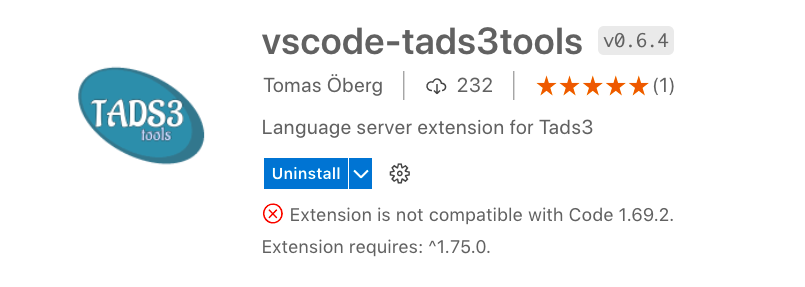
Ah! Disregard, at least in my case… my old OS will still run Code 1.75 (it won’t run more recent versions of Code, though). The extension is updated to 0.6.4! Thanks again, @Tomas ! And again to @rileypb for hooking me up with the outdated VSCode links.
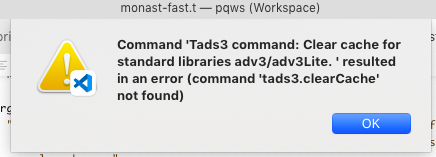
However, whether it’s the new version of Code, or the new version of the extension, or some disruption of old settings in the process, my workspace is not parsing symbols at all. Normally when I first open Code it takes a few minutes to parse the whole game’s symbols. Then after saving changes to a file, it always parses symbols where the changes took place. Neither of those are happening… do I need to change a setting or manually enter a command?
There’s been a change where vscode extensions stores their local files so it is necessary this time. I’m going to add a function that will take care of this automatically in the future.
Seems I did refactoring a bit too hard. Will fix tomorrow. I think you should be able to get more details about the previous error via the output pane with tads3 language server selected. Maybe it is also possible to do a manual cleaning of the cache files. The path to the cache directory might get logged out there. Otherwise hang tight