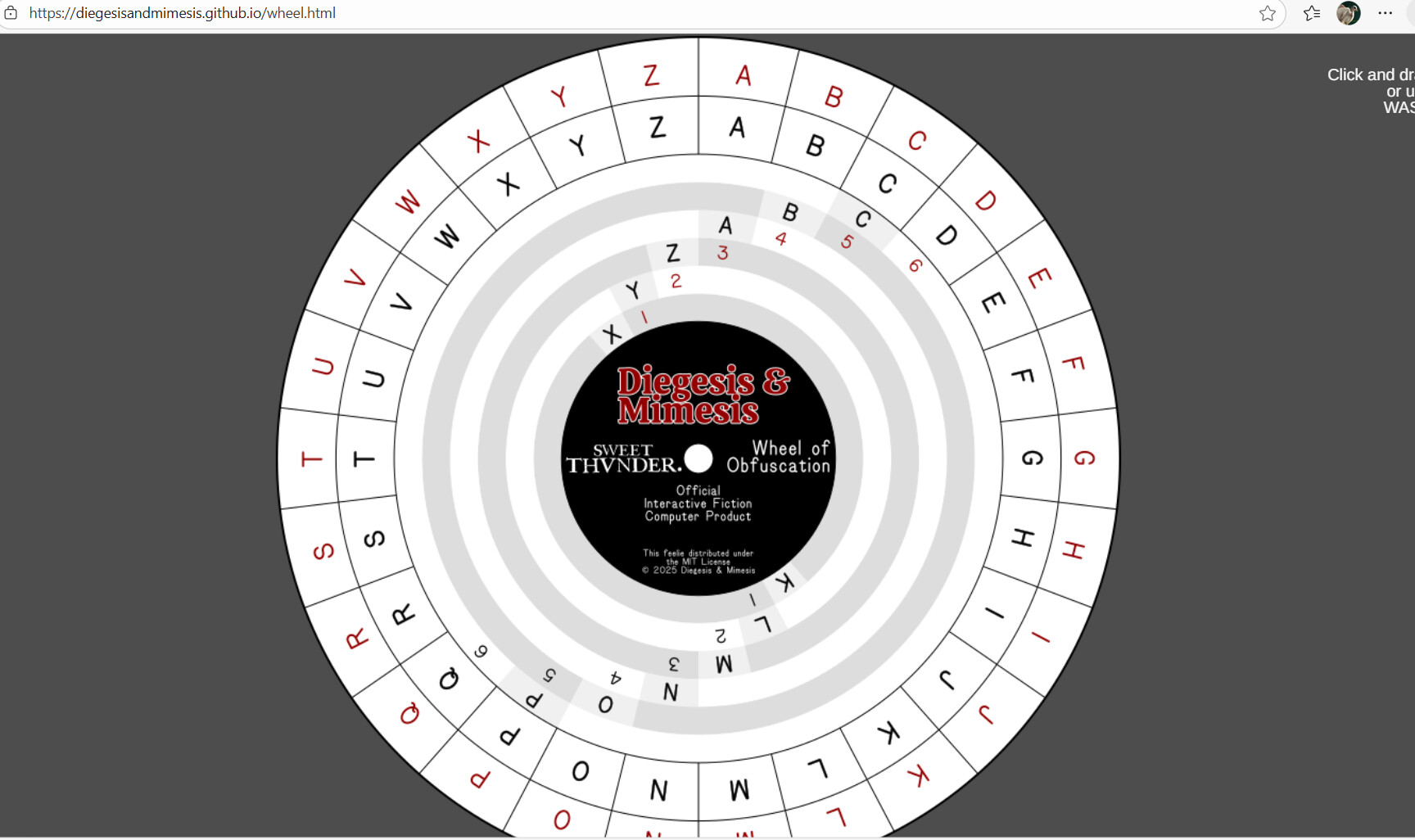
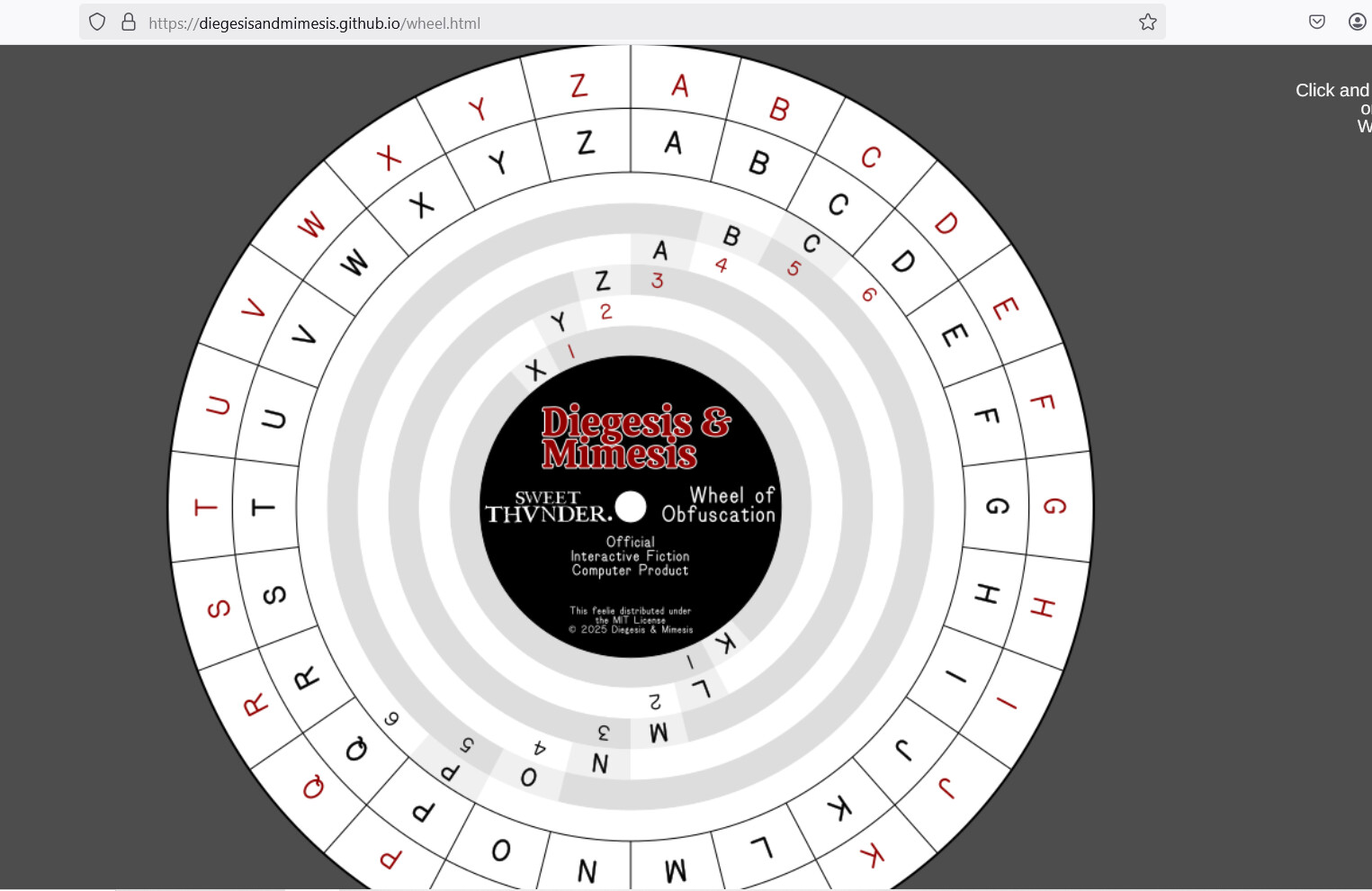
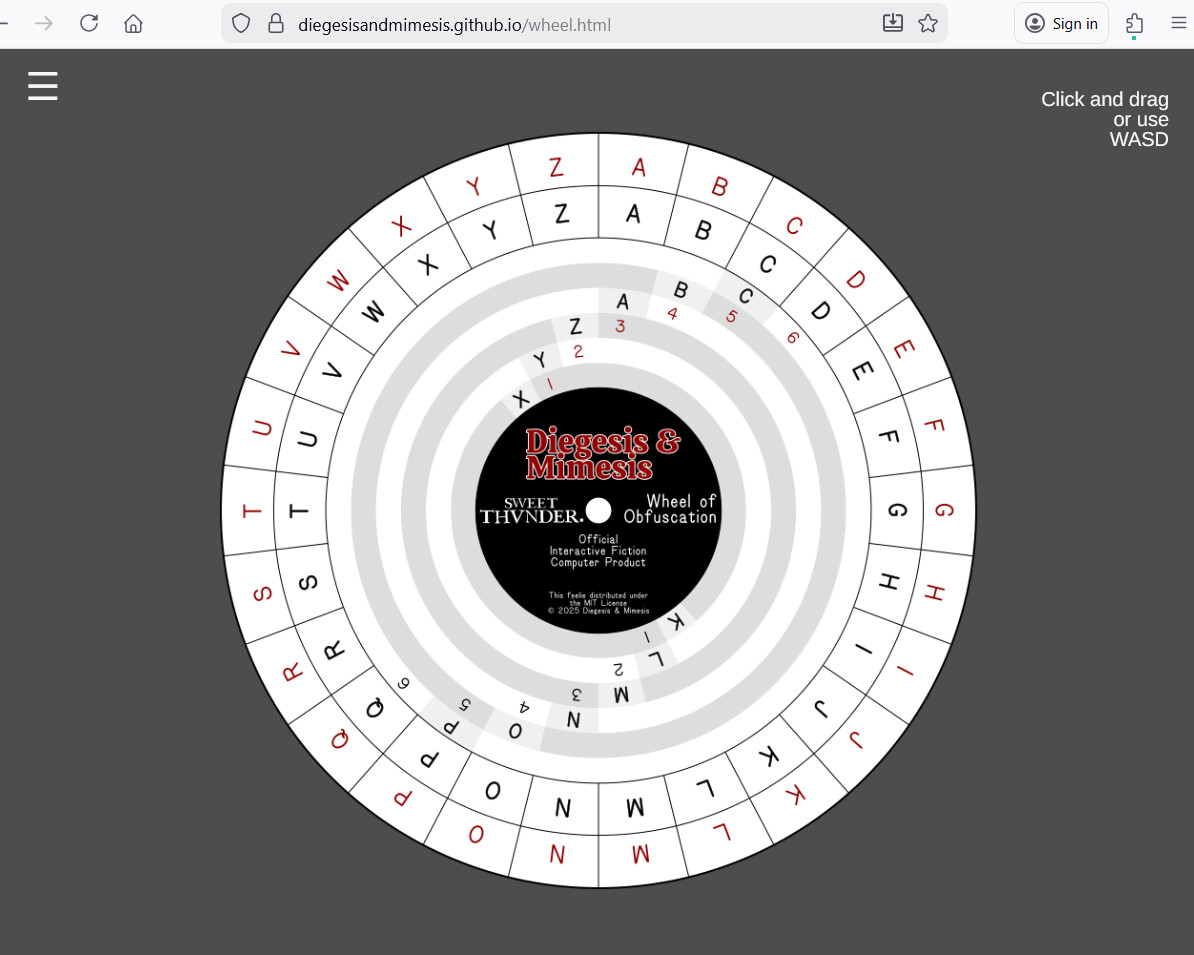
Yeah, sorry. It’s emulating a physical code wheel made of two circular pieces of cardstock, one slightly larger than the other. Both of the circles have 26 letters placed radially along their rims. The letters line up with each other, so in the default combination you have the inner A lining up with the outer A, the inner B lining up with the outer B, and so on for all 26 letters. The wheels can be rotated relative to each other to line up other combinations.
In addition to the two sets of letters just described the larger of the two discs has six concentric rings of 26 letters (and in the demo they’re also all just boringly A through Z in order). Those are mostly not visible, however, when the code wheel is assembled with the smaller disc on top of the larger one. But the smaller disc has twelve small windows cut through it in two sets. The windows are arranged so that each set of windows makes one letter visible from each of the six concentric rings on the larger disc. In the default orientation one set of windows is rightside-up and one is upside-down. The rightside-up set is labelled one through six in red, and the upside-down set is labelled one through six in black. The windows on each set move radially one “step” clockwise in addition to moving out one ring. So the rightside-up set displays (by default) the X on the innermost ring in the number one window, Y from the second ring in the number two window, Z in the number three window, four is A, five is B, and six is C. The upside-down set similarly displays K, L, M, N, O, P.
In principle I could extract any of the information needed to narrate the current configuration of the wheel, but it isn’t clear (to me anyway) how to do that in a way that doesn’t end up being more or less identical to the in-game method of interacting with the puzzles the feelie is associated with. Basically for any configuration of the wheel there are twenty-six equivalently valid descriptions of the outer ring alignment (A is lined up with A, B is lined up with B, and so on), and as the player you’re going to be primarily interested in exactly one of those, but selecting that one for the player (instead of having them provide it) would be effectively solving the puzzle for them.
It also seems like it would be a vaguely unpleasant experience to have to listen to all of the intermediate settings you’d have to go through if you were rotating the wheel from, for example, A matching A to A matching M. Particularly if it was also enunciating all twelve window values as it went.
This is complicated further in the “real” version of the wheel, because in it the two outer rings aren’t just letters but are “words” written in strange symbols (the alphabet used in the Voynich Manuscript, if you’re familiar with it) so the outer ring, for example, is a sequence of symbols which when transliterated into Latin letters form nonsense words like “daiin”, “chol”, “chor”, and so on. So you’re not just lining up A with C, you’re lining up “daiin” with “qokeedy” or whatever.
Of course if there is some way of making this mess more accessible I’m open to suggestions. But my expectation is that I’ll probably end up asking for help with the text-only version when the game is closer to release. The actual puzzles involve some slightly unusual uses of the code wheel and so I don’t think it would be possible to fully test them without spoilers. Which will both require a more traditional beta testing thread and, oh yeah, a game that’s ready for beta testing (which mine absolutely is not, yet).