!!! Oh hey! Here to solve all your problems! (?)
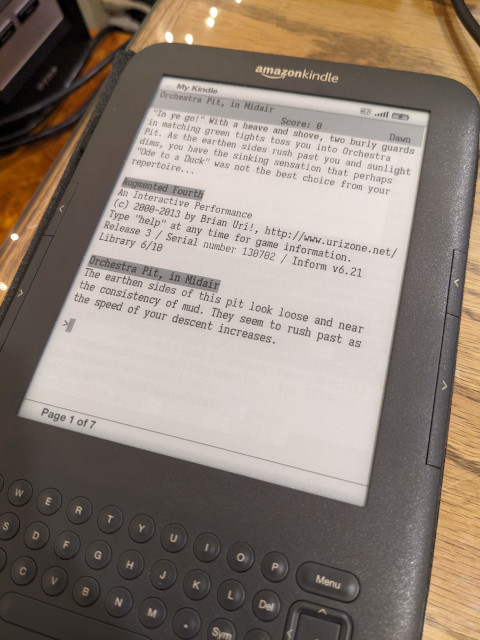
The Kindle Keyboard / Kindle 3 is an amazing platform for IF: the pleasant e-ink screen combined with a reasonably functional physical keyboard make it perfect for playing on the beach, in bed, etc., at any angle and with minimal eyestrain. Getting my Kindle 3 set up for IF has single-handedly doubled the number of games I actually bother to play.
But it’s a pain to set up. Here are your options:
1. Kif
There is actually a native z-machine for the Kindle Keyboard, called Kif. Unfortunately it’s alpha-quality software with a lot of bugs and quirks: there are a lot of display bugs and you can’t browse more than one screenful of games in your library. And of course, no Glulx support.
2. Parchment
Running offline is unfortunately harder than it sounds because the built-in browser can’t natively access local files. There is a workaround (install a local webserver on the Kindle), but I had more success just loading pages from the web while connected to WiFi and then leaving the page open; as long as you don’t reboot or navigate away, it will stay cached.
The bigger problem is that the Kindle 3 browser is too old to run the current ifvms-based version of Parchment. It does run the older Gnusto-based Parchment (circa 2010), but then you run into another problem: that version of Parchment saves the game state to the URL, and on larger games, the Kindle browser doesn’t support long enough URLs to store the whole of dynamic memory. So you won’t be able to save your progress on larger games. It also seems to crash on ZIL and PunyInform games, which are most of the Z-machine games still being written.
3. Terminal emulator
This is what I settled on.
- Jailbreak your Kindle Keyboard.
- Install a terminal emulator (like myTS).
- From the terminal emulator, run native builds of Frotz or Glulxe.
- …
- Profit.
Building Frotz and Glulxe for Kindle 3 is a bit tricky since you need to compile them on an old enough Linux kernel and statically link them against ncurses, which is not installed on the Kindle. Fortunately, I already did this, and binaries are available on ifarchive (k3frotz and k3glulxe in the unprocessed section right now - I need to get around to fixing the license information in the archives so they can be moved out of there).
To make the playing experience more pleasant on my Kindle, I also 1) changed the myTS settings so the text wasn’t so tiny, 2) created small shell scripts to launch Frotz/Glulxe with a few useful options to improve the display (like forcing Frotz to the correct screen width), and 3) went to a truly unnecessary amount of effort to create a custom terminal font that I liked better. When I get time I will try to write up my system as a more detailed tutorial / downloadable package.
This system isn’t quite as nice as Parchment in some regards (you’re stuck with a fixed-width font and can’t use the page forward/backwards buttons for scrollback like you can on Parchment), but it’s a rock-solid, responsive, bug-free playing experience for both Z-code and Glulx games.