I keep hearing about the 64-character limit when sending CSS to Bisquixe. From my knowledge of I7 (and a quick poke through the Bisquixe source code), it looks like that’s because it calls Glulx_ChangeAnyToCString to convert Inform 7 texts into char arrays to send to the Glk API calls.
That routine stores its strings in an array called AnyToStrArr, whose length is GG_ANYTOSTRING_LEN plus one. By default, it’s set to 66. (You actually get two fewer than GG_ANYTOSTRING_LEN characters, despite that plus-one, because of how Glulx internally stores strings.)
But that limit is easy to adjust in I7:
Include (- Constant GG_ANYTOSTRING_LEN 130; -) replacing "GG_ANYTOSTRING_LEN".
And now you get 128 characters instead of 64.
However, I don’t have a working copy of Bisquixe to test this on, so I don’t know if some other part of the interpreter assumes it’ll never get more than 64 characters. For all I know, it’ll overrun a buffer and crash if I send it 128 characters.
Which is why I’m asking for help here: can someone who does have Bisquixe all set up and working try the line of code above, and see if it raises the CSS-sending limit? If so, it might be worth raising this limit within Simple Multimedia Effects.
Excellent! In that case, there’s no real downside to Simple Multimedia Effects raising this limit significantly. It takes up that many extra bytes in the story file, but bytes are quite cheap in Glulx. (Just don’t set it to two million. A couple hundred is more than enough.)
I’m not sure if this will become a word array instead of a byte array in Inform 11; I believe Glk only works with byte arrays for its strings, and that’s the reason for this routine existing, so it’ll probably still just be bytes.
(Tagging @mathbrush here because it’s easier than submitting a pull request.)
EDIT: Also, this is the I10 replacement syntax. For I9, you need to replace the whole “Glulx-Only Printing Routines” section of Glulx.i6t. Just copy and paste it and change this one value.
I plan on doing an update this summer, likely porting Bisquixe over to parchment, so I’ll make this change for sure. I’ll try to maintain backwards compatibility as well.
While this might belong on its own thread, I might as well point out the different components of Bisquixe and how much/little work they’d need if being ported:
Features of the the Bisquixe interpreter
Implementing sound features on Quixe. Quixe does not implement the glk calls to sound, but has empty functions for it. Bisquixe fills out those functions using pretty standard calls. It fails one or two parts of the specs (I think something involving layering the same sound with itself).
Implementing new glk calls that append CSS to the head in a constrained format, use jquery to change the css of a whole class, import google fonts, or add a new style to a class. It also increases the number of possible styles to 100.
Adding functions that take sound or images in a local folder and uploads them at the start of a game (this avoids doing the quixe resource thing that needs a custom python script. It can cause flashing at the beginning of the game if the first page is an image.).
Features of the multimedia effects extension:
Copies angstsmurf’s old hyperlink code. Quixe and Inform have rules for hyperlinks, they just need some basic code to use them. The hardest part that takes up the biggest chunk of code of the entire extension is that commands shouldn’t be ‘echoed’ when clicking hyperlinks (i.e. copied after you click on something) but they should be echoed when typing, but Inform doesn’t let you switch back and forth between them naturally, so you have to write a big custom Inform 6 section that replaces the Keyboard part of the code to address echoing. I think @Zed was working on a more elegant solution to this.
Sends out the glk calls for the new options listed above and provides Inform functions for using them (for things like setting CSS, etc.)
So, the extension does nothing for sound and the interpreter adds nothing for hyperlinks.
If a new version of Inform handles the hyperlinks, I could remove that part and if Parchment handles image uploads or sound, I could remove that as well.
Two weird sticking points:
-iOS only supports mp3 sound, while Inform only allows .ogg. Thus current sound support requires dual formats if the game is to be played both online and offline.
-Glulx entry points had some functionality removed with the intent that it would one day be replaced with a new format. I’m not sure about the plans, though, so I currently direct people to an older version. The only thing I use it for at all is to make hyperlinks work, so if Zed’s solution doesn’t require it, I can remove that dependency, or if Inform updates and uses hyperlinks natively, I can remove it. Otherwise I may spend the summer tracking down exactly what I need from Glulx Entry Points (which is actually pretty small) and extract what I need.
So far as the near-term goes, I have the I10 code working. Is there an I9 equivalent that I can share with authors? I don’t understand I6, so I can’t do it myself.
Since my reference is for both I9 and I10, I’d like to assume a higher character limit regardless of version.
For Inform 9 (6M62 and before), you can also remove the highlighted line entirely, and supply this:
Use maximum Glk string length of at least 64 translates as (- Constant GG_ANYTOSTRING_LEN = {N}+2; -).
Now authors can “Use maximum Glk string length of at least 256” or whatever they need. In Inform 10, these Use options are replaced by a new system that doesn’t work (you’ll notice many of the Use options in the manual don’t actually do anything!). Inform 11 is going to replace this with a new new system that (hopefully) does work, but as far as I can tell isn’t documented yet. So for now I recommend just hardcoding the larger value you want.
I’m not sure what part of GEP you’re referring to, but Inform 11 will have no GEP extension. Its functionality, including hyperlinks, will be built in. In some ways its different from GEP, but I’m proud of the new systems and APIs.
I am still thinking of implementing my CSS Glk proposal. It would not necessarily do everything that Bisquixe makes possible now.
I might as well look at adding an old idea for JS streams too…
I like this proposal, but please support more than two user styles! Dialog has shown me the benefits of the Glk style class model; it just allows for a lot more than two of them.
Speaking of Bisquixe limits, the hyperlink syntax shown in the latest couple posts looks very clunky. Could someone with a working Bisquixe check if this code works real quick? (It’s an adaptation of Inline Hyperlinks to work with Simple Multimedia Effects.)
Include Simple Multimedia Effects for v10 by Mathbrush.
Include version 1 of Formatting Capture by Daniel Stelzer.

The inline hyperlinked command is a text variable.

To begin link:
	if expanding text for comparison purposes, stop;
	now the inline hyperlinked command is "";
	start capturing text.

To say link command -- beginning say_link -- running on:
	begin link.

To say link -- beginning say_link -- running on:
	begin link.

To say l -- beginning say_link -- running on:
	begin link.

To continue link:
	if expanding text for comparison purposes, stop;
	stop capturing text;
	now the inline hyperlinked command is the substituted form of "[captured text without formatting]";
	start capturing text.

To say with text -- continuing say_link -- running on:
	continue link.

To say with -- continuing say_link -- running on:
	continue link.

To say = -- continuing say_link -- running on:
	continue link.

To end link:
	if expanding text for comparison purposes, stop;
	stop capturing text;
	if the inline hyperlinked command is empty:
		now the inline hyperlinked command is the substituted form of "[captured text without formatting]";
	hyperlink "[captured text]" as the inline hyperlinked command.

To say end link -- ending say_link -- running on:
	end link.

To say /link -- ending say_link -- running on:
	end link.

To say /l -- ending say_link -- running on:
	end link.

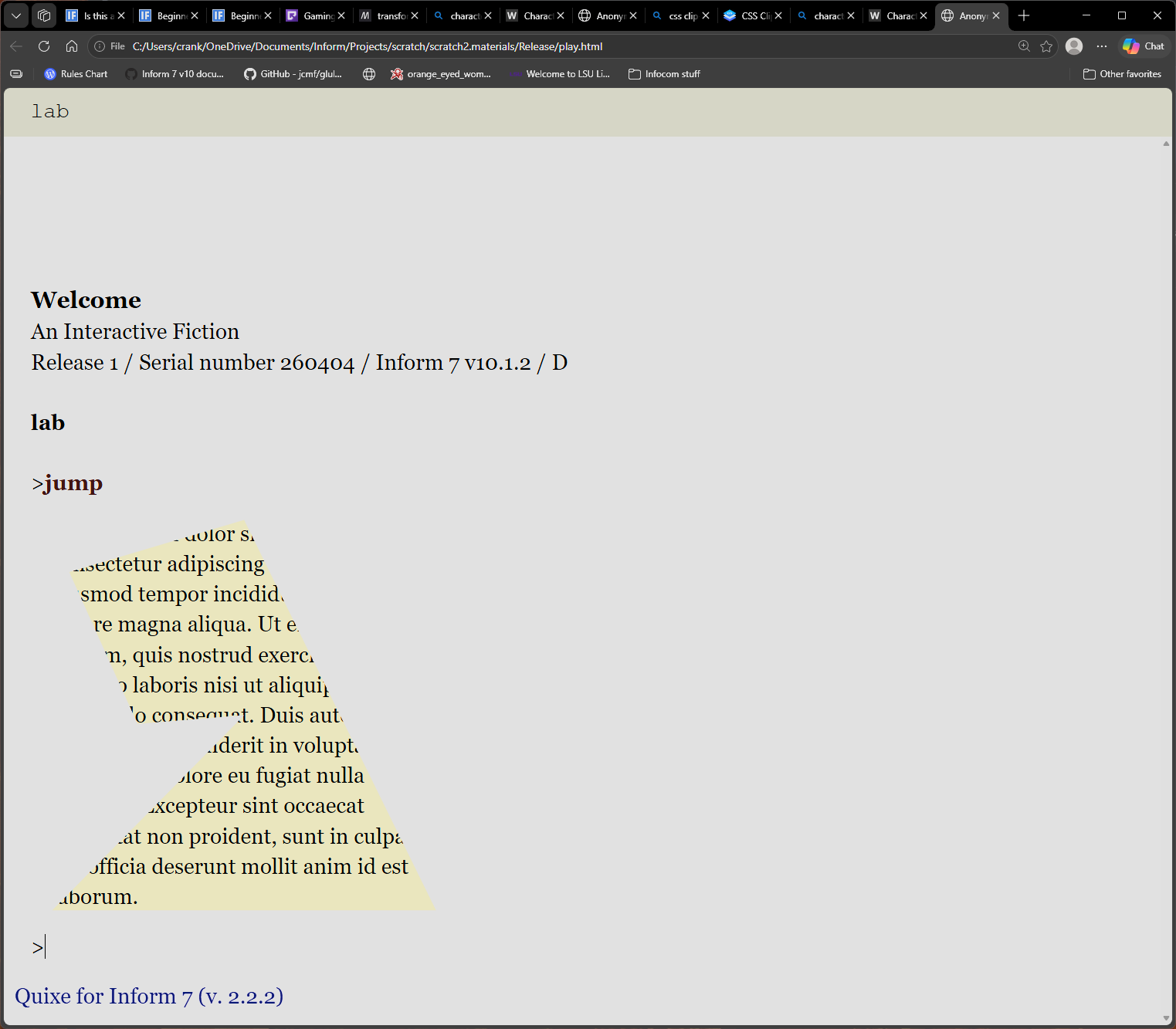
Lab is a room. "You can [l]jump[=]jump [italic type]around[roman type][/l] if you want. Or just [link][bold type]wait[roman type][/link].".
It works in my local interpreter, but the point is to work with Bisquixe! Specifically:
There should be italics inside the first link and bold inside the second link
The first link should expand to “jump” and the second to “wait”
The point of this is to add a more convenient syntax for links, like the one Dialog uses: [link]examine the dresser[/link] or [link]EXAMINE THE DRESSER[with text]examine it[end link]. You can also shorten that to [l]EXAMINE THE DRESSER[=]examine it[/l] and so on. It’s not perfect—in particular, if you set a Bisquixe inline style inside the text of a link, that style change may get lost—but standard Inform bold/italic/etc formatting will be fine. (And that problem could be fixed by an update to Formatting Capture.)
If it works, I’ll put it in a new Inline Hyperlinks for Bisquixe extension and throw it in the repository. Since this is pure I7 code, it’ll work the same for I10 and I9.
Wonderful! Then I’ll package it up as an extension.
The way Formatting Capture works, it alters the substitutions like [italic type] to output a special code if text capture is happening. Then, when printing the text back, it notices those codes and changes the style. By default, it doesn’t know about Bisquixe, so it only handles standard built-in Inform formatting.
Ideally, we wouldn’t need Formatting Capture at all. It’s possible to output the text directly without passing through Formatting Capture, but only for the [link]...[with words]...[end link] version, not for [link]...[end link].
…hmm. Or maybe it is possible? This is Glulx-only, so maybe…I’ll experiment a bit before uploading this. It might work.
The original Inline Hyperlinks also did this backward, [link] Displayed text [as] link command [end link] instead of [link] link command [with text] Displayed text [end link]. I swapped it because it was faster to implement this way (and also that’s how Dialog does it), but if people prefer the alternative, that’s also feasible.
I think it will be easier for authors if both extensions are ordered the same, but I don’t actually understand the effort involved. I think you should do what makes the most sense for you. I’ll be grateful regardless.
Yep! As far as I7 is concerned, phrases defined in I6 and phrases defined in I7 are completely equivalent. The difference only comes in for things smaller than phrases, like conditions.
Basically, the way I’m handling this right now is by using the Simple Multimedia Effects hyperlink X as Y phrase, which means I need to have both the command and the display text on hand at the same time (so that I can pass them to that phrase).
But Formatting Control only lets me have a single block of text saved with formatting intact; if I copy that block of text somewhere else, the formatting is lost.
For my quick demo above, I first saved the command somewhere else (losing its formatting), so that the display text could stay in the special formatting-enabled buffer until I needed it.
But, if I don’t use SME’s phrase (if I handle the hyperlinks myself), there’s no actual need to have both the command and the display text on hand at the same time. Which means I can do it in either order, and can even do it without invoking Formatting Capture at all!
If you end up making a hyperlink extension with complete functionality (including handling echo turning off/on), I’d be happy to split it off entirely from Simple Multimedia effects. It would reduce the code for Simple Multimedia Effects to just a few paragraphs, which would be awesome!