David Long's 751-point Adventure (LONG0751) has been found

At the end of December 2025, Arthur O’Dwyer revealed that an executable copy of the long lost David Long 751-point version of Adventure (LONG0751) had been found by LanHawk on a tape at bitsavers.org. Unfortunately, his blog did not give any explicit links or details on how to get it working, but I followed the leads (a bit like playing an adventure) and managed to find, download and install a PDP-10 emulator, the disk image created from the tape file and various extras required to get all this working on Windows, but all to no avail.

Two other users on the Colossal Cave Adventure forum were able to get it working on a Mac, I’m sure I’m missing something simple, so if anyone else is able to get this working on Windows, I’d be extremely grateful for some simple, explicit, step-by-step instructions.

Further details can be found here:

13 Likes

I got it working on Windows 11 using WSL (Ubuntu).

(Note that I had previously created a “Documents” directory, plus a “GitHub” sub-directory. So, I already had a “~/Documents/GitHub” directory.)

sudo apt update
sudo apt install cmake
sudo apt install libpcre3 libpcre3-dev
cd ~/Documents/GitHub
git clone --depth=1 https://github.com/rcornwell/sims
mkdir sims/build
cd sims/build
touch ../LICENSE.txt
cmake ..
make pdp10-kl
sudo ln -s `readlink -f ../BIN/pdp10-kl` /usr/local/bin
cd ~/Documents/GitHub
git clone --depth=1 https://github.com/Quuxplusone/Advent
cd Advent/LONG0751
unzip LONG0751.zip
cd LONG0751
pdp10-kl ./pdp10-kl.ini

EDIT

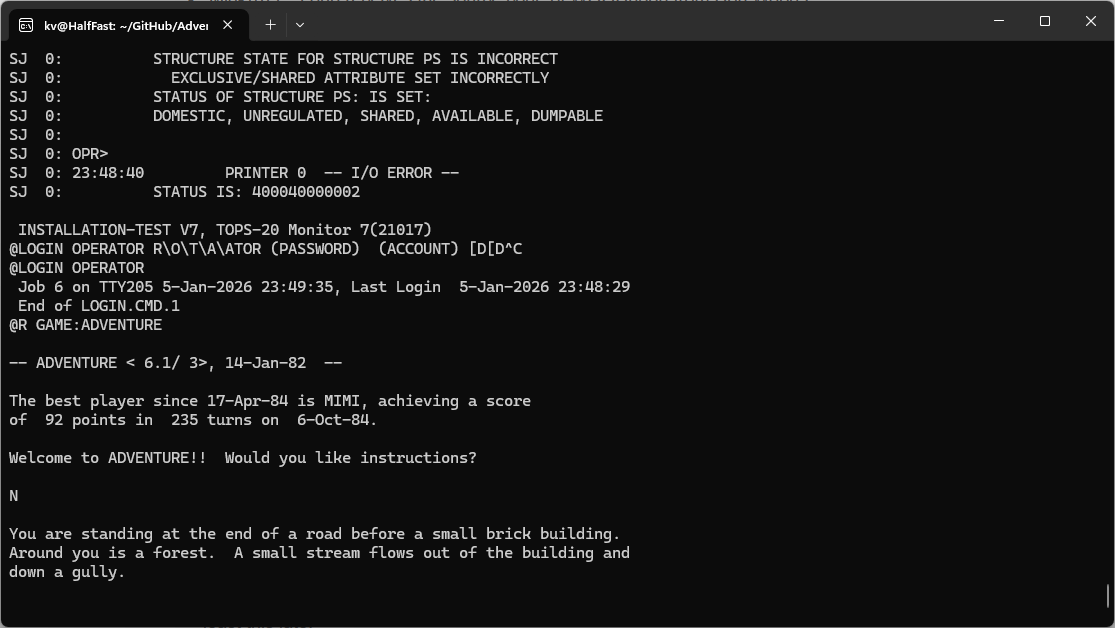
Once the terminal settles down, hit Enter once, then type LOGIN OPERATOR TEST.

(You don’t have to set caps-lock; all input on this system is automatically upper case.)

This is a username/password pair, so, as you type TEST, you won’t see any echo to the screen. That’s normal. Hit enter at the end of that line.

You should soon see a command prompt @. Type

R GAME:ADVENTURE

~~I can’t figure out how to exit out of the emulator now, ha-ha, but the game runs.~~

UPDATE

Thankfully Garry knew how to stop the emulator session *:

Try Ctrl+\ to get back to the sim> prompt, then q to quit

5 Likes

PS

I didn’t download anything at all. I just slightly modified the instructions from this page: LONG0751 has been found! – Arthur O'Dwyer – Stuff mostly about C++

2 Likes

Try Ctrl+\ to get back to the sim> prompt, then q to quit.

2 Likes

That worked perfectly! Thanks!

Also note that I just edited the instructions. I omitted two steps (loggin in, then running the game).

2 Likes

I have been following the Renga in Blue blog. Amazing stuff!

I wonder if I can get it working on my RPi with the Ubuntu instructions???

3 Likes

I’m still using Windows 7 (believe it or not), so I can’t run WSL, nor should I need to. I’ve got the PDP-10 emulator and it runs from Windows XP onwards, but I get to a point where I get a blinking prompt, then nothing. I can’t type anything in.

As yours worked like magic, I’m wondering if I need a terminal running to somehow connect to the PDP-10. Perhaps Linux provides this by default.

I’ll check out Renga in Blue.

2 Likes

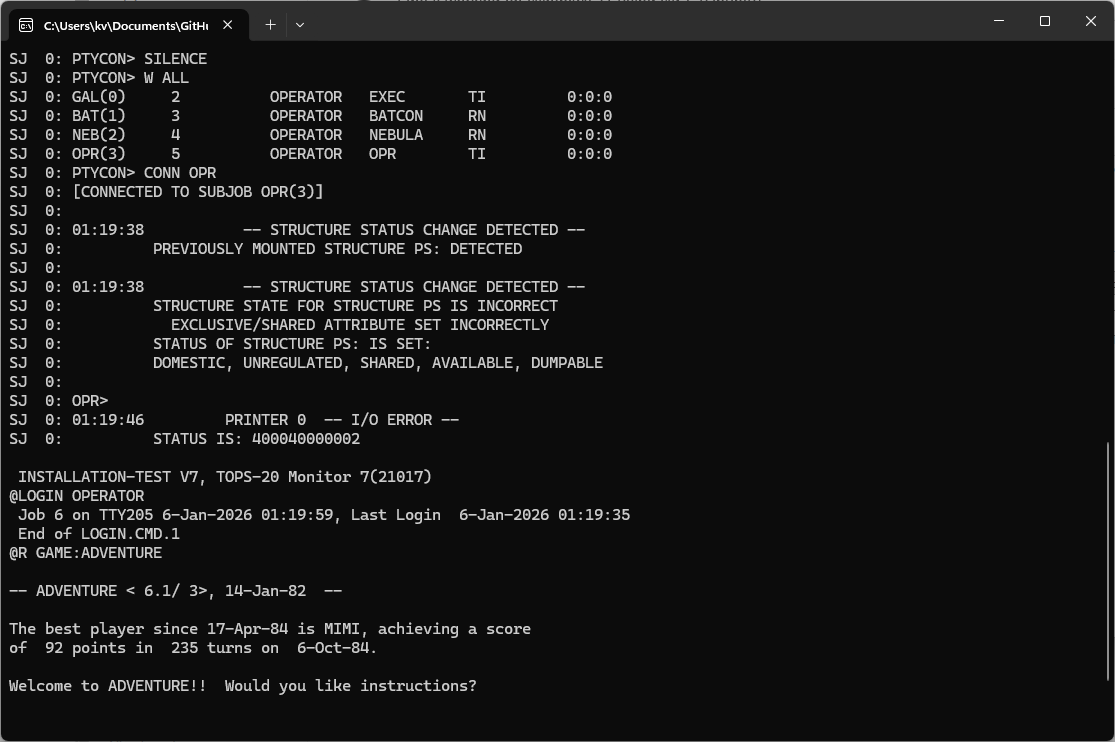
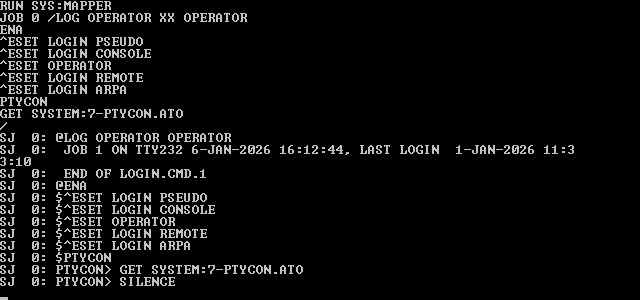
You’re almost there, I think:

SJ  0: PTYCON> SILENCE
SJ  0: PTYCON> W ALL
SJ  0: GAL(0)     2          OPERATOR   EXEC       TI         0:0:0
SJ  0: BAT(1)     3          OPERATOR   BATCON     RN         0:0:0
SJ  0: NEB(2)     4          OPERATOR   NEBULA     RN         0:0:0
SJ  0: OPR(3)     5          OPERATOR   OPR        TI         0:0:0
SJ  0: PTYCON> CONN OPR
SJ  0: [CONNECTED TO SUBJOB OPR(3)]
SJ  0:
SJ  0: 00:53:11           -- STRUCTURE STATUS CHANGE DETECTED --
SJ  0:          PREVIOUSLY MOUNTED STRUCTURE PS: DETECTED
SJ  0:
SJ  0: 00:53:11           -- STRUCTURE STATUS CHANGE DETECTED --
SJ  0:          STRUCTURE STATE FOR STRUCTURE PS IS INCORRECT
SJ  0:            EXCLUSIVE/SHARED ATTRIBUTE SET INCORRECTLY
SJ  0:          STATUS OF STRUCTURE PS: IS SET:
SJ  0:          DOMESTIC, UNREGULATED, SHARED, AVAILABLE, DUMPABLE
SJ  0:
SJ  0: OPR>
SJ  0: 00:53:18         PRINTER 0  -- I/O ERROR --
SJ  0:          STATUS IS: 400040000002

From there, I can hit ENTER to get the @ prompt:


 INSTALLATION-TEST V7, TOPS-20 Monitor 7(21017)
@

If I can find a binary for the emulator for Windows 7, I’ll see if my trusty old Win 7 laptop will run it.

I just built the project on Windows 11, but it’s the release build and does not work. Now I see the note that says I need the debug build, because the release build has issues. If no one has a link to a good binary, I’ll figure out how to build the “debug” build (shouldn’t be difficult).

EDIT

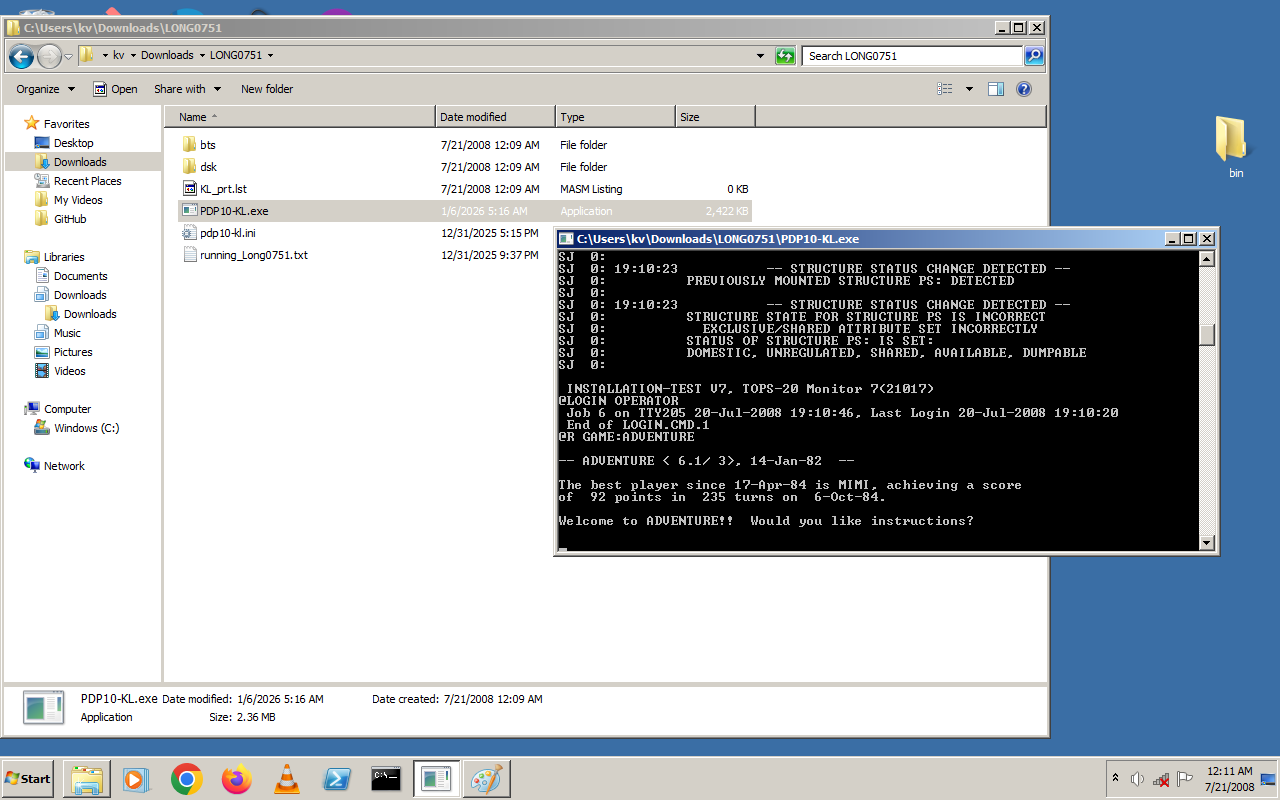
I only had to actually open the project in Visual Studio 2019 to create the debug build (the first time, I just ran the BAT file, ha-ha). I now have a working Windows binary. It works on Windows 11:

About to test it on Windows 7…


Things that are probably notable:

That build didn’t work (as noted in the Advent TXT file, as it was the Release build), but at this point all the VS2008 stuff had been updated to work with VS2019. I then opened “sims/Visual Studio Projects/Simh.sln” in Visual Studio 2019, which has the Debug build by default when opened, and built the project. It showed an error at the very end, but that was after it successfully created “sims\BIN\NT\Win32-Debug\PDP10-KL.exe“. I just dropped that EXE file in the unzipped “LONG0751” folder, and double-clicking the EXE loads it up, whether on Windows 11 or Windows 7.
2 Likes

First of all, download LONG0751.zip from LONG0751 and unzip it. This creates a LONG0751 folder with everything you need inside it, except for the PDP-10 emulator. Make sure you read running_Long0751.txt.

For the emulator, I used the latest pre-built Windows binary from simh. Scroll down until you see “The latest binary build for Windows is here”. Click on the link, download the zip file and extract PDP10-KL.exe, as that’s the only one we need. Copy this into the LONG0751 folder from above.

Double-click on PDP10-KL.exe and see what happens. I had to install a small Windows update (one of those knowledge base things) and something else.

EDIT: Sorry, I leap-frogged you. You must have posted while I was still searching and typing. The process is essentially the same, except that you built from source and I used the pre-built binary.

2 Likes

I was editing that post (like a goofball) while you were posting, ha-ha. That was my bad. =)

I tried the binary from that simh repo, and it got stuck at the same place yours does, even on Windows 11. I don’t know what the difference is, but the debug binary created using VS2019 works fine for me.

2 Likes

Just to keep everyone else informed, @KV sent me the PDP10-KL.exe binary. It was much bigger than the pre-built binary, but it works. Thank you KV!

3 Likes

one thing that helped is me opening the INI file and uncommenting the line that says “att tty -U 2021”

I have Mudlet installed (works on any platform) and I set it to connect to localhost port 2021, then log in like it was a MUD

I fiddled a bit more with the configuration but the end result is that I can type things much more smoothly, because Mudlet allows typing the text line locally before sending it; otherwise there’s a lag between typing a letter and it appearing on screen

Mudlet also has robust logging and I’ve also made one macro (the method of opening the safe, which I have done enough times I made the ] key type what I want)

4 Likes

I wondered about that, but it’s a long, long time since I’ve used a terminal and I wasn’t sure where to start.

I did notice that there’s quite a delay when responding to keystrokes, so if this gets too annoying, I’ll explore the terminal option.

2 Likes