Boxed quotations in Inform

A large chunk of Bisquixe’s code is implementing hyperlinks; if Gavin Lambert’s extension works well in v10, I could always cut that chunk out and make the Inform extension for bisquixe extremely lightweight.

That’s great all these things are working!

Since we’re all making wishlists and things are happening, I wish for z-code style quotations to come back to glulx. glulx explicitly bans overlapping windows, and puts them at the top of the screen in a separate window, but it’s very easy on the browser to get around that, you just go in and change one of the properties (I think float, or something) and that makes it automatically hover over the middle of the screen like the old z-code style. I wonder if there’s anyway to make gargoyle do that too.

(I’m just throwing it out there! I fell like the guy in Armageddon who asked the government to bring 8-tracks back: https://www.youtube.com/watch?v=gWpiqi0GmH0)

anyway, cool stuff happening

“Back?” Glk never supported that before, did it?

Is the idea just to have a Glk window that overlaps one or more other windows?

You’re right, it was never in there, and the idea is to overlap.

Right now, it just puts it at the top (like in this sample game):

"Sandbox" by Brian Rushton
  
lab is a room.

Release along with a "Bisquixe" interpreter.

include simple multimedia effects for v10 by mathbrush.

Instead of jumping:
	display the boxed quotation
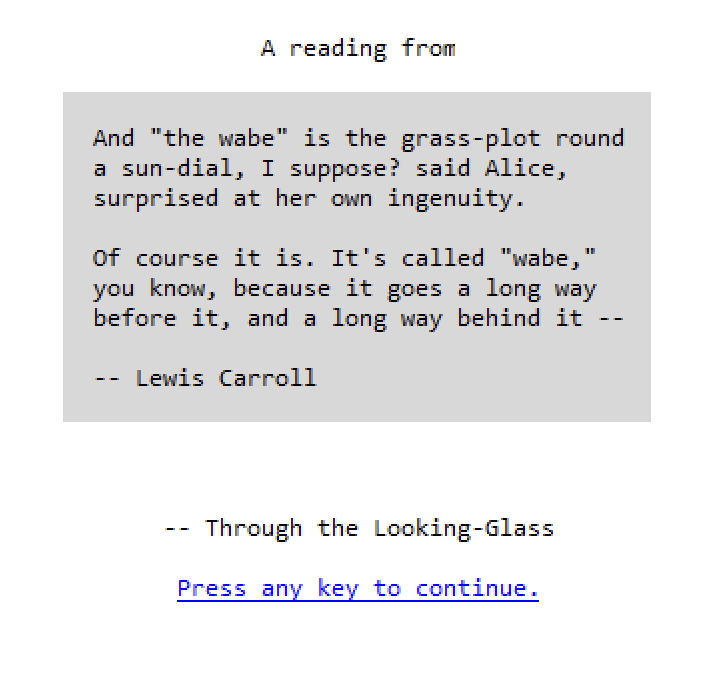
	"And 'the wabe' is the grass-plot round
	a sun-dial, I suppose? said Alice,
	surprised at her own ingenuity.

	Of course it is. It's called 'wabe,'
	you know, because it goes a long way
	before it, and a long way behind it --

	-- Lewis Carroll".

(taken from the sample text for a boxed quotation in the documentation).

I didn’t realize it was also too big for the box, giving it its own scrollbar.

At one point with Bisquixe I figured out how to make it float, but trying to recreate it now is hard. I thought I just had to delete position:absolute from the .WindowFrame css. I’ll try more later on and let you know if I can figure out what I meant to say.

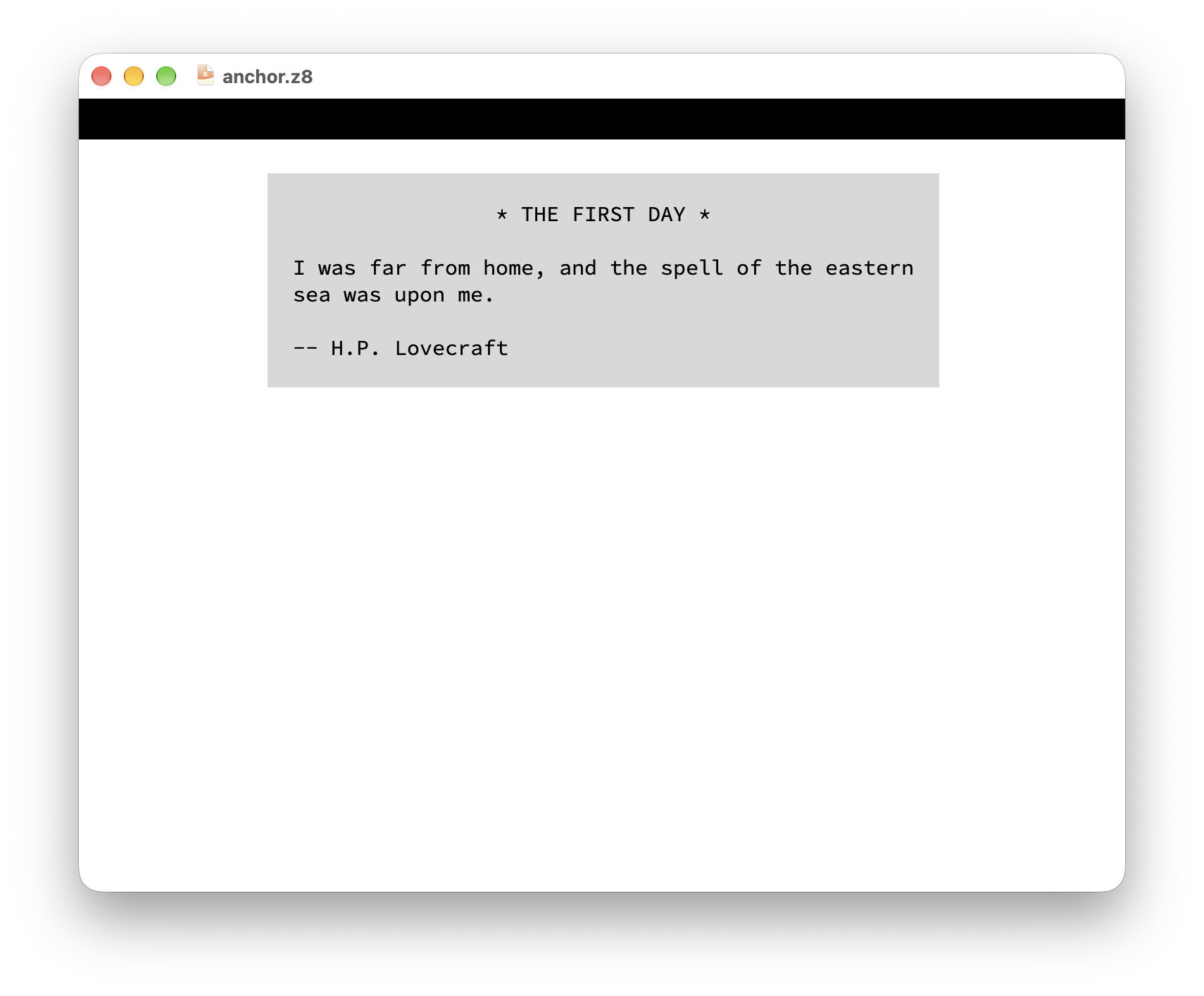
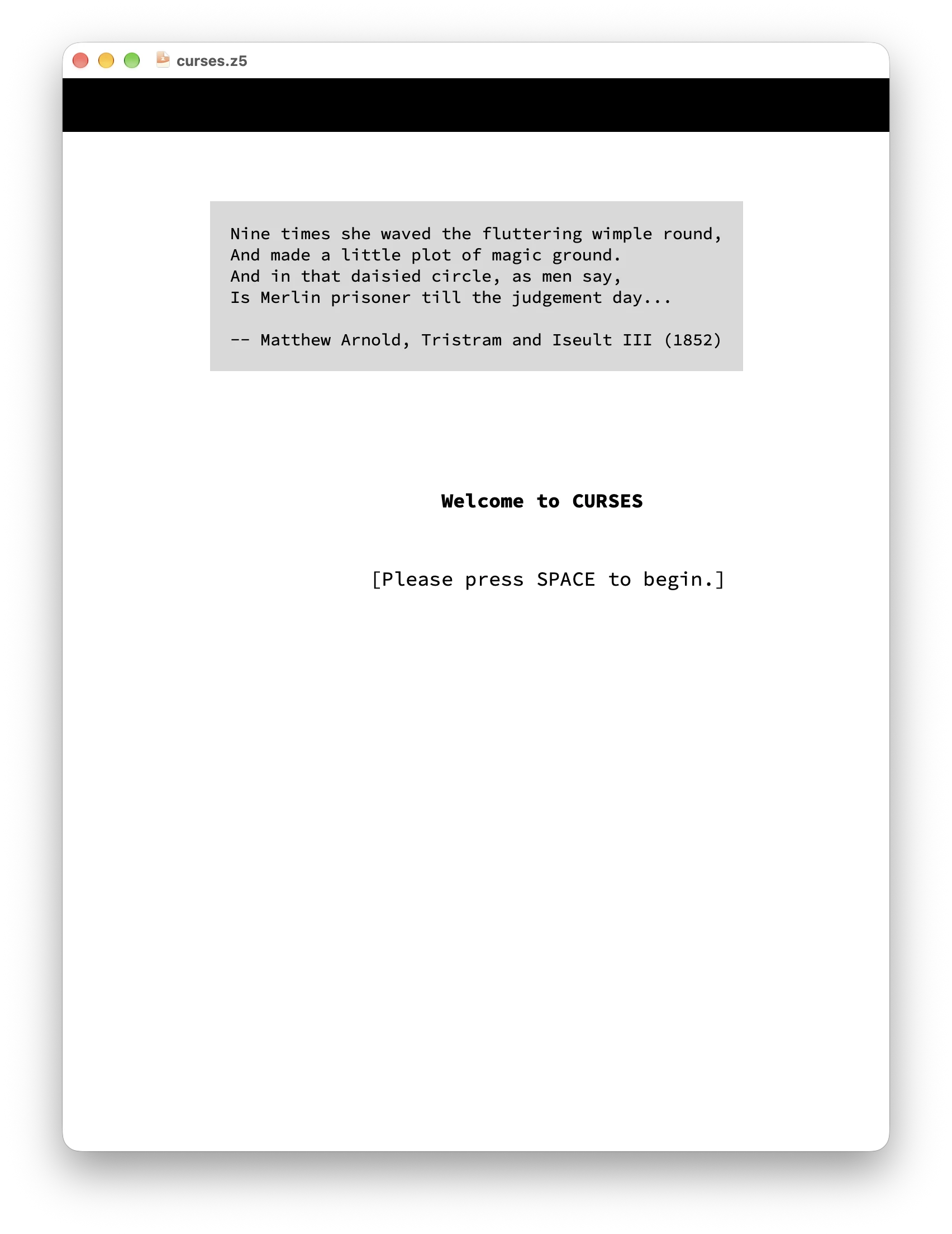
What would you use it for? I feel like I’ve only seen it used in the startup screens for Anchorhead (1998 edition) and in Curses, where it was completely unnecessary.

To be clear, it was completely unnecessary because the screen is already a text grid. With just a dash of zcolor in the grid itself, the box could have just been rendered in the text grid, no funny business needed.

Screenshots

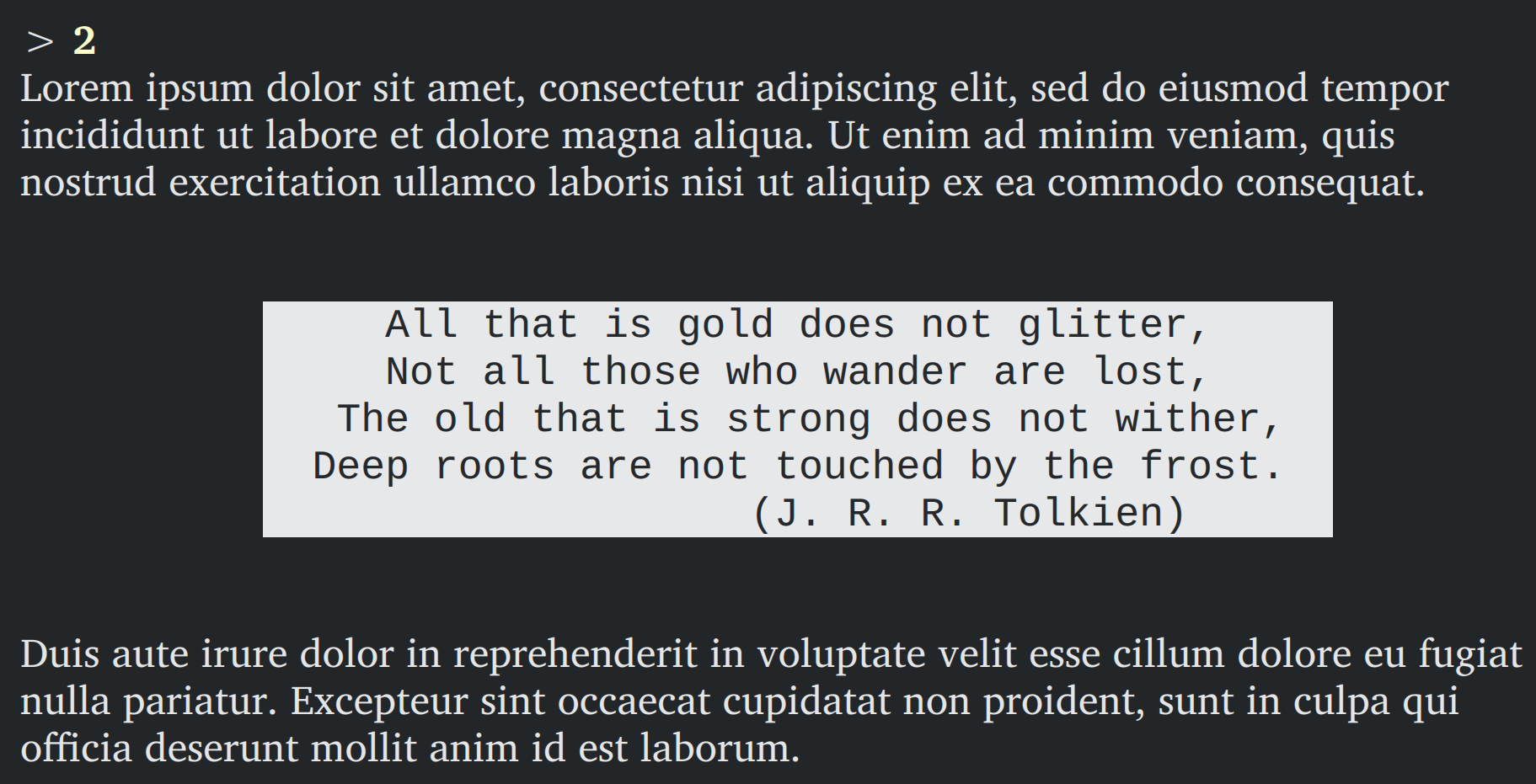
Similarly in Curses:

I’ve submitted a PR to Inform 7 to at least style the boxed quotation like it does in Z-Code. But Graham was close to just removing it altogether.

A true floating quotation is so niche now that it really would belong as just something for Bisquixe.

Personally I would love to see a proper modern box-quote implementation that doesn’t rely on the text being a compile-time constant. The I6 box statement is a relic that should be left in the past, even on Z-machine.

That’s what Amanda Walker does, just putting quotations in Glulx with the text grid.

The kind I’m talking about overlaps the text. It happens often in Curses..

Actually, I just went back to replay it, and it’s behaving very differently than I thought. I must be going crazy; I may have spent the last 7 or 8 years advocating for something that never existed.

I’ll keep looking. I swear I remember there being games that had a box in the middle of the other printed text, with some above, below, and to the sides, but I may have just hallucinated it from whole cloth

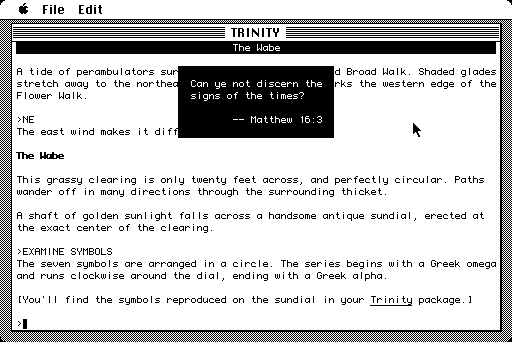
Edit: I found this image on google images, which matches my memory. Why curses doesn’t do this in gargoyle, I have no idea:

It’s because that behavior was a hack that relied on how old terminals displayed text. Back then, the terminal had no distinction between the status bar and the main page; they were just two different ways for the Z-code to place letters on the screen. When the screen scrolled, all those letters would move upward, whether they originally came from the status bar or not, and they would eventually be lost off the top.

But nowadays, we like having a distinction between the status bar and the main window, which lets us do things like scroll back in the main window to see old text.

What Trinity is actually doing is expanding the status bar to eight lines, printing the actual status bar in the top line, then printing the quote in the lower lines. So that’s what Gargoyle will do when it runs that Z-code now. It’s just that Gargoyle’s status bar is a separate thing from the main window and doesn’t let the main-window text behind it show through.

Looking into this more, I think that what I actually like better about z-code style boxes quotation isn’t the location, but the white on black text, because I didn’t even notice that curses was putting the quotations at the top instead of the middle when I replayed it, but I remember thinking they looked nice.

And you are currently working on the whole reverse video thing so that should solve it for Glulx too!

That wouldn’t be hard for an extension to do, it would just need the text to be analysed to determine the number of lines and the maximum width line.

It’s simple for a text console implementation to do: it expands the status line, but unlike usual, doesn’t blank out the rows. Instead it just sets the cursor to the start of the box and prints it.

In modern interpreters each window is generally treated independently. In Glk there’s no way to model overlapping windows. (A child window will consume part of the space of the parent window, but it’s then unavailable to the parent window. Each pixel belongs to only one window at a time.)

Yes, I’ve seen that before (and appreciate this explanation). On the web manipulating box placement is fairly simple, so I think it shouldn’t be too hard to get a web interpreter to always take things of the ‘box’ style and make them centered in the middle and overlap rather than glued to the top. It wouldn’t allow for fine-tuned control. I guess if I’m really passionate about it, I should make a game using such a feature (maybe for a mini-comp next year). Lectrote is browser-based so could implement things the same, but I doubt there’d be any such fix for mobile or windows/mac-native apps. And, it doesn’t seem like there’s been a huge demand (actually, that may not be true. Searching for ‘boxed quotation’, it seems like every few years someone says they want to do this and people just say ‘it can’t happen’. These are all from different threads:

I tried it in a test-release, and it worked correctly, I guess, but it was so unobtrusive (there was other text in that part of the screen), that I barely noticed it had appeared, and I wonder if players will ever notice it at all. I guess I wanted it to appear in an actual box, centered on the screen, like in the old Z-games (Trinity, Jigsaw, etc). Is there a way I can get it to appear as an actual box in the center of the screen?

image
This is what I got. It just displays at the very top, and it doesn’t even include the mentioned line break.

Hey thanks guys, yeah I always had strange things happen with the dumb frotz interpreter that went with at least that version Inform 7… It either didn’t show a dark bar for the status line, or it did things I complained about before…

(that thread was someone complaining about the boxed quotation not showing up right)

SOMETHING does show up, at the top of the screen. It’s an overlay, just like a boxed quotation, but it’s left-aligned rather than centered and doesn’t look like a boxed quotation at all; just like hovering text.

Like I said, I remember having proper boxes quotations in Glulx…

My guess is the reason we don’t see boxed quotations much in new games is they just look bad in glulx. It sounds like it’s not possible to fix this in glk, so this sounds like a nice feature for anyone who’s trying to make an ‘inform killer’ to add. Dialog is web-native, so it seems like an obvious target for adding ‘real’ boxed quotation, since it’s very easy to have overlapping boxes on the web (even a basic ‘alert’ box that disappeared the next time the keyboard hit would be closer to the old functionality).
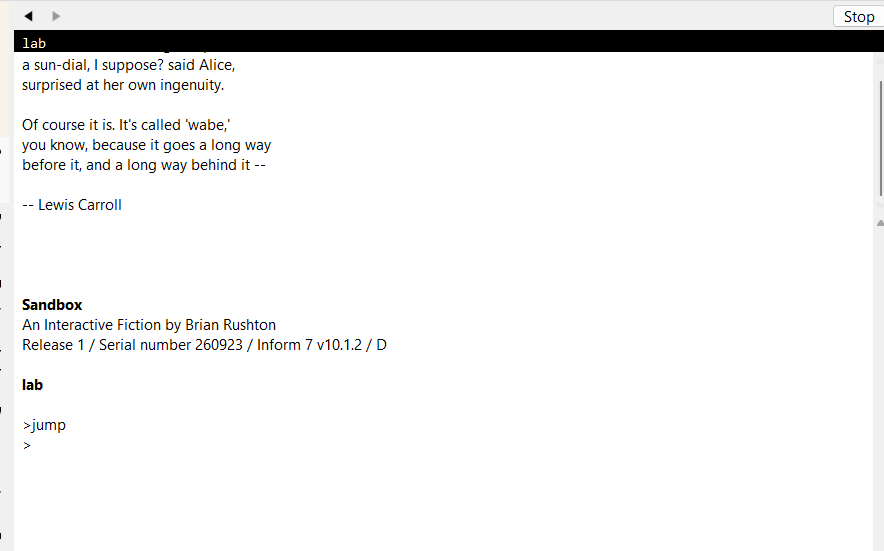
Dialog on the web can do it, yeah, since it can produce divs with arbitrary CSS attached. In general, though, I’ve become more fond of just putting the quotation inline in the main window, so that it’s in the place where people are inclined to look for it. The reverse monospace box still separates it clearly from the surrounding text.

Is the floating part important, do you think? Would it be sufficient to make the box horizontally centered?

The driving factor in all the posts I saw above were in trying to recreate memories from their youth. For that, I’d expect that floating would be important.

For me, I’d love to see it recreated exactly like in the image, and I believe it to be possible on web at least. I think having it floating is exactly like having a couch against the wall vs pulled out, it’s a lot classier (while I don’t agree with this sentiment at all, I heard someone say that you can tell if someone is rich or poor by whether their couch is up against the wall or not. I don’t agree with that, but aesthetics-wise there’s a world of difference).

That said, I can’t find any evidence of having played games with that type of quotation since i started playing in 2010 on Frotz on the iPad, and trying it just now it doesn’t do floating quotations; z-code for web doesn’t seem to do floating quotations; and bocfel/gargoyle doesn’t seem to do it. So I don’t know if I ever actually encountered it. But I think it’s cool! Any steps to recreate it would be great in my opinion, even if it’s only a small step.


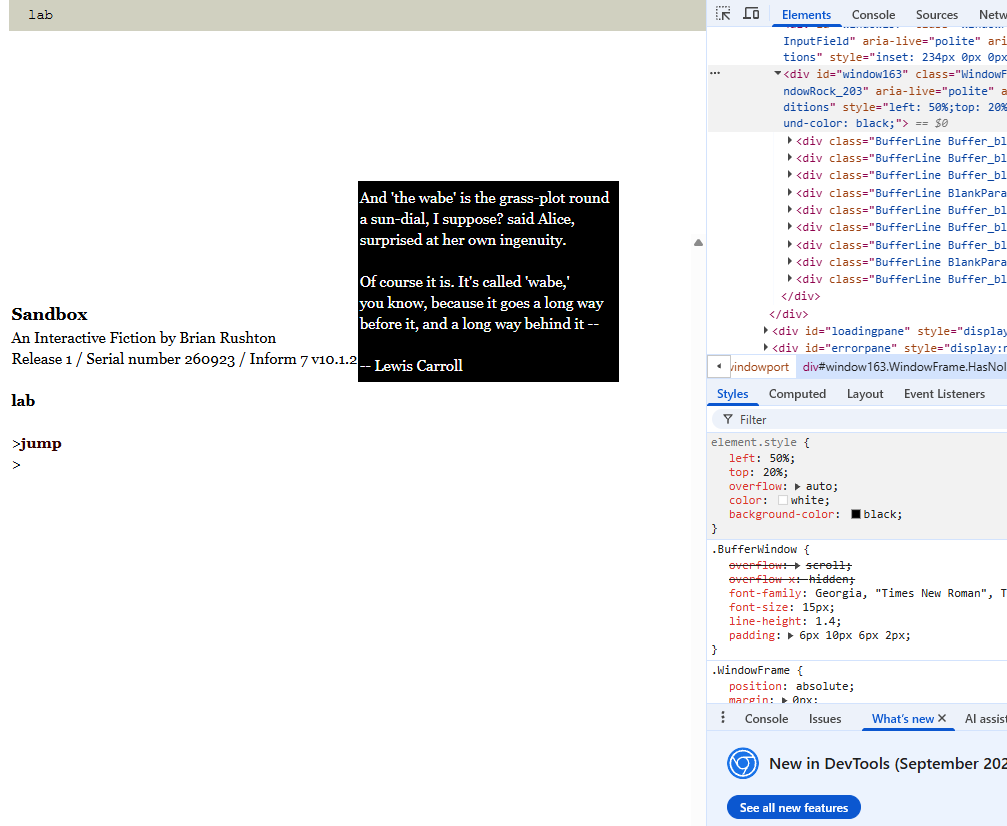
(just messing with dev tools, something like this. Just changing it to left:50%, top:20%, background:black, overflow:visible, color:white, and removing the contrast)

The Z-Machine Standards Document has a remark:

Some modern Z-Machine interpeters (mainly those using Andrew Plotkin’s Glk interface standard) use a seperate text windows for the status line. While this is not Standard behaviour, it largely causes no problems. However Trinity, and many more recent Inform games, print quote boxes using a technique that is not compatible with this implementation.

Andrew Plotkin has written up some notes on the issue, including a workaround.

Quote boxes were first used in Trinity. The technique was then imitated in Inform 5 (later 6) as the box statement. The trick roughly looks like this:

  • (Assume the game normally has a status window height of 1)
  • Increase the window height to, say, ten lines
  • Print text in lines 3 through 10, centered, reverse-video
  • Decrease the window height back to 1
  • Await the next line input

In Infocom’s (V4) interpreter, the effect was to print the reverse-video text overlaid on the top of the story window, below the (single-line) status bar. The text would then scroll away as part of the story window’s natural scrolling, over the next few command inputs.

In a naive Glk implementation – or any simple implementation using text windows – this trick fails. The interpreter will display the quote text for a tiny fraction of a second, or (if the display system has built-in buffering) not at all.

To work around this, our Z-machine interpreter must use a counter-trick. The strategy is to not decrease the window size when the Z-machine requests it. Instead, we leave the window open (ten lines, in the example) while accepting line input. At the following input event, we assume that the player has read the text, and collapse the window back to its “correct” size.

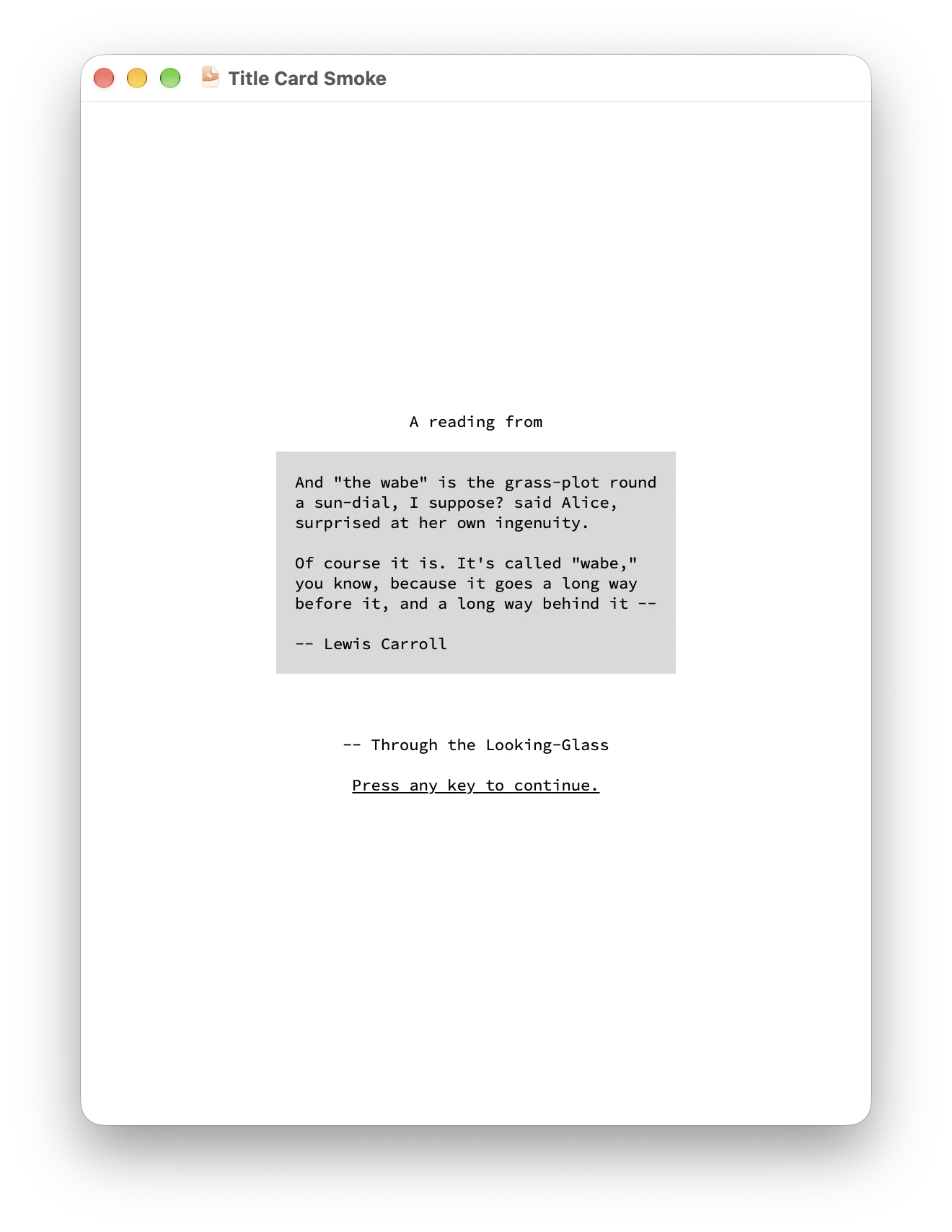
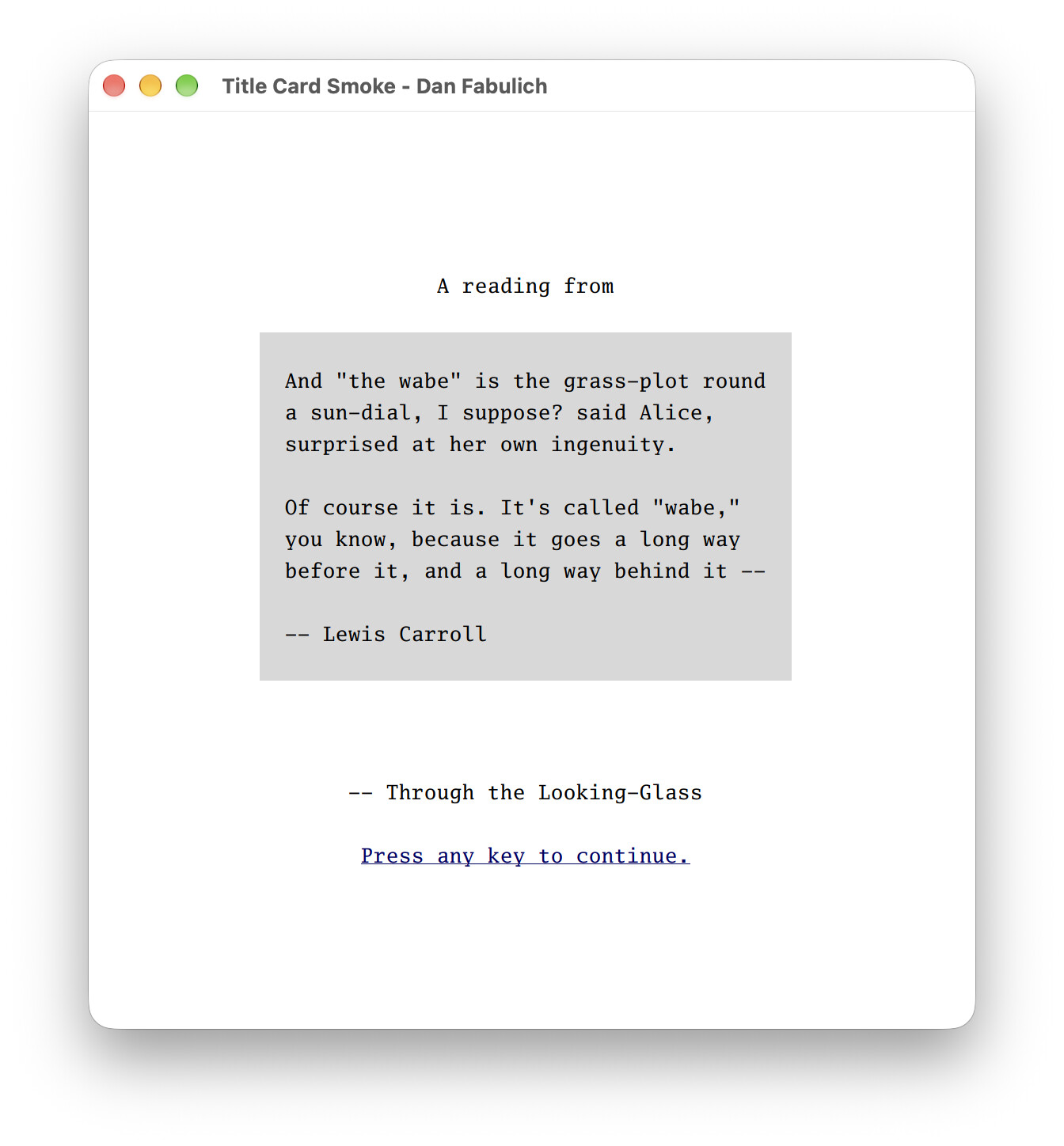
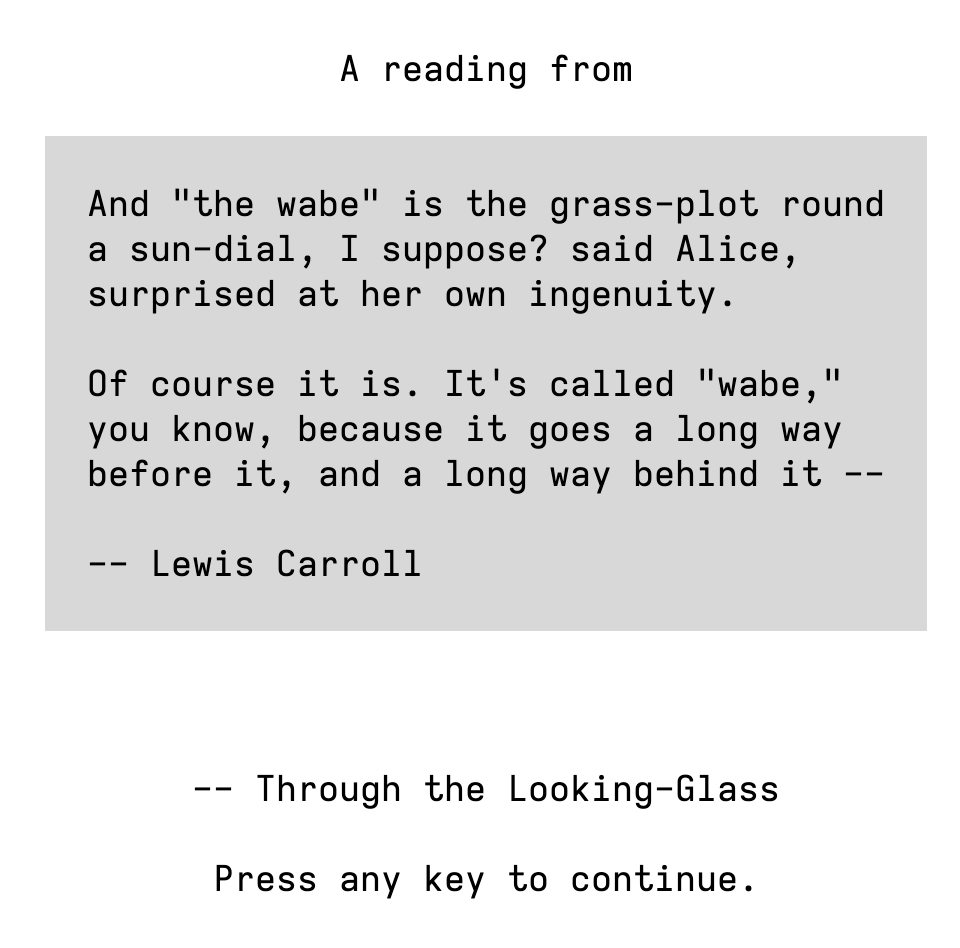
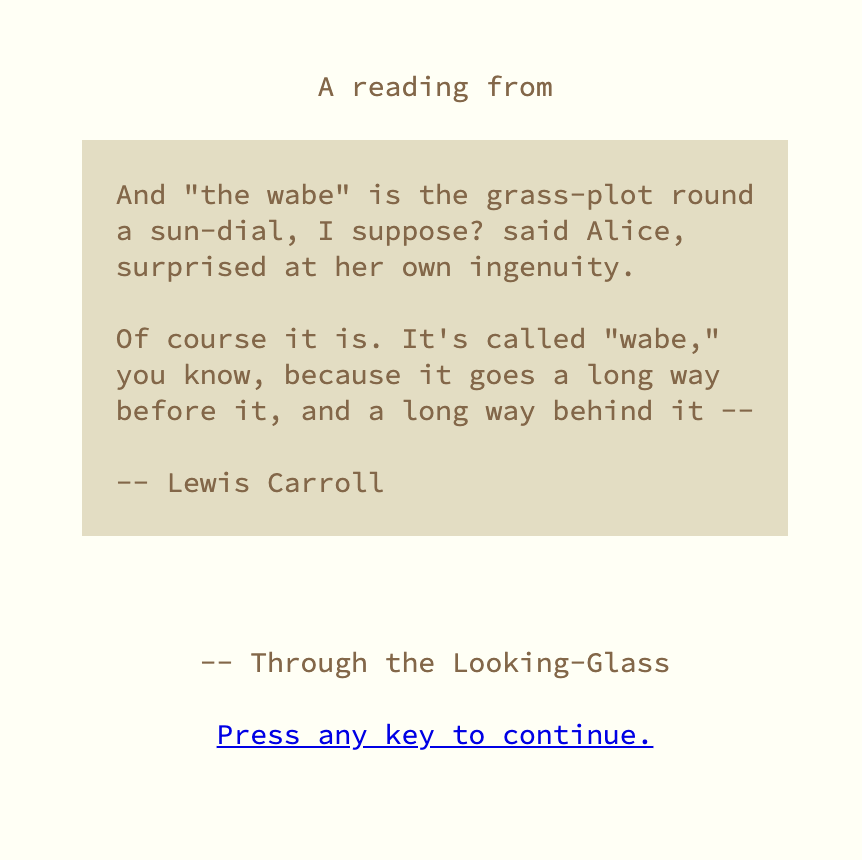
Try this? It’s not floating over the text buffer; it’s just taking over the full screen to display a title card, vertically and horizontally centered. (But that’s what Anchorhead and Curses mostly did, anyway.)

The styles aren’t perfect, especially when you try to customize colors; it’ll all work a lot better when Glk CSS support is widely available.

For reference, this is how I’m currently doing it in Dialog:

Probably could do with an extra line on the top and bottom to match Trinity. But I think the inline look is closer to the classic floating box than the expanded status line is, on modern interpreters. Inform can replicate this look—in fact, with its text handling, it can do this much, much more easily than Dialog can!

My workaround addressed the problem of “Curses/Trinity want to display this text on the next turn such that it disappears on the turn after that.” That’s what we needed to support for basic playability. On-screen formatting was strictly a nice-to-have after that.

Both workarounds in this thread look very cool, and having them easily accessible will help authors who want looks like Amanda Walker’s beautiful quote screens.

I think if still like trying to make the black square pop up correct in bisquixe as a challenge for myself, but at this point it’s more because it seems like an enjoyable puzzle than that it’s a distinctly better alternative.