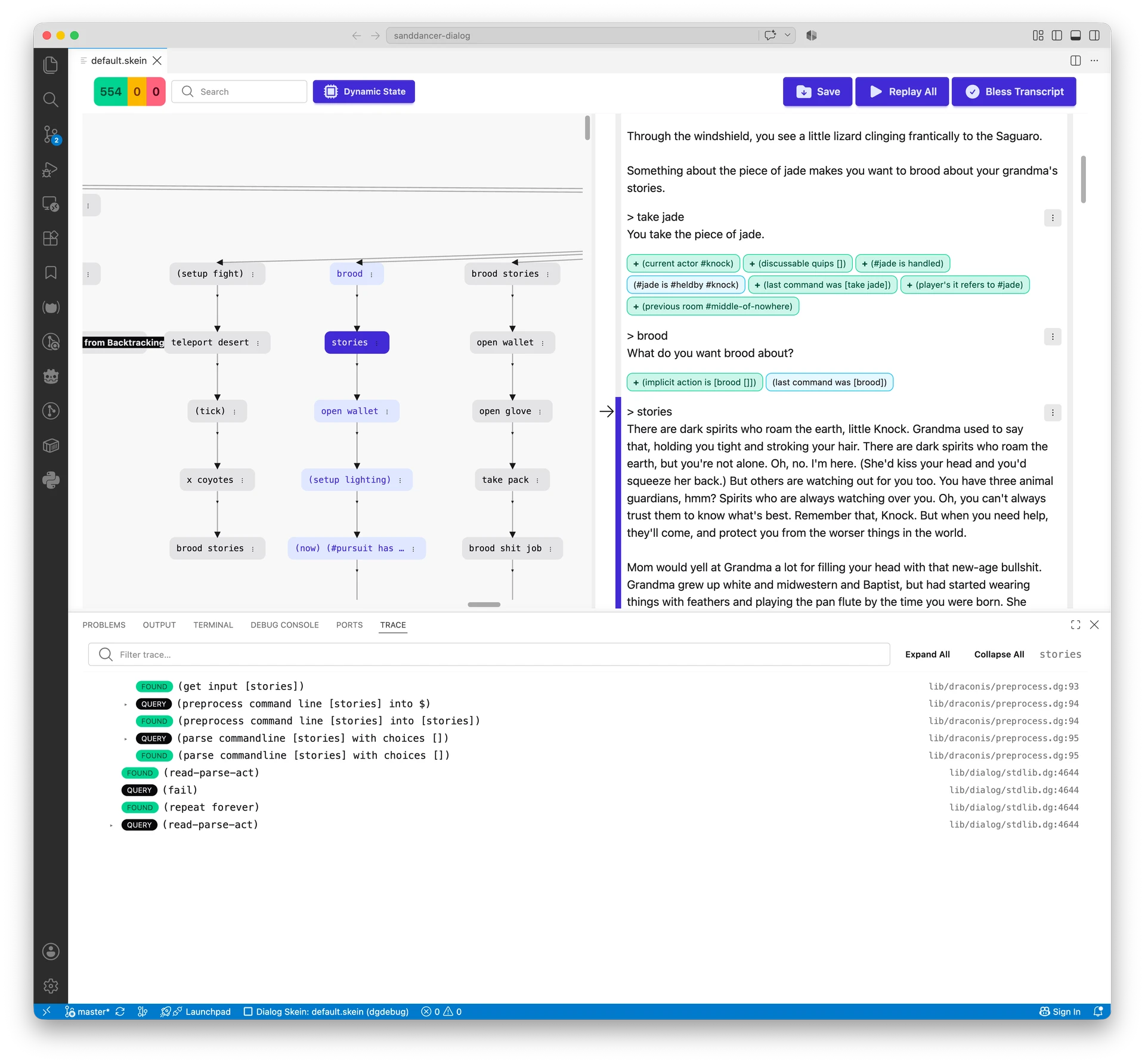
Source code: GitHub - hlship/dialog-ide: A full-featured IDE for the Dialog interactive fiction language · GitHub
So, interesting story here.
I got frustrated at how hard getting dialog-tool working on Windows and Linux was. I mean, I love the command line, and I had a lot of fun building, and rebuilding, and re-re-building dialog-tool and the Skein.
But I want to share it with others.
So I fired up Claude Code w/ Sonnet, on my own dime, and went to town over the last few days.
And now we have a first cut at Dialog IDE: it’s the Skein running inside Visual Studio Code.
It’s an extension, you can install it with a couple of clicks. Is it fully cross-platform? It’s supposed to be.
Does it do everything dialog-tool does? Nearly, especially in terms of the Skein. It does some things better. It has a few gaps I’ll fill.
It’s now dialog.json instead of dialog.edn … it’s all written in JavaScript and TypeScript, so that makes sense, and is easier to manage for both users and code.
What’s already present:
- Run project in debugger
- Create a new Skein
- Run an existing Skein
- All the Skein functionality present in dialog-tool
Not yet present:
- Running unit tests
- Creating a new project
- Compiling or exporting the project
dfrotzengine for the Skein- Documentation
Those will come together pretty quickly, I think.
Visual Studio Code provides all the code editing, find-and-replace, Git operations, etc., etc., etc. Add the Skein and you are looking at nearly all the functionality that Inform 7 has. Add in the Skein’s dynamic state tracking and the trace view, and you go way beyond what Inform 7 provides.