arrangements
While this is not a guide to web design, there are some core concepts that can inform our work.
The default layout of an Inform game for the web is a vertical sequence of .BufferLine output, but we can use custom classes to bend the rules a bit. If we have carved out a bit of our own space with properties like display and block, we can go further if we assign our custom class a width (the default is the width of the .BufferWindow), a relative position can permit us to place other content alongside it.
consider the following:
when play begins:
	follow the ipso style rule;

this is the ipso style rule;
	css-set-fast ".Style_ipso; border; solid red";
	css-set-fast ".Style_ipso; width; 40%";
	css-set-fast ".Style_ipso; position; relative";
	css-set-fast ".Style_ipso; display; inline-block";
	css-set-fast ".Style_ipso; border-radius; 20px";
	css-set-fast ".Style_ipso; padding; 20px";
	css-set-fast ".Style_ipso; margin; 20px";

to say ipso:
	set-any-class "ipso";
These steps are likely familiar by now, but note the use of the inline-block value, which will allow us to not only use this block inline but style buffer and margin properties. relative position makes it possible for the block to land more or less where it will without any direct layout specifications from us. In this case, it will occupy the first available space, which will be on a new line at left.
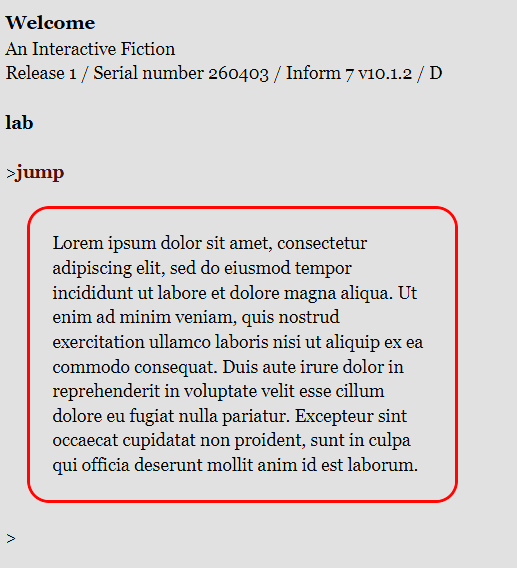
None of that is terribly exciting. It’s exactly where it would have printed in the first place! Things get more interesting, though, if we define another style.
this is the after style rule:
	css-set-fast ".Style_after; border; solid green";
	css-set-fast ".Style_after; width; 35%";
	css-set-fast ".Style_after; position; relative";
	css-set-fast ".Style_after; display; inline-block";
	css-set-fast ".Style_after; padding; 15px";
	css-set-fast ".Style_after; margin; 15px";
this new custom class, .Style_after, is nearly identical to the first. The border has a different color, but the essential properties (size, margins, and so forth) are the same. Because they are both inline-blocks with relative positioning, we can place them side-by-side, presuming there is enough screen space.
Let’s define some output for testing.
instead of jumping:
	say LI;
	reset-style;
	say P;
	say paragraph break;

to say ipso:
	set-any-class "ipso";

to say LI:
	say "[ipso]Lorem ipsum dolor sit amet, consectetur adipiscing elit, sed do eiusmod tempor incididunt ut labore et dolore magna aliqua. Ut enim ad minim veniam, quis nostrud exercitation ullamco laboris nisi ut aliquip ex ea commodo consequat. Duis aute irure dolor in reprehenderit in voluptate velit esse cillum dolore eu fugiat nulla pariatur. Excepteur sint occaecat cupidatat non proident, sunt in culpa qui officia deserunt mollit anim id est laborum.[roman type]";

to say P:
	say "[post]Lorem ipsum dolor sit amet, consectetur adipiscing elit, sed do eiusmod tempor incididunt ut labore et dolore magna aliqua. Ut enim ad minim veniam, quis nostrud exercitation ullamco laboris nisi ut aliquip ex ea commodo consequat. Duis aute irure dolor in reprehenderit in voluptate velit esse cillum dolore eu fugiat nulla pariatur. Excepteur sint occaecat cupidatat non proident, sunt in culpa qui officia deserunt mollit anim id est laborum.[roman type]";
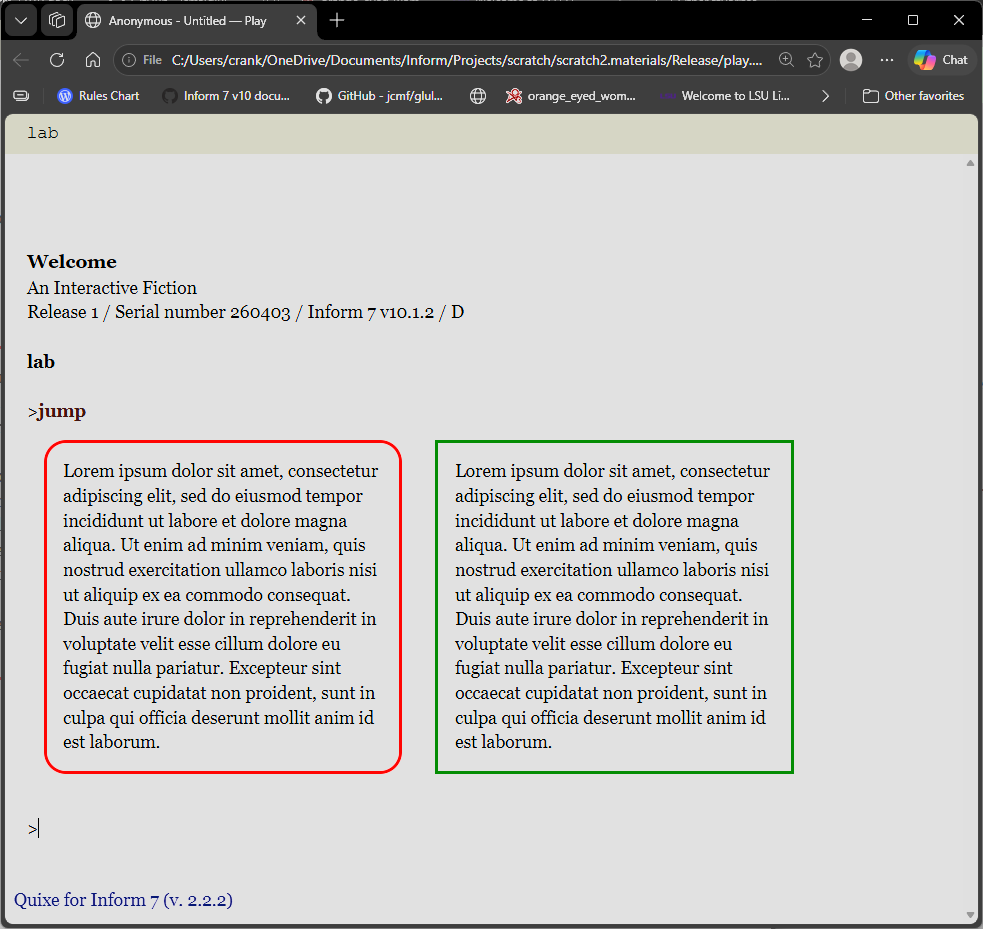
This is only scratching the surface. We can use the
position property to further tune the placement of our content, though we will be bound by the general design of the page, some of which is inaccessible to us (or to me, in any case, since it resides in javascript). This is almost always for the best, as there must be some universal givens for games (including ours) to work consistently!
a word on ‘‘float’’
The float property is used to move an element or class to the right or left side of its container. It additionally specifies that nearby content will wrap around it. This can be useful. Perhaps we have one styled content like our boxes below, but we would like the general flow of the game (command prompt, output text), to roll around it. This might be especially useful for wrapping text around images.
However, when floating content, other content not specifically styled can show up in the darndest places. For instance, if we add float; rightand float; left properties to our two boxes, the command prompt will wedge itself between the two!
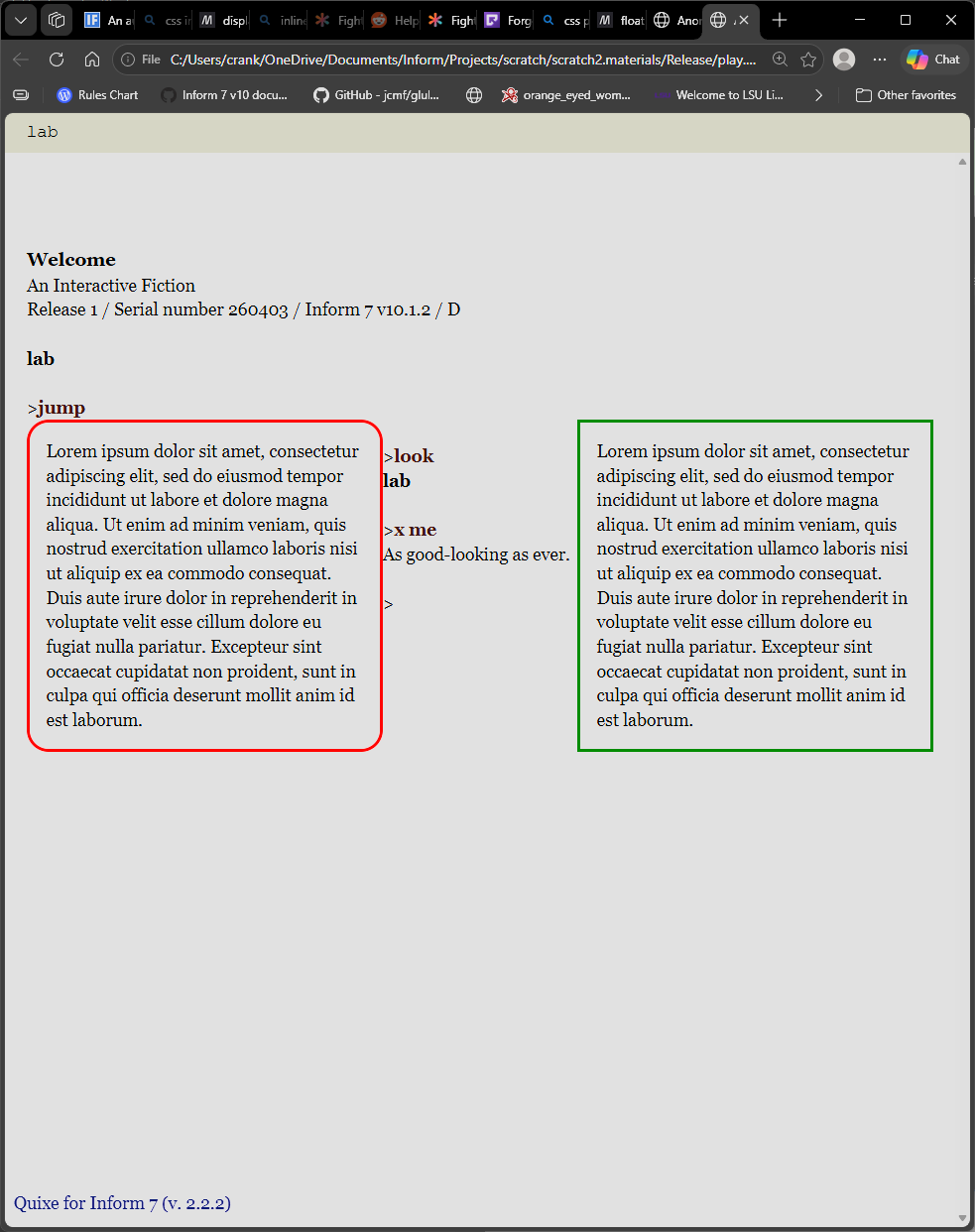
This particular case is easily mended; we can tell the bufferline to always begin after the last bit of output.
css-set-fast ".BufferLine; clear; both";
Still, it is good for authors to know that float can be a bit, er, floaty.