How to Not Lose This Post
This post is pinned to its category. By default, Discourse unpins a thread when you reach its end (turn this off in interface preferences as desired).
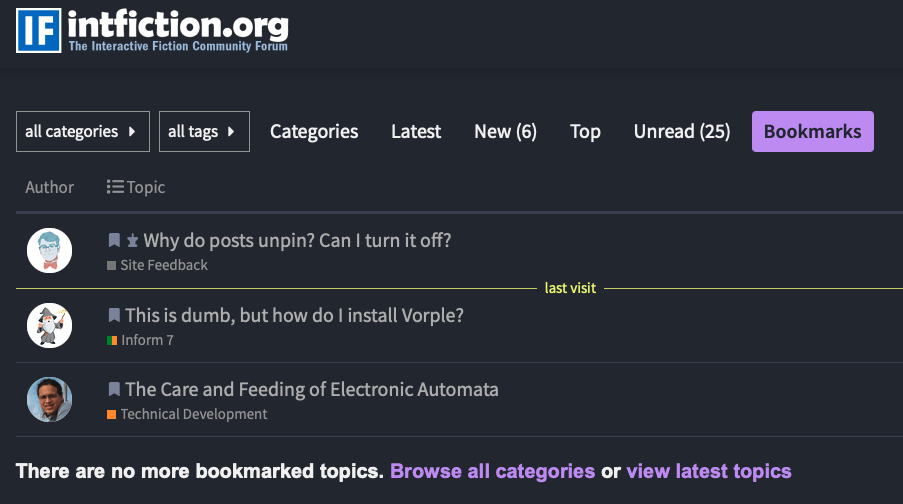
Or, bookmark it: below the post, click the bookmark icon  (may require selecting a
 … icon). To see your bookmarks, select your profile icon in the upper right, then select the bookmark icon there.
If you do lose the post, search for “documentation and resources” or visit while logged out.

[!tip] Familiarize yourself with the resources in Reference below.
Knowing they exist and what they offer will save you time and effort; much important info therein isn’t in the docs.
Inform 7 10.1.2 (current, 2022-08-31)
- Docs for I7 10.1 and IDE (integrated development environment)
- Compiler and tools docs/literate source
- Release notes detail changes and bugfixes
- 10.1 announcement thread
- I7 github repo
- Bug tracker (free Atlassian account required)
Installation
@Juhana’s Borogove lets you edit and run I7 online without installing anything (10.1, 9.3/6M62, or 8.5/6G60). Borogove snippets allows sharing code examples.
Official 10.1 packages; for Windows, use Windows Inform 10.1.2, 2026 update instead.
Linux options are RPM, .deb, or flatpak; see Linux IDE installation notes.
Building I7 from source (no IDE)
Version History
Past releases’ names were build numbers like 6M62; 10.1’s new version number scheme retroactively renamed them.
| Build | Version | Released | |
|---|---|---|---|
| 6G60 | 8.5 | Dec 2010 | |
| 6L02 | 9.1 | May 2014 | |
| 6L38 | 9.2 | Aug 2014 | |
| 6M62 | 9.3 | Dec 2015 | Documentation and Resources for 9.3/6M62 |
| 10.1 | Aug 2022 |
9.1/6L02 had substantial language changes; 10.1’s language changes were modest but had substantial implementation changes. Many links herein are labeled to show as of which I7 version it was current. Anything too outdated to be relevant is removed; other things have still-relevant info too valuable to omit despite some out-of-date details.
Development
The next release will be 11.0. No schedule has been announced. 9.3 is no longer supported; further releases of 10.X are not anticipated. Proposals for development are at Inform Evolution.
Learning
Tutorials
Start here!
- Allison Parrish’s I7 Concepts and Strategies (9.3/6M62)
- Drew Cook’s Inform Basics (10.1)
Manuals/Books
- Jim Aikin’s I7 Handbook (PDF) (10.1)
- Ron Newcomb’s I7 Programmer’s Manual (6G60). Written for experienced programmers but parts are useful for any author
- @aaronius’ book, Creating Interactive Fiction with Inform 7 (6E72). B&N sells an epub of Creating Interactive Fiction for the Nook; it is otherwise out-of-print: any PDFs you encounter are bootlegs
Reference
Writing with Inform read-through and commentary (9.3/6M62)
@drpeterbatesuk’s Deep Dives
- Spatial and other relations between objects & Spatial relations addendum
- Action / Grammar Token reference
- Action Patterns
- Scope and visibility & Scope and visibility II
- Definite/indefinite articles & improper/proper, singular/plural names in object creation
- How backdrops work
Unofficial I7 Reference Manual; discussion of I7 Reference Manual.
The turn sequence and action-processing rules in detail
Times, Turns, and Tenses: details on counting occurrences of actions and the past tense in conditionals
- Chronological records
- Chronological record maintenance details
- Reporting and changing state - #11 by otistdog
Room description’s activities and rules (used by look command)
The "Rewrite The Parser in Inform 7" Project (6G60). Some details have changed, but Ron Newcomb’s Original Parser docs are a crucial resource.
Line break behavior; see also Nathanael’s Cookbook
WI 27.14: what’s permissible in I6 inclusions (10.1)
I7 Windows IDE with the NVDA screenreader
Compilation produces a Project Index viewable in the IDE and customized for your game. It’s the closest thing to an official reference manual and includes many details not in the docs. When you half-remember something and are hunting for the right term to look up, check its Phrasebook section or the docs’ General Index).
The literate source describes in detail how I7 parses your story; the Syntax.preform documentation PDF (6L02) has a condensed account.
Actions/Commands
To modify and extend I7’s World Model and built-in actions safely, you must understand them. The Standard Rules are the authority and they’re (mostly) highly readable, especially the Actions section.
The docs don’t mention all built-in actions and commands; newcomers are often tripped up by a “new” command conflicting with one that already exists.
@otistdog 's Standard Rules Actions reference (9.3/6M62) has details on the actions, with tables of:
Consult those tables or Actions > Commands in the Project Index for the whole list.
Directions (and their abbreviations), oops / o, again / g, and undo aren’t conventional commands. Directions are converted to the noun in a going action; the rest are handled wholly within the parser and don’t correspond to actions. Understand the command "o" as something new compiles but has no effect.
When to use which action rulebooks?
Countless examples in the docs seem to endorse it… examples about things other than best practices for creating actions. For elements outside an example’s focus, implementation may be more perfunctory than exemplary. The seeming ease and convenience is a trap. As a story grows beyond example length, it creates an incomprehensible mess.
- Docs’ guidelines for action rules
- The perils of INSTEAD
- Message for failed actions - #4 by Zed
- Verb confusion- trying to feed my animals - #10 by Draconis
- Understanding understand and instead
Built-in Extensions
Let’s Play: Basic Inform and the Standard Rules explores them in detail.
All use authorial modesty, thus don’t appear in the version command’s output. They can be browsed in the IDE: see “Contents” in any compiled game.
Basic Inform is new in 10.1. With it, one can use Inform, the language, without the IF-specific bits. See A Guide to Kits. Include a to begin phrase for your main code (outside the Basic-only case to begin has no special significance).
Useful threads/posts
- The first thing you need to understand about Inform is
- Most common 'mistakes' and 'crutches' for those starting out with inform 7?
- The hidden secrets of Inform 7
- Command-line Inform 7: how to use ni, inform6, and cBlorb by CLI for 9.3/6M62 (has details on projects’ directory/file structure)
- Performance Best Practices (there are some expensive things to avoid, but there’s no substitute for profiling to see where your game is spending its time)
- Good coding style in Inform 7
- Limits on command length
- The Bubbling Beaker awards: novel, powerful, occasionally even useful techniques
- Rulebooks are a bit like switch statements... and yet different and Subroutine-ish things
- Side-effects from printing texts
Testing and Quality Assurance
- Skein appreciation thread
- Checklist for authors of IF and Inform 7 IF in particular
- One tester's game polish tips for parser authors
Elsewhere
Ryan Veeder
Playing
Select apps that run I7 games:
- Lectrote
- Gargoyle
- Spatterlight (Mac OS)
- Fabularium (Android)
See also Glulx and Z-machine below and List of glulx/.gblorb interpreters
Extensions
The Windows IDE supports easy installation of extensions from the offical Inform Public Library. It’s broken in 10.1’s Mac OS and Linux IDEs, but you can install extensions manually: see Where to find Inform 7 Extensions.
The Friends of I7 Extensions is the most comprehensive source (the Public Library is based on its contents c. 10.1’s release).
- Docs for the Friends of I7 Extensions
- Counterfeit Monkey’s Extensions: many unique extensions, many others modified from their originals
- Glulx/Glk extensions ecosystem
The Technical Development > Inform Extensions category discusses published extensions.
Extension Writing Guides
Select games/examples with Source Code available
- @zarf’s Advent Window
- Games from 2022 on tagged I7 source available in IFDB (mostly 10.1)
9.3/6M62
- Alex Proudfoot’s I7 Standard Examples ports, including @emshort’s Bronze
- @mathbrush 's Never Gives Up Her Dead
- Chin Kee Yong’s The Weight of a Soul
- Victor Gijsbers’ Kerkerkruip
- Ryan Veeder Expo for Good IF Event 1: Beautiful Source Code
- Cragne Manor by divers hands
- @emshort’s Counterfeit Monkey: especially valuable as an example of optimization in service of a large game; older Counterfeit Monkey source prior to optimization and reorganization
Older
- Slouching Towards Bedlam (6L02)
- @Juhana’s Sparkle (6L02)
- @Draconis’ Scroll Thief, Scroll Thief Bitbucket repo (6G60)
- @zarf’s Hadean Lands (6G60)
- @aaronius’ Blue Lacuna (5Z71)
How to Organize/Structure Your Project
There’s no one answer. Have multiple answers!
- Splitting the story into multiple files
- I7 Code Organization and Efficiency
- @Juhana’s Structuring I7 Code
- Ryan Veeder’s How to Write the Way I Write in I7
- Effective structuring and layout of code - Inform 7
See games with available source code above for examples.
Infrastructure
Inform 6
I7 compiles to I6 which is compiled to your choice of Glulx or Z-code (v8 only). I7’s standard library is built upon kits of I6 code. (The I6 standard library isn’t involved.)
The current version is I6 6.44. I7 10.1 comes with 6.41.
I6 References
The Inform 6 Designer’s Manual (DM4) was last revised in 2001, prior to Glulx support. Some updates:
Much more at [I6] The list of Inform 6 documentation
The I7 docs stress that you shouldn’t need to concern yourself with what lies beneath, but…
- modifying or interacting with the I6 layer is the only option for some things; many extensions do so
- some I7 behaviors are best understood as artifacts of I6 representations
- consulting the I7 compiler’s I6 output can be invaluable in troubleshooting
Glulx
Interpreters
- Glulxe (reference implementation) – C
- Glulxe debugger (requires
VM_DEBUGGER) - Glulxe profiler (requires
VM_PROFILING)
- Glulxe debugger (requires
- Git (name predates the other git) – C
- Quixe – Javascript
- Coryphelle – Rust
Glulx Refs
- Glulx spec, Glulx spec in markdown
- Glulx Inform Tech Reference, Glulx Inform Tech Reference in markdown
- The local variable mess
- Glulx’s unusual features
Glulx assemblers
- Gren Drake’s glulx-assemble
- zzo38’s glasm
- Glazer
Glulx Utilities
- Glulxtoc Glulx → C
- Glulx-LLVM: C → Glulx assemply (glasm)
- mrifk Glulx → Glulx assembly, I6
Glk
Glulx I/O is via the Glk API. Glulx terps need a Glk library like
- CheapGlk (no windows, no status line, just input and output streams; invoke terp with
-ucommand-line flag for UTF-8) – C - GlkTerm (for use in a terminal; supports multiple windows); GlkTermw (supports characters beyond Latin1) – C
- GlkOte (Quixe/Lectrote) – Javascript
- cheap-glkote (ElseIFPlayer’s variant) – Javascript
- RemGlk (I/O via JSON objects; supports multiple windows, most Glk events) – C
- CocoaGlk (Mac IDE) – C
- Miniglk (built into I7, default when compiling to C) – C
- GlkOte-term – Javascript
Standard Glk doesn’t offer the Z-machine’s fine-grained text color support. Some libraries include non-standard Gargoyle Glk extensions to do so; see Specifying Gargoyle's Glk extensions. To use them, include the Glk Text Formatting extension. The color changes would be ignored by the Glk libraries above but visible in:
- GarGlk (Gargoyle) – C++
- WindowsGlk (Windows IDE) – C++
- Async Glk (Parchment) – Typescript
- RemGlk-rs (Emglken) – Rust
- Chimara (GTK3 widget used by Linux IDE) – C
- Spatterlight’s Glk – C
Glkote and Lectrote don’t support Glk stylehints.
display the boxed quotation exists to make use of a specific Z-machine feature; its use isn’t recommended on Glulx.
More Glk implementations on the IF Archive
Differences between Javascript & C Glk APIs
Glk via network
- Remote-IF Websockets or AJAX → RemGlk
- glknode HTTP API → CheapGlk
- glulxe-httpd HTTP API → CheapGlk; support for sessions & transcripts, see langworth.com
To run a game headlessly with a separate process handling UI, RemGlk is an obvious choice for the back-end.
Glk Reference
Old, but still of interest:
- The Game Author’s Guide to Glulx Inform
- Brief Glk via Grokking Glk
- Gull: an introduction to Glulx Inform
Z-code
A few among countless Z-code interpreters:
- Frotz – C
- Bocfel (Gargoyle/Parchment/Spatterlight; Glk-based; Bocfel’s useful debugging options) – C
- Fizmo – C
- ZVM (Lectrote) – Javascript
- Gluzma – Glulx assembly
- Zig – I6
- JSZM (700 lines) – Javascript
The Spatterlight, Gargoyle, and Lectrote apps, and iplayif.com / Parchment use Glk for I/O even with Z-code, so display the boxed quotation won’t match true Z-Machine appearance/behavior (the Z-machine quote box problem). Lectrote doesn’t support all Z-machine text color options.
Z-code Reference
- Z-machine 1.1 standard, annotated
- The Z-Machine Standard 1.2 (draft) | Dannii’s IF Pages
- Z-machine spec errata
- Z-machine standard: unclear aspects/ambiguities
- Michael Ko’s Internal Secrets of Infocom Games
- Jeff Nyman’s Zifmia: Z-machine terp tests
- Tara McGrew’s Z-machine version comparison chart
Z-code Utilities
- ZTools includes txd, a Z-code disassembler
- Allen Garvin’s ztool, Python port of most of ZTools
- Unz: unpack Z-machine file info
- reform: reverse compile Z-code to I6
- Chris Spiegel’s ZDevtools (Z-code assembler/disassembler)
- ZLR Z-code debugger
Publication
The Web
Per WI Ch. 25: Releasing, release with a website uses a web template to create an index.html page with links to the game file or other included digital assets; release with an interpreter uses an interpreter template to make a play.html page that can run your game within a web browser. (Both cases rely on other files that are also written to the Release directory.)
Web templates
I7 includes the default Standard template and straight-outta-2005 Classic template. Styled is another.
Interpreter Templates
10.1 includes Quixe 2.2.1 and a broken version of Parchment. For an up-to-date Quixe or a functional Parchment, make a Templates directory under your project’s Materials directory. Inside it, unpack either or both of:
If you release with an interpreter I7 defaults to Quixe when compiling to Glulx, or Parchment for Z-code. You may specify release with a "Parchment" interpreter when compiling to Glulx. (Quixe is Glulx-only.)
release with an interpreter implies release with a website. The web template provides play.html.
Quixe’s Glulx terp is quixe.js; “Quixe” often means the terp, not the template.
Prior to 2025.1, Parchment used ZVM and quixe.js. Thereafter, it uses Git, Glulxe, and Bocfel compiled to Wasm by Emglken. Async Glk is the front end; RemGlk-rs intermediates between it and the terp. “Parchment” often refers to the large project powering iplayif.com, not the template. The Parchment template doesn’t support sound, though iplayif.com does.
Bisquixe
@Mathbrush 's Bisquixe, a modified Quixe template plus I7 extension (for 9.3/6M62 or 10.1), allows hyperlinks and easy changes to text formatting/style during play. To use it in 10.1, you must use Glulx Entry Points v10.0.150101; it won’t work with GEP from the Public Library or the Friends of I7 10.1 repo.
- An author's reference for Bisquixe, a tool for adding audiovisual content to Inform projects (update: linking to external files)
- Beginner's Guide to Styling Inform Releases with Bisquixe
Examples:
Vorple
Vorple is an interpreter template/extension combo that allows ongoing interaction between a running game and author-created Javascript in the browser, unlocking enormous potential. Examples:
- re: Dragon (source available)
- The Reliquary of Epiphanius
- Shadow Operative
Cover Images
If you release along with cover art, put Cover.jpg or Cover.png in your materials directory. Inform automatically copies this to Small Cover.jpg (or png) in Release; this is what is displayed on index.html and play.html; it links to the original. If you provide your own Small Cover, it’s ignored. But you can overwrite Small Cover in Release (every single time).
Alternatives
If your game has file,figure, or sound assets, play.html as generated by release with an interpreter won’t be able to find them. Either of these are preferable:
- @Zarf’s ifsitegen.py is a command-line script that acts on a Z-code, Glulx, or blorb file; results are similar to releasing with Quixe (except it uses ZVM for Z-code)
- IPlayIF’s sitegen: upload a game file; it creates and downloads a browser-playable game as a single HTML file
Hosting
Some free ways to publish a game on the web:
If a game file can be directly downloaded from the web and you enter its URL on iplayif.com’s home page, the URL you’re redirected to allows anyone to play your game online (so long as the game file remains available at the originally submitted URL). Or prepend https://iplayif.com/?story= to the URL-encoded version of the game file URL.
This can’t work if access is encumbered by CAPTCHA or required login. If you upload your game to the IF Archive you’ll end up with a game file URL suitable for this purpose: the Play online buttons on many IFDB pages link to iplayif.com links with IF Archive game file URL arguments.
Stand-alone application
Lectrote is Quixe (and other terps) within Electron, roughly, and could be the basis for a “bound game”.
One can also compile Inform into C you can compile to a stand-alone executable.
Utilities
- I7 source highlighter
- RegTest – regression testing for IF compatible with any terp that’s either built with RemGlk or based on plain input/output streams (e.g., Frotz’s dfrotz or any terp built with CheapGlk)
- RegTest bash completion script
- RegTest-HTML – RegTest-compatible framework for GlkOte-based terps
- @Natrium729’s I7 Text Extractor – extracts strings from I7 source (for ease of proofreading)
- Jacques Frechet’s glulx-strings online – extracts all strings from glulx, zcode, or several other formats (accepts blorbs)
- glulx-strings source (node and Python versions)
Blorbs
blorb is a standard for bundling game assets into a single file for distribution. Inform makes one when you build for release.
Blorb utilities
- BlorbTool – Python; BlorbTool online
- inblorb (I7 10.1) – C
- Bamboozle (TUI) – C
- IFTools – C#
- cBlorb (I7 9.3) – C
- Snavig – Rust
Editor plugins
- VSCode: vscode-inform7
- Emacs: inform7-mode 1, inform7-mode 2
I7 in translation
- Graham Nelson’s Manifesto for the translation of I7 (PDF) (6G60)
- Greek (10.1) by Konstantinos Sitistas
- Spanish (10.1) by Sebastian Arg (see centro de documentación I7)
- Italian (6M62) by Massimo Stella, maintained by Leonardo Boselli
- French (6L38) by Nathanaël Marion
- Swedish (6G60) by Felix Larsson
- German (6G60) by Team GerX
[!tip] This ain’t over
Documentary and resourceful goodness continues in the I7 Docs and Resources Annex below.