Glk Mapping extension

How about we go in the other direction?

My suggestion would be to extend the existing graphics window system with commands like “draw line”, “draw text”, “draw unfilled rectangle”, etc. Maybe add a flag that tells the Glk library to handle panning and zooming instead of passing mouse events to the game.

I don’t love that; it feels like reinventing SVG. (SVG is just XML, declaring lines, and filled/unfilled polygons… and embedded fonts and rasterized images and executable JavaScript and and and…)

I’ll do some research about sandboxing SVGs; I think we can likely use the new HTML Sanitizer API to sanitize SVGs with a strict “allowlist” of elements and features.

It’s not supported on older browsers or in any version of Safari, but you can polyfill it with DOMPurify; I think we can set up the Parchment build to only import DOMPurify on browsers that don’t support the HTML Sanitizer API natively.

That approach would let the Glk spec specify an “allowed subset” of SVG, which would be great to add to the Blorb standard, as well.

Using SVG as an image might be enough: SVG as an image - SVG | MDN

How would updating an overlay like ‘you are here’ work if it’s moving around? Would that mean resending the full composite image, or can overlays be changed independently?

As I’m imagining it, for precomputed rasterized (PNG/JPG) maps with rasterized overlays, embedded as Blorb attachments:

  1. You’d render a rasterized map with glk_map_present_image(), passing it the Blorb pict ID of the map layer.
  2. Then you’d call glk_map_overlay() passing it the Blorb pict ID of the overlay image (“you are here”). glk_map_overlay() would return an opaque overlayid_t.
  3. When you want to move the overlay, you’d call glk_map_overlay_move(), passing it the overlayid_t that glk_map_overlay() returned in Step 2. glk_map_overlay_move() would update the overlay independently of the map layer.

FWIW, if the embedded interpreter is computing an SVG map at runtime (as ADRIFT does), well, in that case, you probably wouldn’t need a separate “overlay” API.

Resending a “full composite image” for SVG is just a few KB of XML. The embedded interpreter would just add the overlay(s) into the SVG’s XML, and resend the whole document for every update.

I added a new section to the top post, clarifying how ADRIFT-style maps would work as “terp-rendered SVG maps.”

I also made a recommendation for how to apply colors to the map. I recommend using glk_style_measure to measure the Normal TextColor/BackColor, and using those colors in the generated SVG.

Previously, I’d declared that “clickable maps” were out of scope, but I’ve decided to add it in, to more completely implement ADRIFT’s feature set, and also to add support for an event notifying the interpreter when the user hides the map.

I’ve added a struct for map hyperlinks, like this:

typedef struct glk_mappoint_struct {
    glsi32 x, y;
} glk_mappoint_t;

typedef struct glk_maphyperlink_struct {
    glui32 id;                      /* opaque; nonzero */
    const char *label;              /* null-terminated UTF-8; NULL or "" = unlabeled */
    glui32 npoints;                 /* >= 3 */
    const glk_mappoint_t *points;   /* polygon points */
} glk_maphyperlink_t;

And I’ve added a new evtype_Map event type.

Should the map have a Glk window ID? (I think not?)

In my proposed implementation, the map UI is controlled by the runner, likely a floating OS window, which the user can resize/close. This makes it totally unlike all other Glk windows, which the embedded interpreter controls completely, arranging them with Glk’s window-arrangement system.

If the map had a window ID, I guess a bunch of the glk_window_* functions just wouldn’t work, e.g. glk_window_iterate would presumably never return the map window, and if you called it on the map window, it’d return NULL. It would mean we could use the standard Glk hyperlink system for map hyperlinks, but we’d still need some kinda special thing for the UserHide event.

EDIT: I also renamed glk_map_present to glk_map_present_svg

In the current draft, you can present a map with a Blorb image with glk_map_present_image, or you can present a map with an SVG string with glk_map_present_svg.

Previously, glk_map_present_svg was just called glk_map_present, and glk_map_present had a mode where you could provide a binary bytestring of JPG or PNG to render a rasterized map. But I found no examples where that mode would be useful; anyone with a JPG or a PNG to show would just embed it in the blorb and present it with present_image, which accepts a picture resource ID instead of a bytestring.

EDIT 2: I added glk_map_overlay_svg

I found cases where assembling large-ish 64KB SVGs on every move was taking 100ms+. (This is in a map with hundreds of rooms.)

Converting to glk_map_overlay_svg allowed the runner to retain overlays, saving us the cost of rebuilding the entire SVG string.

EDIT 3: Removed the flags, added glk_map_get_visibility()

Instead of passing a special “user requested show” flag during present, there’s now a glk_map_show_at_user_request() function, and we now ignore 0x0 focus rectangles.

There’s also a new glk_map_get_visibility() function.

I’ve pretty thoroughly battle tested this API in a draft PR of Spatterlight, using a new Inform extension I’m working on. (I’ve also tested it in Gargoyle; that works pretty well, too.)

I think I’m ready to request a Glk gestalt ID for gestalt_Map, an event type ID for evtype_Map, and 16 function selectors.

@zarf would you be the one to assign those? (Should I get my own reserved block??)

The 16 new functions for Glk Mapping are in this collapsed list
  1. glk_map_present_svg
  2. glk_map_present_image
  3. glk_map_set_hyperlinks
  4. glk_map_overlay
  5. glk_map_overlay_svg
  6. glk_map_fill_rect
  7. glk_map_overlay_move
  8. glk_map_overlay_clear
  9. glk_map_overlay_clear_all
  10. glk_map_close
  11. glk_map_get_visibility
  12. glk_map_show_at_user_request
  13. glk_map_set_focus
  14. glk_map_clear_focus
  15. glk_request_map_event
  16. glk_cancel_map_event

I’ve tested the API with an Inform extension

(For this test, I’m using a randomly selected gestalt + function selector IDs.)

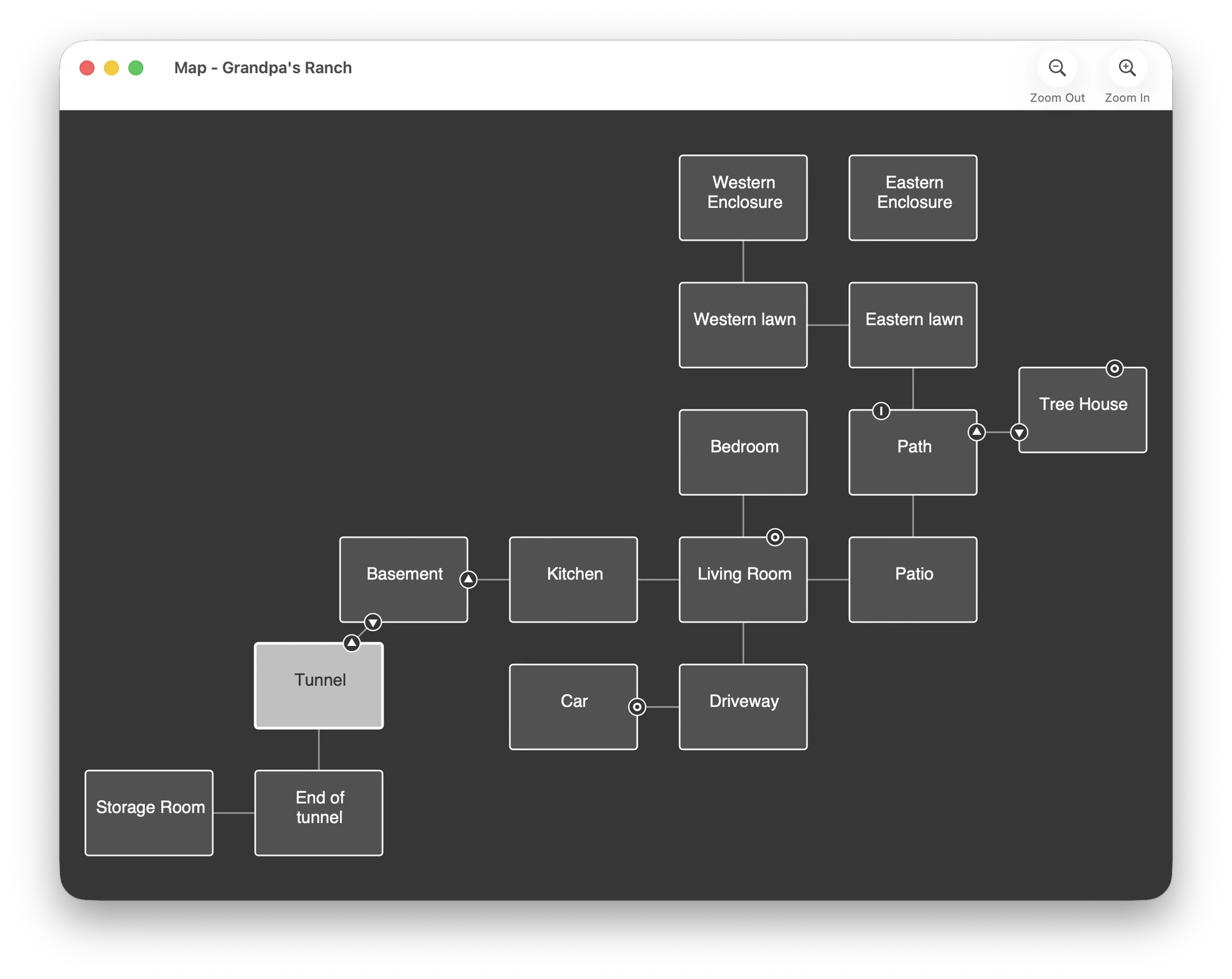
The Automap Inform extension displays a map of rooms that reveals itself as you play (fog of war), based on the Glk Mapping API.

To show rooms on the map, you must declare map coordinates on each room:

The map x of Kitchen is 0. The map y of Kitchen is 0.

The units of x and y are abstract grid units, not pixels.

You can also set a width and height. (The default is 6 wide by 4 tall.)

The map width of Kitchen is 8. The map height of Kitchen is 6.

Optionally assign a map z (default 0). Rooms whose map z differs from the
player’s current room are drawn dimmed:

The map z of Attic is 1.
The map z of Sky is 1.

Rooms that have no x/y or 0 width/height will not appear on the map.
In that case, when the user enters those rooms, there will be no “you are
here” marker on the map.

I made a little doohickey that exports map coordinates from Trizbort.

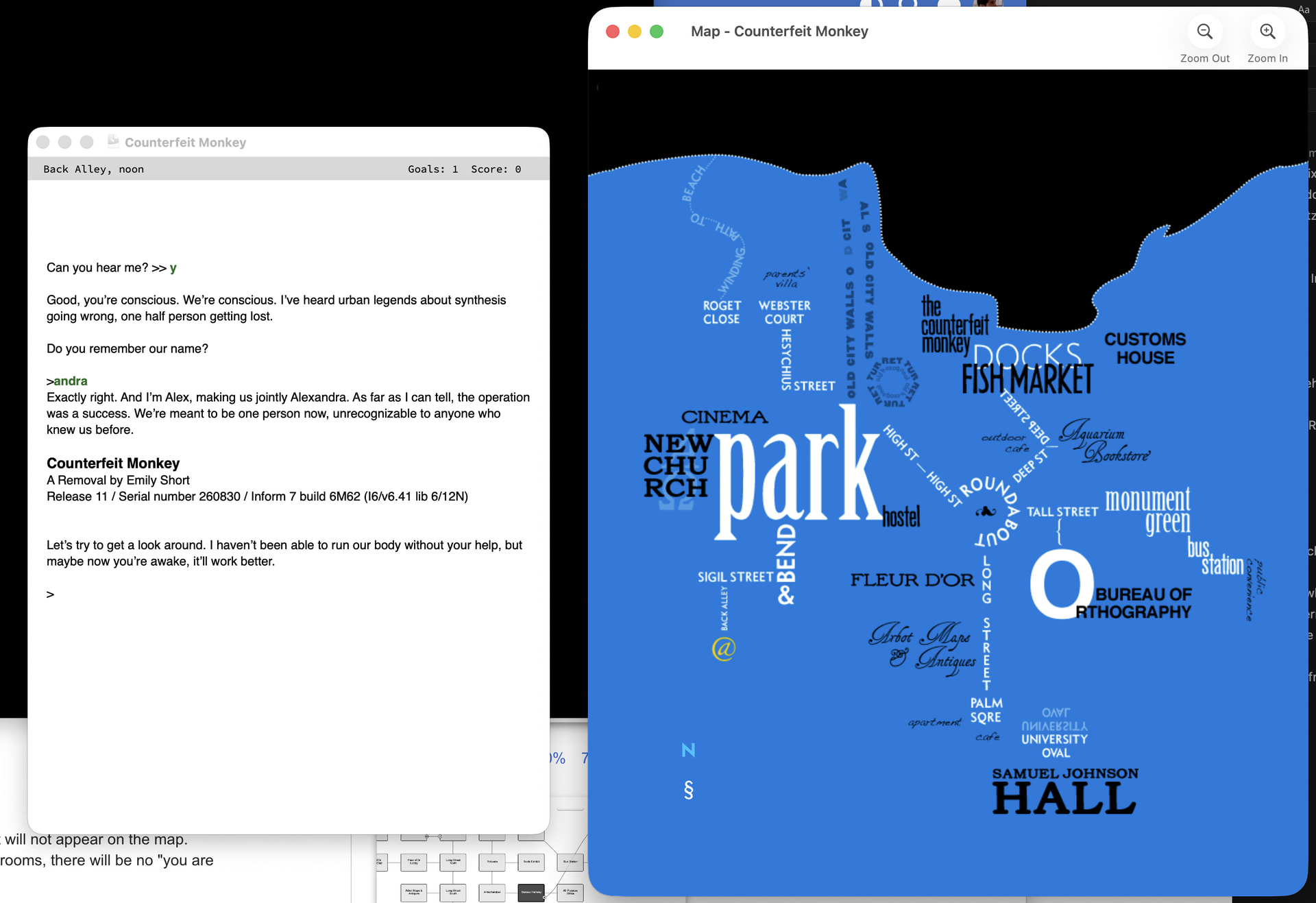
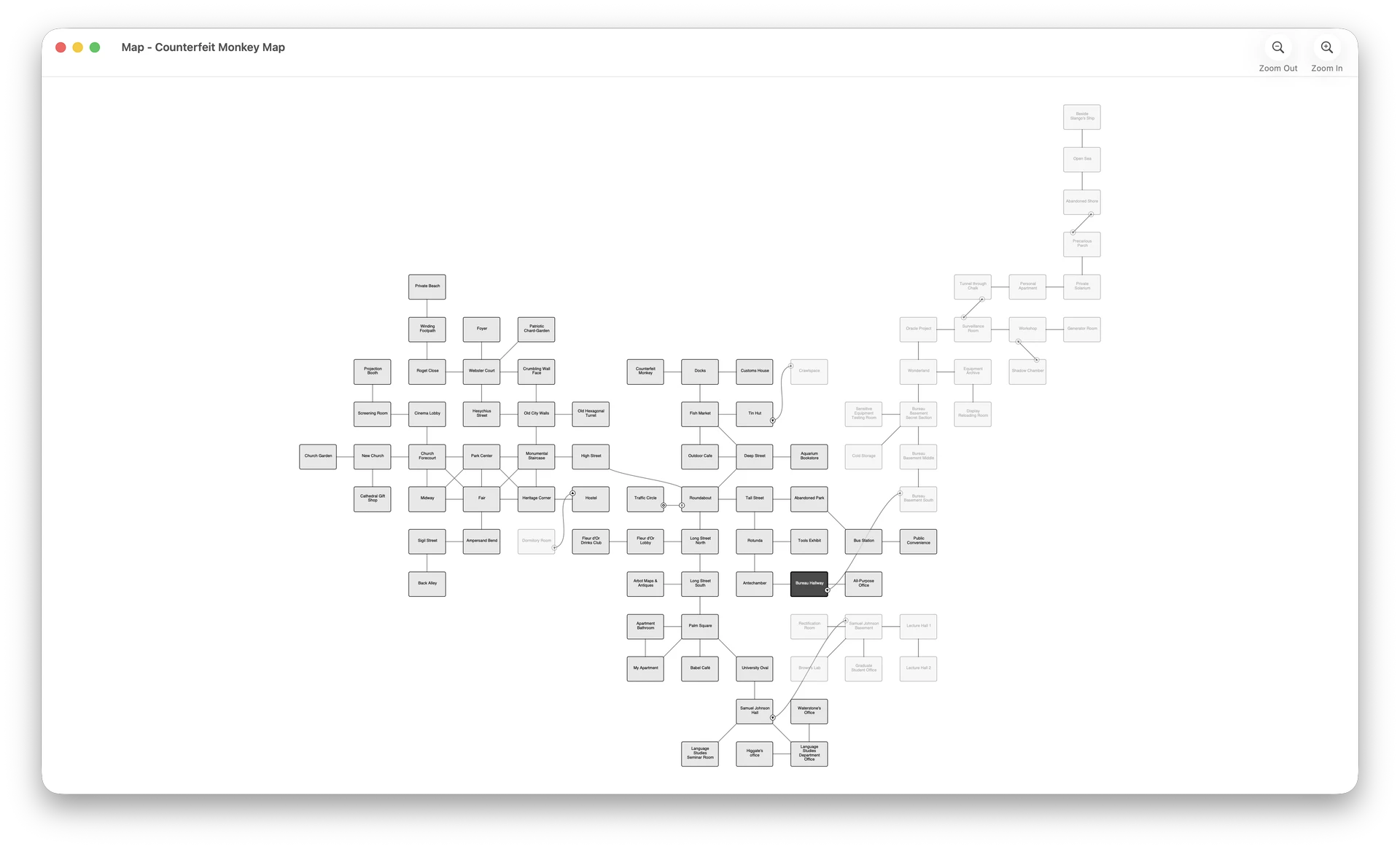
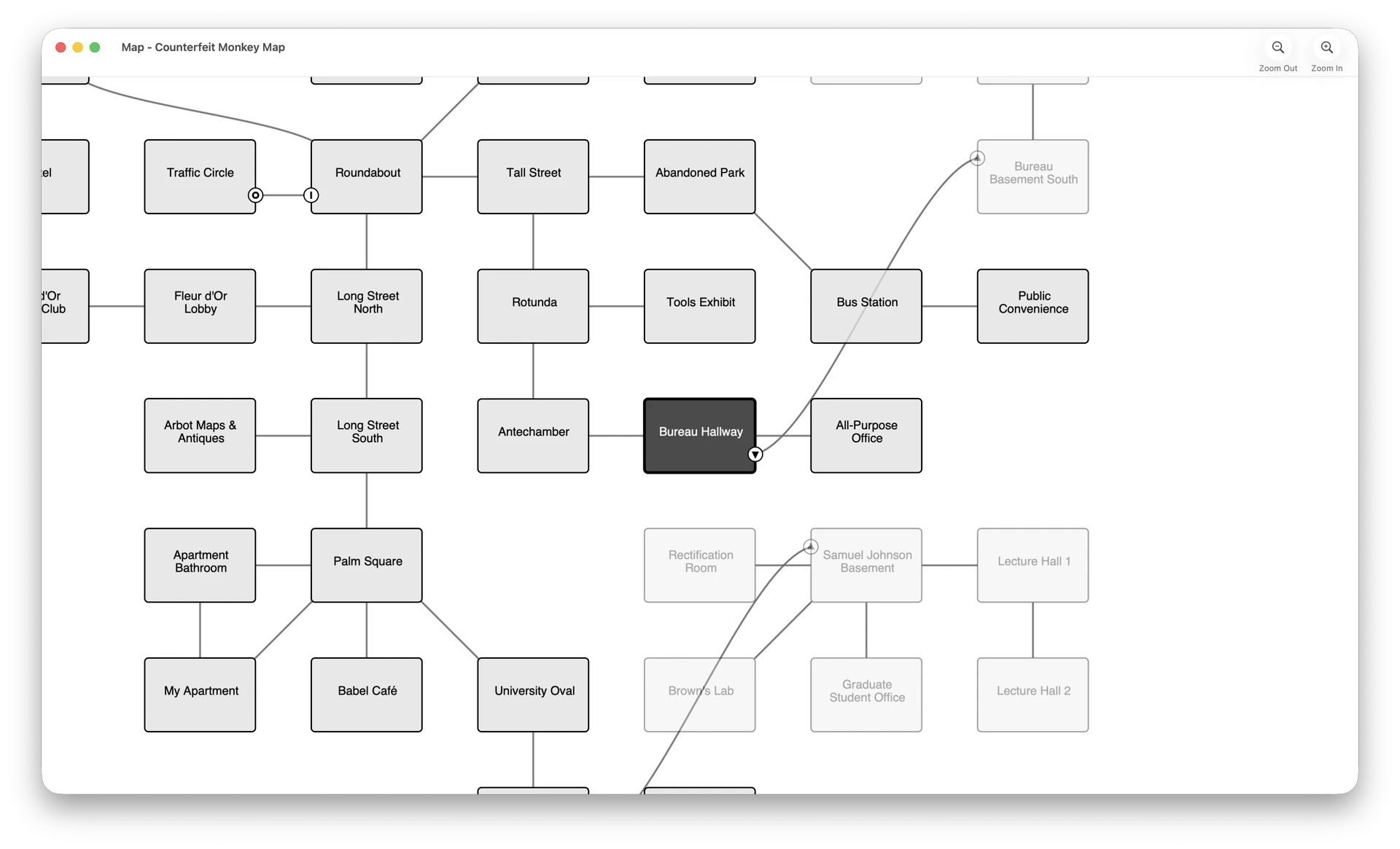
I’ve also tested Counterfeit Monkey’s rasterized map using Glk Mapping. It looks great, and works better than it ever did in a graphics window.

And of course I’ve been testing ADRIFT games using Spatterlight Scarier.

I’m not ready to do a full write up, but as I’ve been waiting for a gestalt code for this, I’ve changed my mind about the shape of this API.

I now think that it fits better into the Glk API to just make a wintype_Map. It’s like a graphics window, but the user can pan/zoom it, and it supports overlays, hyperlinks, and SVG strings.

I do still think it’s best for maps to display in their own OS window, if possible, but I think that “maps” aren’t the only thing that belong there. Other things that could benefit from their own OS window:

  • ADRIFT has a floating map window (which users can “dock” to the main window) as well as an ambient graphics window for room graphics, which can optionally appear inline in the text buffer, or in a separate window (which can also be docked).
  • Hadean Lands has a Map window and also a Journal window (with a list of rituals/formulas/facts you’ve discovered)
  • Cairn has tabs for Map, Manual, and Hints. Anything that you might use Inform Menus/Basic Menus for could credibly go in an OS window.

To satisfy these use cases, I think Glk should have an “external window” API, perhaps something like:

winid_t glk_window_open_external(
    glui32 wintype,
    glui32 rock,
    glui32 *title,
    glui32 titlelen);

There would then need to be new events for these external windows, evtype_WindowUserFocus and evtype_WindowUserClose.

One reason I didn’t go for this at first was so the interpreter could choose its own “Show Map” UI, whether that’s a menu item in the macOS menu bar, or a pinned toolbar at the top of the screen, or a tab switcher like Hadean Lands for iOS.

But, based on the Glk, author control, and player control thread, I’ve been persuaded that Glk APIs are simpler to implement and understand if they’re under the author’s control. (We can build Inform extensions that implement responsive-design best practices.)

So, in order to give users a way to open the map using interpreter chrome, there could be a Glk Menu Bar API, like this:

void glk_menu_bar_add_item(
    glui32 id,
    glui32 *label,
    glui32 labellen,
    glui32 icon,
    glui32 flags);

It would add a “Game” menu to the OS menu bar, (or to a section of the interpreter’s hamburger menu, if the interpreter doesn’t have a native menu bar), which would fire off an evtype_MenuBarSelect event when the user selects an item.

And there could be a Glk Tab Bar API, like this:

#define wintype_Tabs                0xXXXX  /* TBD */

winid_t glk_tab_add(
    winid_t tabs,
    glui32 wintype,
    glui32 rock,
    glui32 *title,
    glui32 titlelen,
    glui32 icon);

A tab bar would show a tab switcher, allowing users to switch between different Glk windows.

Game code (e.g. the Inform extension) could decide whether to use tabs and a menu bar, or to prefer one over the other, or whether to have no UI at all except an in-game suggestion to “Type HELP for help.”

So, uh, now, instead of one gestalt and 16 functions, I think I’d want at least four gestalts, two window types, at least three event IDs, and, uh, more functions than that.

(I’m also musing about a Glk Menu Window API, for showing hints/help instead of the char-input menus that are standard today. That would need another window type, wintype_Menu, more functions, and more events.)
I have a vague memory of @zarf many years back musing about how Glk could be adapted to work with multiple screens (which would also effectively entail multiple UI windows on one screen), but I can’t find it now.

I’m afraid I don’t remember either.

I’ve been waiting for a gestalt code for this

I apologize, I let that settle to the back of my inbox. Let me re-read that message.

Well, it’s probably for the best, since now I’m asking for more gestalts, functions, window types and event IDs.