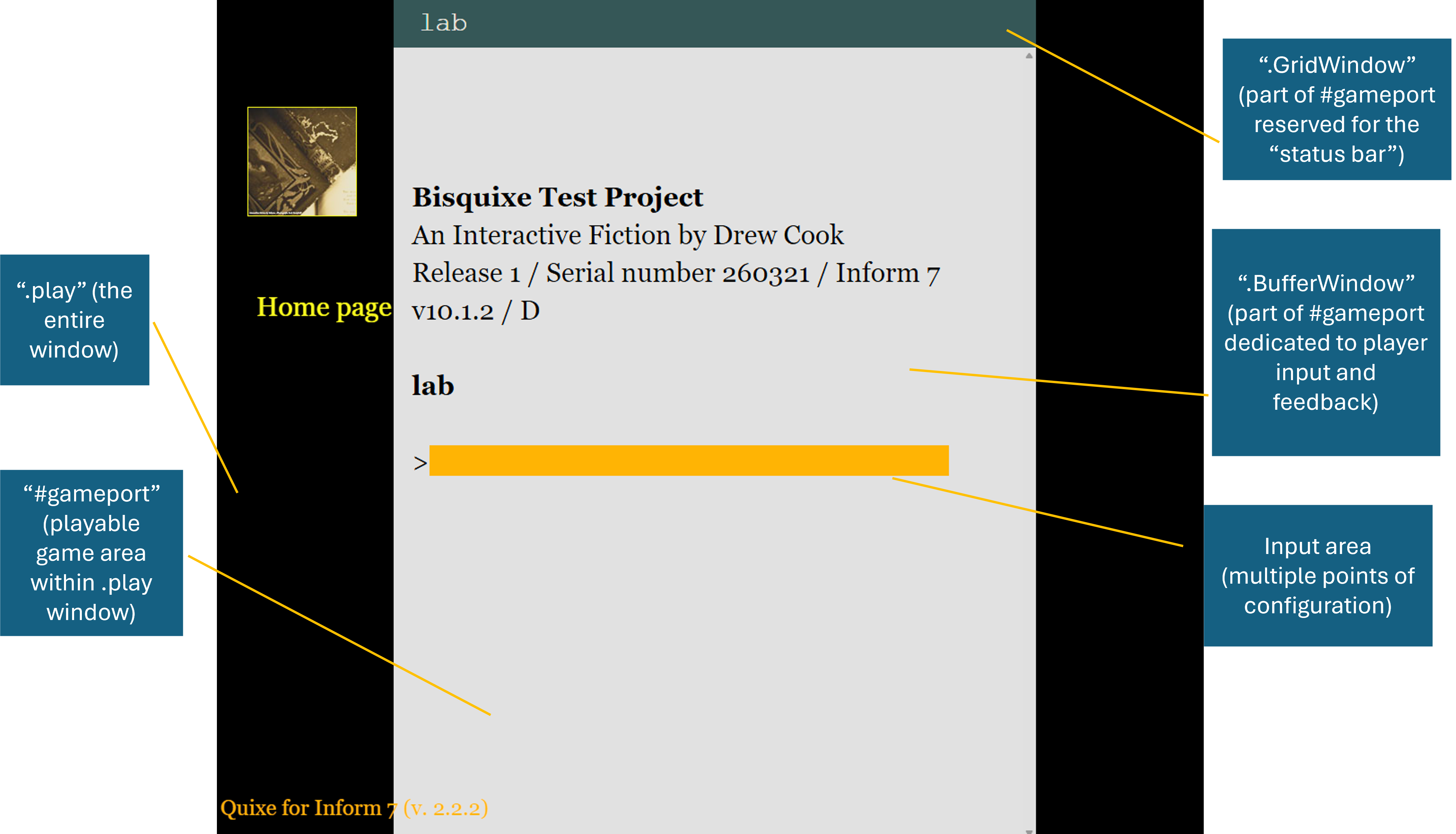
Frequently styled parts of a web-based Inform game
While multiple files are required to run games released with the Bisquixe interpreter, this discussion of Inform’s web presentation involves three files:
glkote.css: this previously-discussed file is the “default” template for most Bisquixe styling.
play.html: while we will rarely (if ever) modify this file, it can be useful as a reference. This file is the web page that contains our game.
style.css: This file does not configure the contents of our running game. rather, it specifies the behavior of the web page holding it. While a typical Bisquixe implementation will only interact with these settings sparingly, it is useful to know where to find them.
There are six commonly-styled parts of a Bisquixe game, all mentioned in one or more of the above files:
.play: the entire browser window containing our game.#gameport: a subdivided portion of the.playwindow dedicated to running our game..BufferWindow: a portion of the#gameportdedicating to displaying both player commands and player feedback..GridWindow: a small horizontal window at the top of the#gameport. Frequently called the “status line” or “status bar.”- Input: Referring to “input” might mean multiple things. There is the
.Inputfield, the text that appears as it is typed (.BufferWindow .Input), and the text as it appears in the.BufferWindowafter the enter key has been pressed (.Style_input). While these variations can be confusing, they all must be considered different configurations. - Inline text: Bisquixe can additionally change text via substitutions. While the above components modify games more or less at the window level, using Bisquixe inline via
styles allows for greater drama and specificity.
Our web game has a hierarchical construction, and children can inherit styling from their parents if they do not have settings of their own. While .BufferWindow could inherit font-size from .play, it does not because .BufferWindow already has a configured font-size. In fact, this seldom comes up because we begin with a website that is already styled and functional.